
How can I connect my TV to WiFi without Ethernet?
Can you connect TV to Wi-Fi without Ethernet cable
To connect your Smart TV to Wi-Fi without an Ethernet cable, you can use a USB wireless adapter. If your TV is not Wi-Fi compatible, you will need to plug in a USB wireless adapter first. Once connected, navigate to the Wi-Fi settings on your TV, find your Wi-Fi network, enter the password, and you should be ready to go.
How do I wirelessly connect my TV to Wi-Fi
To wirelessly connect your TV to Wi-Fi, press the home button on your TV remote to access the Smart Hub. The process may vary depending on your TV model, but the general steps are the same. Look for the network settings or Wi-Fi settings option, scan for your wireless network, and then connect to it.
How can I connect to Wi-Fi without Ethernet port
If your device does not have an Ethernet port, you can use a wireless adapter. Simply plug the wireless adapter into a USB port or any available port on your device. Once connected, the adapter will enable a wireless network connection for your device.
How do I connect my router to my TV without an Ethernet port
In the rare case that your smart TV does not have an Ethernet port, you will need to use an adapter. However, keep in mind that some smart TVs may not be compatible with adapters. Check the user manual of your TV to see if it supports adapters and follow the instructions to connect it to your router.
Can I just connect my TV to Wi-Fi
To check if your TV is a smart TV and can be connected to Wi-Fi, use your TV remote to go to the settings menu and look for network settings. If you have this option, you can scan for available networks and connect to your wireless network.
Can I connect my smart TV directly to my router
Yes, you can connect your smart TV directly to your router using an Ethernet cable. Locate the Ethernet port on the back of your TV and connect it to the Ethernet port on the back of your router. Then, go to the network settings on your TV and choose the wired internet option. Enter your Wi-Fi password and start streaming.
Why can’t I connect my smart TV to Wi-Fi
If you are having trouble connecting your smart TV to Wi-Fi, try restarting both your smart TV and Wi-Fi router. Unplug your smart TV and wait for 30 seconds before plugging it back in. Do the same for your Wi-Fi router. This will refresh the settings on your devices without erasing any data and may resolve connectivity issues.
How do I connect my Wi-Fi from my phone to my TV
To connect your phone’s Wi-Fi to your TV, go to the settings menu on your TV and look for network setup or connection settings. Press the “OK” button to display available Wi-Fi networks. You should see the name of your phone’s Wi-Fi network listed, select it, and enter any required passwords to establish the connection.
How much does it cost to add Ethernet ports to a house
The cost of adding a single Ethernet port to a house typically ranges from $60 to $225. This cost includes the Ethernet port itself, a wall-mounted panel, and the labor required for installation, which takes one to two hours at a rate of $50 to $100 per hour.
How can I get better connection without Ethernet
If you want a better connection without using Ethernet cables, you can use MoCA adapters. MoCA adapters utilize the existing coaxial cabling in your home to transmit networking frequencies from your router to your devices. This allows you to achieve network speeds similar to those of a traditional Ethernet network without the need for running Ethernet cables throughout your house.
What happens if you don’t have an Ethernet outlet
If you don’t have an Ethernet outlet but still want to connect your device to a wired Ethernet network, you can use an Ethernet dongle or adapter. These devices typically plug into a USB port on your device and provide an Ethernet port for connection. This allows you to connect to a wired network even if your device doesn’t have a built-in Ethernet port.
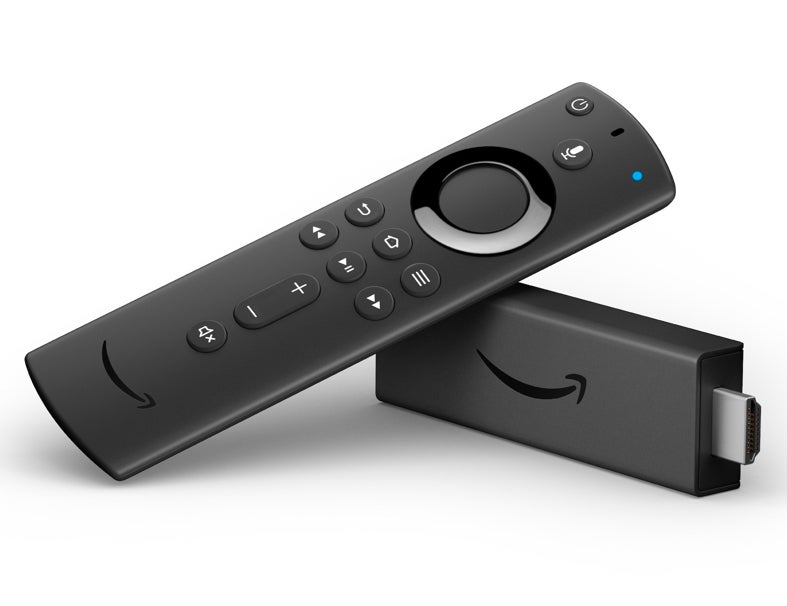
Can you connect TV to Wi-Fi without Ethernet cable
To Connect Smart TV Over WIFI
There are a couple of ways this can be done usually. First if your TV is not WIFI compatible plug in your USB wireless adapter if needed first. Once connected navigate to your WIFI settings & find your WIFI network, enter in your password and you should be ready to go.
How do I wirelessly connect my TV to Wi-Fi
Let's get your TV connected to the internet. Your TV may look different than the one you see pictured here but the process is the same for most models. Press home on your remote to access Smart Hub
How can I connect to Wi-Fi without Ethernet port
Use a wireless adapter: If your device doesn't already have a wireless adapter built in, you can buy one that plugs into a USB port or another available port instead. The adapter will enable a wireless network connection once it is connected.
Cached
How do I connect my router to my TV without an Ethernet port
In the rare case that your smart TV does not have an Ethernet port, you will need to use an adapter. Consider that some smart TVs do not have the required driver to use an adapter, so check the user manual to see if your unit is compatible with adapters.
Can I just connect my TV to Wi-Fi
To check if your TV is a smart TV, use your TV remote to go to the Settings menu and look for Network Settings. If you have that option, you can scan for, and connect to, your wireless network.
Can I connect my smart TV directly to my router
First, find the ethernet port on the back of your TV, and the password to your WiFi. Connect the ethernet port on the back of the TV and the port on the back of your router with an ethernet cable. Go to Network Settings, and then use wired internet. Enter the WiFi password and start streaming!
Why can’t I connect my smart TV to Wi-Fi
Restart your smart TV and Wi-Fi router
A restart will refresh the settings on your smart TV without erasing any of your data. Just unplug your smart TV, wait 30 seconds, then plug it back in. To restart your Wi-Fi router, unplug it, wait 30 seconds, then plug it back in too.
How do I connect my Wi-Fi from my phone to my TV
So just go to settings in your tv. Look for network setup network or connection. Press ok to display available networks wi-fi networks. And you will see the name of your phone if you remember it was
How much does it cost to add Ethernet ports to a house
The price for a single Ethernet port installation is around $60 to $225. The Ethernet port itself and a wall-mounted panel costs between $10 and $25 and takes one to two hours to install, at a labor rate of $50 to $100 per hour.
How can I get better connection without Ethernet
MoCA adapters use the existing COAX cabling in your home to transmit networking frequencies from your router to your devices. MoCA, also known as Multimedia over COAX, allows you to achieve network speeds close to that of a traditional Ethernet network without having to run Ethernet cables through your house.
What happens if you don’t have an Ethernet outlet
How to Connect an Ethernet Cable to a Laptop Without an Ethernet Port. In situations like these, if there is a wired Ethernet network available you can connect to it using the USB-A or USB-C port on your laptop and a USB to Gigabit Ethernet Adapter.
How do I connect my TV directly to my router
Connect the ethernet port on the back of the TV and the port on the back of your router with an ethernet cable. Go to Network Settings, and then use wired internet. Enter the WiFi password and start streaming!
Why wont my TV connect to my Wi-Fi
Restart your smart TV and Wi-Fi router
A restart will refresh the settings on your smart TV without erasing any of your data. Just unplug your smart TV, wait 30 seconds, then plug it back in. To restart your Wi-Fi router, unplug it, wait 30 seconds, then plug it back in too.
How can I get my smart TV to work without cable
You can simply plug your antenna into your TV (don't forget to scan for channels) You can put your streaming services on your TV with a streaming device: choose a platform and a device (either an external and HDMI-connected device or an all-in-one smart TV solution), and get streaming!
How do I connect my smart TV to the Internet directly
There are two pathways to do this you can either access the internet through Wi-Fi or through an Ethernet cable. Let's start with the Wi-Fi option. We will break this down by model listen for yours
Can a smart TV connect to internet without a router
Yes, a smart TV will work without an internet connection. No, you won't be able to use its built in apps and video streaming services like Netflix and Hulu. If you are going to use a smart TV without an internet connection there are several things to consider: Cost of a smart TV vs a dumb TV.
Can a smart TV connect directly to Wi-Fi
Smart TVs connect to your home internet service, either through a wired Ethernet connection (for the most consistent speeds) or through your personal WiFi network. When you first set it up, you will be prompted to enter network login information, as provided by your internet service provider.
How do I make my TV Wi-Fi compatible
How do I connect my smart TV to my wireless networkUsing your remote, go to the Network Settings menu.Scan for your Wi-Fi network.Enter your password to connect.Boom! Done.
Can I connect my TV through Wi-Fi
For Wi-Fi, go to your TV's Network Settings. Select the option to set up a new wireless connection. Select your Wi-Fi network and input the password. For wired connections, connect an ethernet cable to the port on your TV from your router.
What is the best way to connect your phone to your TV without Wi-Fi
Connect the USB power cable to the Ethernet adapter and plug it into a power source. On your Android or iOS device, open the Google Home app. Tap on the plus button in the top-right corner of the screen. Select "Set up device" and then "New Chromecast." Then, Follow the instructions on the app to set up the Chromecast.
Can I install Ethernet myself
If you're planning on adding a new Ethernet jack to one of the walls in your home, you can save a few bucks by doing it yourself. Installing a network jack is surprisingly easy, and only takes a matter of minutes with the right tools and know-how.
Who can install Ethernet ports in my home
While some internet service companies offer Ethernet installation, most people will need to call a local electrician.
What is the alternative to Ethernet connections
1 Powerline adapters
All you need is one adapter plugged into an outlet near your router and another adapter plugged into an outlet near your computer. These adapters are relatively inexpensive and easy to set up, making them a great option for anyone who wants a wired connection without all the hassle.
What if there is no Ethernet connection
If one Ethernet cable doesn't work and you have another one nearby, try the other Ethernet cable to see if that works. If it does, it might be a problem with the first cable. Connect to Wi-Fi instead. If your router is a Wi-Fi router, try to connect to Wi-Fi and see if you can get connected.
Is it necessary to have an Ethernet port
Hard-Wired Internet: Speed, Stability, and Security
To put it simply, an ethernet connection allows for a faster transfer of data from your computer to the Internet. This means it has less latency than a wifi connection and is much more stable.


0 Comments