
How can I download apps without parents?
Summary
Many parents set up parental controls on their children’s devices to regulate app downloads and purchases. However, there may be times when you want to download apps without parental permission. In this article, we will explore different methods to disable parental controls on various platforms, including Android and iPhone devices.
Questions:
1. How do I turn off parental permission to download apps?
To turn off parental permission for app downloads:
– Open the Family Link app
– Select your child
– Tap Controls
– Tap Devices
– Select your child’s device
– Tap App permissions
– Toggle the desired permission on or off
2. How do I get rid of “ask parents” on the App Store?
The “ask parents” feature on the App Store is useful for controlling app downloads. However, if you wish to disable it:
– Open the App Store
– Go to your account settings
– Select “Ask to Buy” or “In-app Purchases”
– Toggle the permission off
3. How do I turn off parental permission on iPhone apps?
To disable parental permission for iPhone apps:
– Go to Settings
– Tap Screen Time
– Tap Content & Privacy Restrictions
– Select Content Restrictions
– Adjust the settings according to your preferences
4. How do I download without parental controls?
If you want to download apps without parental controls:
– Open the Google Play Store app on your Android device
– Tap the menu icon (three stacked lines)
– Go to “Settings”
– Scroll down and select “Parental controls”
– Disable the desired restrictions
5. How do I change parental approval for apps?
To change the purchase approval settings for apps:
– Open the Google Play app
– Tap your profile picture
– Go to “Settings”
– Select “Family” and “Manage family members”
– Choose a family member’s name
– Tap “Purchase approvals”
– Customize the approval requirements
6. How do I turn off app approval?
To turn off app approval on Android devices:
– Open the Google Play app
– Tap your profile picture
– Go to “Settings”
– Select “Family” and “Manage family members”
– Choose a family member’s name
– Tap “Purchase approvals”
– Adjust the settings to your preferences
7. How do I turn off parent settings?
To turn off parental controls on an iPhone:
– Open Settings
– Tap Screen Time (iOS 12 and later)
– Go to Content & Privacy Restrictions
– Disable the restrictions by tapping the toggle button
8. How do I get rid of parental settings?
To remove parental settings on an iPhone:
– Open Settings
– Go to Screen Time and Content & Privacy Restrictions
– Customize the settings according to your preferences
9. How do I turn off restrictions on apps?
To turn off restrictions on apps for Android devices:
– Sign in to your account
– Tap your profile photo
– Go to Settings and General
– Toggle the Restricted Mode on or off
10. How do I turn off parental supervision?
If you want to stop parental supervision on an Android device:
– Open Settings
– Tap More
– Select Stop supervision
– Follow the on-screen instructions to disable supervision
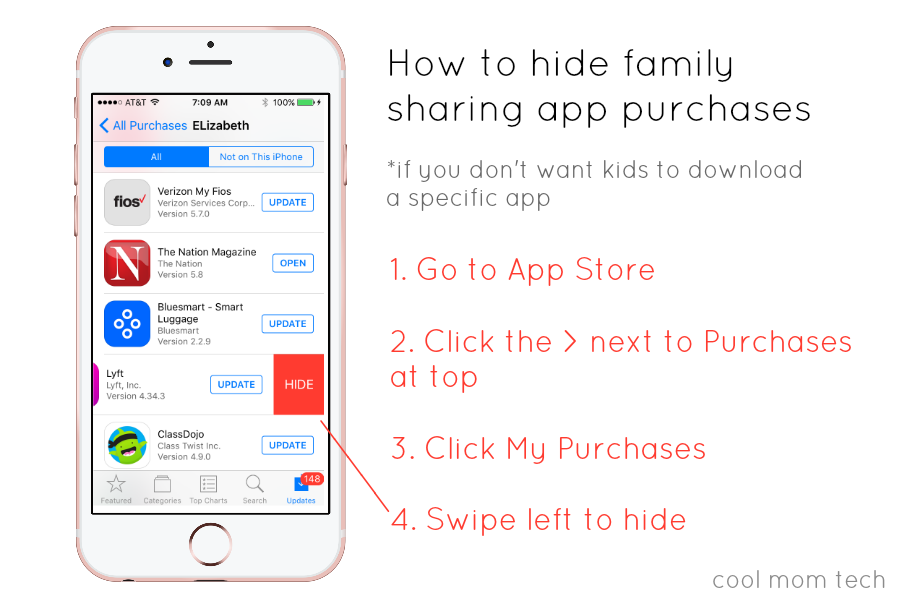
How do I turn off parental permission to download apps
Permissions.Open the Family Link app .Select your child.Tap Controls. Devices.Select your child's device. App permissions.Select a permission.Below your child's device, switch the permission on or off.
How do I get rid of ask parents on App Store
This is a great feature to have enabled. Especially if you're like me and have a young kid who feel like they need to download every game they see an ad for but at some point you will probably want to
How do I turn off parental permission on iPhone apps
Go to Settings and tap Screen Time. Tap Content & Privacy Restrictions, then tap Content Restrictions. Choose the settings that you want for each feature or setting under Allowed Store Content.
How do I download without parental controls
How to turn off parental controls on an Android device using the Google Play StoreOpen the Google Play Store app and tap the menu icon, which consists of three stacked lines.Tap "Settings" on the menu, then scroll to and tap "Parental controls."
Cached
How do I change parental approval on apps
Change purchase approval settingsOpen the Google Play app.At the top right, tap your Profile picture.Tap Settings Family. Manage family members.Select a family member's name.Tap Purchase approvals.Select the type of purchases that you want to require approval: All content.
How do I turn off app approval
Change purchase approval settingsOpen the Google Play app.At the top right, tap your Profile picture.Tap Settings Family. Manage family members.Select a family member's name.Tap Purchase approvals.Select the type of purchases that you want to require approval: All content.
How do I turn off parent settings
How to Turn Off Parental Controls on iPhoneTap Settings > Screen Time. Screen Time was introduced with iOS 12.Tap Content & Privacy Restrictions. To turn off all Screen Time settings here, tap Turn Off Screen Time.Toggle the Content & Privacy Restrictions slider to off/white to turn off Parental Controls.
How do I get rid of parental settings
Tap Settings > Screen Time > Content & Privacy Restrictions. From here, you can tap any menu to control the settings in that section. The steps below explain each setting. You may need to enter the Screen Time passcode for this device, if you use one, before you can change these settings.
How do I turn off restrictions on apps
Android appSign in to your account.At the top right, tap your profile photo .Tap Settings General.Turn on or off Restricted Mode.
How do I turn off parental
Important: To stop supervision on your child's device, it must have Android 7.0 or higher.On your child's device, open Settings .At the top right, tap More Stop supervision.To verify you are a parent, sign in or use your Parent Access Code.To turn off supervision, follow the on-screen instructions.
How do parents turn off parental controls
Disable Parental Settings in Google Play Store.Open the Google Play Store app.Tap your profile image in the upper-right corner.Tap Settings.Tap Family.Tap Parental Controls.Tap a category (i.g. "Apps & Games," "Movies," TV," "Books.")Enter your PIN.Tap Allow All and tap Save.
How to bypass parental approval
Android Phone or TabletOpen the Google Play Store app.Tap your profile image in the upper-right corner.Tap Settings.Tap Family.Tap Parental Controls.Tap a category (i.g. "Apps & Games," "Movies," TV," "Books.")Enter your PIN.Tap Allow All and tap Save.
What happens to Apple ID when child turns 18
Your account is under age.
So it has certain restrictions including turning ON Family Sharing. By default Under Age accounts are restricted as per general policy. Once your account ages to 18 or above then no restrictions will be in place.
How do I turn off parental controls on restricted mode
From the menu that appears select settings. Tap general now tap the switch beside restricted mode to disable. It. When the switch turns from blue to white restricted mode has been disabled.
Can you bypass parental controls on iPhone
Method 1. Turn Off Parental Controls By Restoring iPhone with iTunesRestore Your iPhone.Confirm the Restore Prompt.Access the Screen Time Feature.Disable Screen Time on iPhone.Accept the Turn off Prompt.Choose Unlock Screen Time Passcode Mode.Click on Unlock Now.Unlock Screen Time Passcode Process.
How do you shut off restrictions
But before you do that you may want to try this method. Out. So what you want to do is you want to click on the settings. Application like this we already kind of skipped a few steps. You'll come into
Why can’t I download apps on my iPhone due to restrictions
Allow App Store purchases in Content & Privacy Restrictions. You might have disabled app purchases under Content & Privacy Restrictions on your iPhone, due to which apps won't download on your iPhone. Allow the iTunes & App Store downloads and purchases to fix the problem of can't download apps on iPhone.
Do parental controls turn off at 13
What happens to parental controls once a child turns 13 Nothing. Parental Controls remain on regardless of age unless and until they are turned off by whoever set them or knows the Screen Time password for them.
When can your parents not control you
Parental obligations typically end when a child reaches the age of majority, which is 18 years old in most states. However, check the laws of your state, as the age of majority can be different from one state to the next.
How do I bypass parental controls without them knowing
23 Ways (and Counting) for Kids to Bypass Your Parental ControlsParents forgot to secure all the devices.Figure out parents' passwords.Sneak the phone or iPad when parents are asleep.Use tech in offline mode.Hack the family router.Factory-reset the device.Use VPN (Virtual Private Network)Use a proxy server.
Do Apple parental controls turn off at 13
Once your child reaches the age of 13 (or equivalent minimum age depending on jurisdiction), they will be permitted to maintain their account without participating in Family Sharing.
Can my parents check my phone at 18
So realistically, if the phone was a gift to you by your parents before you were an adult, since you are now an adult you have a right to privacy in all your affairs, including your mobile phone.
How do I force restricted mode off
Open whichever web browser you prefer to use on your PC or Mac. And go to youtube.com. Sign into your YouTube. Account. Now click on your profile icon in the top right corner. At the bottom of the
How do I break parental controls
How Kids Get Around Parental ControlsDeleting an App. Deleting an app is one of the simplest and most effective ways your kid can bypass a parental filter.Factory Control Resetting.Accessing a Non-Network Hotspot.Accessing Your Network Settings.Browsing in Private (Incognito) Mode.
How do I remove all restrictions from my iPhone
iPhone and iPad appSign in to your account.At the top right, tap your profile photo .Tap Settings General.Turn on or off Restricted Mode.


0 Comments