
How does echo dot alarm work?
How does the alarm work on Echo dot?
Open the Alexa app. Open More and select Alarms & Timers. Select Add Alarm. Enter the alarm’s time, the device you want to sound the alarm, and whether you want it to repeat.
Can my echo dot wake me up?
Yes, Alexa can be used to wake you up with a specific song, playlist, or musician in the morning in place of your usual alarm.
Will echo dot alarm work without Internet?
While almost all of Alexa’s functionality runs off the Amazon cloud and requires Internet connectivity, your alarms don’t. If you set an alarm and you lose your Internet connection, your alarm will go off. That’s because the alarm is stored locally, in each Alexa unit.
How do I make my echo dot an alarm clock?
Okay, so first, we have to open the devices. Next, tap on the Echo and Alexa. Click right here. And go to add alarm.
Can Alexa notify me when an alarm goes off?
What is Alexa Guard (available in the US) With Guard, Alexa can help you keep your home safe. When you set Guard to Away mode, Alexa can send you Smart Alerts via notifications* to your phone if a compatible Echo device detects the sound of smoke alarms,* carbon monoxide alarms,* or glass breaking.
Can Alexa wake me up gently?
How to have Alexa wake you up with your smart lights: Simply say: “Alexa, wake me up at [time] with [name of light].” So if you have an Alexa-controlled smart light at your bedside, called ‘bedside light’, you can say: “Alexa, wake me up at 6:30 am with bedside light.”
Does Echo Dot always stay lit up?
Most of the time, the light ring stays off. If the device is plugged in and there are no lights showing, it means the speaker is active and waiting for you to speak the wake word. When you interact with Alexa, you will see white and various tones of blue.
Does the Echo Dot listen to everything you say?
Is Alexa still listening and recording everything I say? No. Alexa is a part of your life only when you ask Alexa to be. By default, Alexa begins listening after your Echo device detects the wake word, so Alexa does not listen to your personal conversations.
Will Alexa work if my phone is not in the house?
After all, you have access to Alexa on your phone when you leave the house. And you can access your Echo device from someone else’s Echo speaker—or you can simply take your device with you when you leave the house. Here are six ways you can use your Amazon Echo when you’re not at home.
How do I get Echo Dot to work without Wi-Fi?
If you do not have Wi-Fi in your home, or if you are planning on heading out for a vacation, you can still use your Alexa as a Bluetooth device with a bit of preparation. There are two ways to use Alexa without Wi-Fi: Use a mobile hotspot. Connect Alexa via Bluetooth.
Can Amazon Echo work as an alarm clock?
Open the Alexa app. Open More and select Alarms & Timers. Select Add Alarm. Enter the alarm’s time, the device you want to sound the alarm, and whether you want it to repeat.
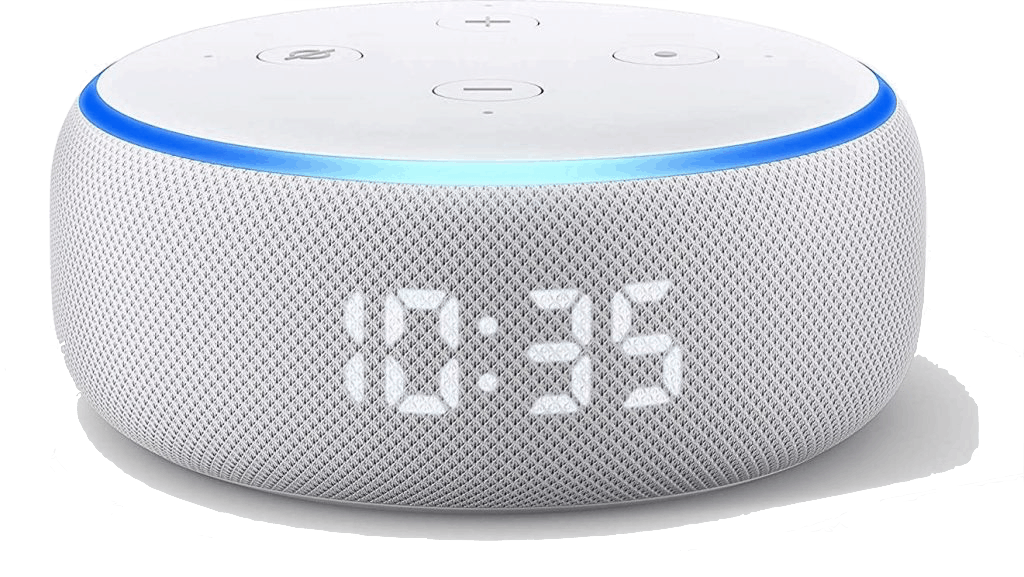
How does the alarm work on Echo dot
Open the Alexa app . Open More and select Alarms & Timers. Select Add Alarm . Enter the alarm's time, the device you want to sound the alarm, and whether you want it to repeat.
Can my echo dot wake me up
Yes, Alexa can be used to wake you up with a specific song, playlist or musician in the morning in place of your usual alarm. Amazon's smart home assistant has many tricks up its sleeve, but sometimes it's the simplest ones that are the best.
Cached
Will echo dot alarm work without Internet
While almost all of Alexa's functionality runs off the Amazon cloud and requires Internet connectivity, your alarms don't. If you set an alarm, and you lose your Internet connection, your alarm will go off. That's because the alarm is stored locally, in each Alexa unit.
Cached
How do I make my echo dot an alarm clock
Okay so first of all we have to open the devices. Next tap on the Echo and Alexa. Click right here. And go to add alarm.
Can Alexa notify me when an alarm goes off
What is Alexa Guard (available in the US) With Guard, Alexa can help you keep your home safe. When you set Guard to Away mode, Alexa can send you Smart Alerts via notifications* to your phone if a compatible Echo device detects the sound of smoke alarms,* carbon monoxide alarms,* or glass breaking.
Can Alexa wake me up gently
How to have Alexa wake you up with your smart lights: Simply say: "Alexa, wake me up at [time] with [name of light]." So if you have an Alexa-controlled smart light at your bedside, called 'bedside light', you can say: "Alexa, wake me up at 6:30am with bedside light."
Does Echo Dot always stay lit up
Most of the time, the light ring stays off. If the device is plugged in and there are no lights showing, it means the speaker is active and waiting for you to speak the wake word. When you interact with Alexa, you will see white and various tones of blue.
Does the Echo Dot listen to everything you say
Is Alexa still listening and recording everything I say No. Alexa is a part of your life only when you ask Alexa to be. By default, Alexa begins listening after your Echo device detects the wake word, so Alexa does not listen to your personal conversations.
Will Alexa work if my phone is not in the house
After all, you have access to Alexa on your phone when you leave the house. And you can access your Echo device from someone else's Echo speaker — or you can simply take your device with you when you leave the house. Here are six ways you can use your Amazon Echo when you're not at home.
How do I get Echo Dot to work without Wi-Fi
If you do not have Wi-Fi in your home, or if you are planning on heading out for a vacation, you can still use your Alexa as a Bluetooth device with a bit of preparation. There are two ways to use Alexa without Wi-Fi: Use a mobile hotspot. Connect Alexa via Bluetooth.
Can Amazon Echo work as alarm clock
Open the Alexa app . Open More and select Alarms & Timers. Select Add Alarm . Enter the alarm's time, the device you want to sound the alarm, and whether you want it to repeat.
How loud is Alexa alarm
Tap the more icon in the menu at the bottom of the screen. Step 3. Tap alarms. And timers step 4. Tap settings at the bottom of this menu. You'll get a list of your Amazon Alexa devices. Step 5.
What happens if you tell Alexa there’s an intruder
A: Alexa Intruder Alert is a very real service that can be a great first step in protecting you and your family if you're home when someone breaks in. As with other programmable Alexa functions, Intruder Alerts allow you to choose an activation phrase that will trigger the Alexa response of your choice.
Can you use Alexa as an intruder alarm
Open up the Alexa app, and select the More button in the bottom right. In this menu, select Routines. Select the Plus button in the upper right to create a new routine. Name it “Intruder Alert” and use “Intruder Alert” for the When this happens section so that it will be the phrase you will say to Alexa to trigger it.
Does Alexa have a gradual alarm
On the Alarms tab, select Settings . Use the volume slider to turn the volume up or down. You can also select Ascending Alarm to gradually increase volume over time.
Is it bad to leave your Alexa on all night
Unlike other electronic devices, it is safe to keep an Alexa device plugged in all night. Alexa devices like Amazon Echo Dot and other generations are safe to use. Alexa works on standby mode most of the time when it's on and only wakes up when someone wakes it up through the wake word.
Why does my Alexa randomly light up blue at night
Cyan on blue
The light ring glimmers briefly when Alexa has heard and is processing your request. A briefly glimmering blue light might also mean the device is receiving a software update.
Is it OK to turn Echo Dot off at night
They are intended to stay plugged in and always on. They don't use hardly any electricity when not actively in use, so I wouldn't worry about it too much. I personally leave an echo plus and 2 dots plugged in at all times.
Can Echo hear your conversations
Alexa is an always-on listening device, which means it's technically always listening.
Can you spy with echo dot
If you intend to use Alexa to spy on someone, you should know that Alexa is not a spying device. So, there are some drawbacks to using it as a spy device: The recipient's device will start flashing green lights and ring whenever you try to drop in. They must be close to their Echo device for you to see or hear them.
How do I use Alexa without being at home
To set Alexa Guard to Away mode, just say, "I'm leaving." In Away mode, Echo devices show a rotating white light, and Echo devices with screens show a shield icon. If you forget to set Guard to Away on your way out, use the Alexa app to set it remotely. Open Devices . Select Guard.
Is there a monthly fee for Alexa
A: There is no monthly fee to operate Alexa on Amazon Alexa-enabled devices. There are subscription services that you can buy which have monthly fees, such as Amazon Prime Services. Helpful
Can Echo Dot be used as a Bluetooth speaker
Set your smartphone, tablet or other device to Bluetooth paring mode. Set your Echo device to pairing mode with the command, “Alexa, pair.” She'll confirm with, “Searching…” On your phone, tablet or other device, select your Echo speaker under Bluetooth settings. Alexa will announce the successful connection.
Can Alexa make a security alarm sound
Open the Alexa app . Select Devices . Select your connected security system, then select Settings. Select Play Alarm Sounds on Echo Devices.
What alarm noise does Alexa make
By default, Alexa's alarm sound is a series of chimes, which are nice, but can become grating easily.


0 Comments