
Does Norton scan for ransomware?
Summary of the Article: What Antivirus Detects Ransomware
Ransomware is a dangerous threat that can affect any device, including Macs and mobile phones. Avast’s free antivirus software provides protection against and removal of ransomware from any device, strengthening Mac’s built-in security with specialized protection against malicious threats. Norton 360 is another antivirus software that detects all types of malware, including viruses, Trojans, worms, and spyware. It uses AI to detect potential threats, even if they’re new and not yet in NortonLifeLock’s threat database. Norton 360 also automatically deletes harmful files if they are classified as high risk.
Antivirus software, including Avast and Norton, is capable of detecting when a file is encrypted, making it relatively easy to identify ransomware. These antimalware programs consistently perform well in various malware protection tests and offer excellent protection against viruses, spyware, rootkits, and other malicious software. They also provide real-time protection against new threats.
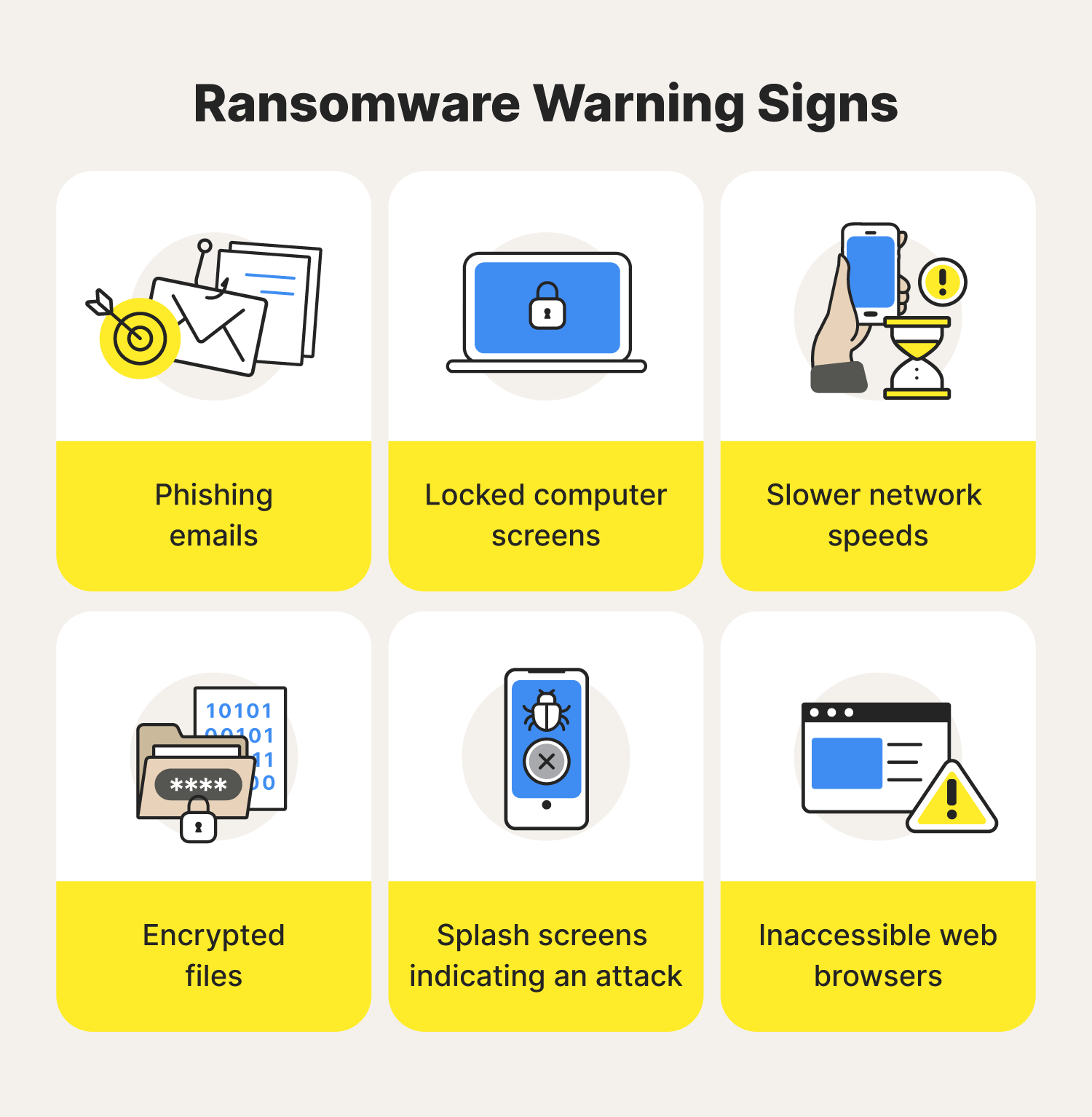
If you suspect your computer has been infected with ransomware, there are several telltale signs to look out for. These include your web browser or desktop being locked with a message about how to pay to unlock your system, the presence of a “ransom note” file in your file directories, and having a new file extension appended to all your files.
If your PC is infected with ransomware, a recommended action to take is to safely wipe the hard drive and reinstall your operating system. This action can effectively remove malware, and with your files safely backed up, you can restore them from an external hard drive or the cloud.
While Norton Antivirus provides excellent protection, it also has some disadvantages. The user interface may not be as user-friendly for beginners, and the scanning process can sometimes take longer compared to other software. However, Norton Antivirus is reasonably priced and offers essential features to keep your devices secure.
Although no antivirus can guarantee complete protection against hackers, software such as Bitdefender, McAfee, Norton Antivirus, and VIPRE significantly decrease the likelihood of a hacking incident.
If you are unsure whether your system has been infected with ransomware, the signs mentioned above can help you identify a possible infection. These signs include locked web browsers or desktops with payment messages, “ransom note” files in your file directories, and new file extensions added to all your files.
If you already have Norton Security, you may wonder if you need Malwarebytes as well. Norton provides better malware protection, web security, features, and customer support. However, if you prefer ease of use and only need basic antivirus protections, Malwarebytes is a suitable option.
Questions:
- What antivirus detects ransomware?
- Does Norton actually detect malware?
- Can an antivirus help in detecting ransomware?
- Is Norton good at removing malware?
- How do you know if your computer has ransomware?
- What action should you take if your PC is infected with ransomware?
- What are the disadvantages of Norton Antivirus?
- Can hackers get through Norton?
- How do I know if I have ransomware?
- Do I need Malwarebytes if I have Norton Security?
Avast’s free antivirus software and Norton 360 are capable of detecting and protecting against ransomware.
Yes, Norton 360 detects all types of malware, including viruses, Trojans, worms, and spyware. It uses AI to detect potential threats, even if they’re new and not yet in NortonLifeLock’s threat database.
Yes, antivirus software, like Avast and Norton, is capable of detecting ransomware by identifying when a file is encrypted.
Yes, Norton Antivirus, along with Malwarebytes, is considered a reliable antimalware program that performs well in malware protection tests and offers real-time protection against new threats.
Signs of a ransomware infection include locked web browsers or desktops with payment messages, the presence of a “ransom note” file in your file directories, and new file extensions added to your files.
A recommended action is to safely wipe the hard drive and reinstall the operating system. Make sure to back up your files before proceeding.
The user interface may not be as user-friendly for beginners, and the scanning process can sometimes take longer compared to other software. However, it is reasonably priced and offers essential features.
No antivirus can guarantee complete protection against hackers. However, software like Bitdefender, McAfee, Norton Antivirus, and VIPRE significantly decrease the likelihood of a hacking incident.
Signs of a ransomware infection include locked web browsers or desktops with payment messages, the presence of a “ransom note” file in your file directories, and new file extensions added to your files.
If you want comprehensive antivirus protection, Norton Security is recommended. Malwarebytes is a suitable option for basic antivirus needs and ease of use.
What antivirus detects ransomware
Ransomware can hold any device hostage, including Macs and mobile phones. Avast's free antivirus software will help you protect against and remove ransomware from any device. Avast's antivirus software for Mac strengthens Mac's built-in security with specialized protection against malicious threats.
Cached
Does Norton actually detect malware
Norton 360 detects all types of malware, including viruses, Trojans, worms, and spyware. It also uses AI to detect potential threats, even if they're new and not yet in NortonLifeLock's threat database. Does Norton automatically delete harmful files If the file is high risk, Norton 360 will automatically delete it.
Cached
Can an antivirus help in detecting ransomware
Antivirus software is capable of detecting when a file is encrypted, even if the most subtle changes occur within the document, which makes it relatively easy to identify ransomware.
Is Norton good at removing malware
Malwarebytes and Norton are tried-and-true antimalware programs that consistently perform well in numerous hands-on malware protection tests. Both offer excellent protection against viruses, spyware, rootkits, and other malicious software. They also provide real-time protection against new threats.
Cached
How do you know if your computer has ransomware
Signs your system may have been infected by Ransomware:Your web browser or desktop is locked with a message about how to pay to unlock your system and/or your file directories contain a "ransom note" file that is usually a . txt file.All of your files have a new file extension appended to the filenames.
What action to take if PC is infected with ransomware
Safely wipe the hard drive and reinstall your OS.
With your items safely backed up, wiping your hard drive—while often a last resort—could be the best option when it comes to removing malware. You can reinstall your operating system and then move files from an external hard drive or the cloud back onto your device.
What are the disadvantages of Norton Antivirus
Norton is available at a very reasonable price in the market and is not heavy on pocket.The user interface of this antivirus is not many users friendly.A little bit difficult for beginners.Sometimes it takes much time while scanning the whole system as compare to other software.
Can hackers get through Norton
Software such as Bitdefender, McAfee, Norton Antivirus, and VIPRE prevents hackers. There is no way to guarantee that hackers won't penetrate your devices, but these methods significantly decrease the likelihood of a hacking.
How do I know if I have ransomware
Signs your system may have been infected by Ransomware:Your web browser or desktop is locked with a message about how to pay to unlock your system and/or your file directories contain a "ransom note" file that is usually a . txt file.All of your files have a new file extension appended to the filenames.
Do I need Malwarebytes if I have Norton Security
Norton has better malware protection, web security, features, and customer support. If you want the best antivirus suite in 2023, go with Norton. Malwarebytes is better for ease of use. If you're only after a basic antivirus with essential protections, then go with Malwarebytes.
Does wiping a computer remove ransomware
The surest way to confirm malware or ransomware has been removed from a system is by doing a complete wipe of all storage devices and reinstall everything from scratch. Formatting the hard disks in your system will ensure that no remnants of the malware remain.
Can ransomware be removed from a computer
Ransomware sometimes deletes itself after it has infected a system; other times, it stays on a device to infect other devices or files. Use antimalware/anti-ransomware. Most antimalware and anti-ransomware software can quarantine and remove the malicious software. Ask security professionals for help.
Can resetting PC remove ransomware
If a ransomware attack only targeted certain file types, such as Office files, a reset would eradicate those infected files and your machine would recover in a clean state.
Which is better Norton or McAfee
Norton Antivirus excels over McAfee in this comparison. Norton is way more affordable, with its plans starting at $19.99/year. Besides, Norton offers superior malware protection, faster scanning speed, and a lower impact on system performance than McAfee.
What is Norton Antivirus controversy
Norton AntiVirus has been criticized for refusing to uninstall completely, leaving unnecessary files behind. Another issue is versions prior to 2009 installed LiveUpdate, which updates Norton-branded software, separately. The user must uninstall both Norton AntiVirus and the LiveUpdate component manually.
What are the 2 possible signs that you have been hacked
Common warning signs of a cyberhackPassword reset emails.Random popups.Contacts receiving fake emails or text messages from you.Redirected internet searches.Computer, network, or internet connection slows down.Ransomware messages.
Can Norton 360 remove hackers
Norton offers free, do-it-yourself support options as well as a paid service where we take care of removing threats for you. You can let our Spyware & Virus Removal Service expert technicians do all the work for you.
How do most ransomware attacks start
Ransomware starts with cybercriminals entering a system and encrypting all data, then offering a decryption key if the victim agrees to pay a ransom through cryptocurrency.
Can ransomware be detected
Ransomware stays hidden in an infected computer until files are blocked or encrypted. Victims often can't detect the malware until they receive the ransom demand. Ransomware detection finds the infection earlier so that victims can take action to prevent irreversible damage.
Should I use Norton or Malwarebytes
Norton has better malware protection, web security, features, and customer support. If you want the best antivirus suite in 2023, go with Norton. Malwarebytes is better for ease of use. If you're only after a basic antivirus with essential protections, then go with Malwarebytes.
Can I run Norton and Malwarebytes together
Can I use Malwarebytes and Norton together No, you shouldn't run Malwarebytes and Norton at the same time.
Does ransomware steal data or just lock it
Ransomware has been one of the most popular and successful malware types these days. With it, cybercriminals can successfully block access to your own data and devices, steal sensitive information, and earn a fortune by forcing you to pay a ransom.
Does ransomware actually give your files back
Paying the ransom does not guarantee the encrypted files will be released; it only guarantees that the malicious actors receive the victim's money, and in some cases, their banking information.
How much does it cost to remove ransomware
The average cost of remediating a ransomware attack more than doubled in the last 12 months. Remediation costs, including business downtime, lost orders, operational costs, and more, grew from an average of $761,106 in 2020 to $1.85 million in 2021.
What is the first step if PC is infected with ransomware
The the first step, even if you just suspect that one computer may be infected, is to isolate it from other endpoints and storage devices on your network. Disable Wi-Fi, disable Bluetooth, and unplug the machine from both any LAN or storage device it might be connected to.


0 Comments