
How do you turn on reminders?
Summary:
Reminders are an important feature that help you stay organized and on top of your tasks. In this article, we will explore how to activate and utilize Reminders on various devices, as well as address common issues and troubleshooting tips. Here are some key points:
- How do I activate my Reminders?
To activate Reminders on your Android device, open your phone’s Settings app, tap on “Apps & notifications,” then select your Google app and turn on Reminders. - How do I turn on Reminders on my iPhone?
On an iPhone, there are multiple ways to set up daily reminders. You can use Siri or the Reminders app itself. - Why aren’t my Reminders notifying me?
If you’re not receiving notifications for your Reminders on your Android device, make sure you haven’t hidden them on the lock screen and try rebooting your phone. - Why are my Reminders not showing up on my iPhone?
If a reminder isn’t appearing on some of your devices, check that they have the latest software updates and that you’re signed in to iCloud with the same Apple ID on all devices. - How do I get Reminders to pop up on my iPhone lock screen?
Open the Reminders app, tap on the “+” icon to create a new reminder, type in the reminder, and set a due date for it. - How do I get Reminders to show on my home screen?
On Android, you can pin both Create task and Create reminder widgets to your home screen from the widget gallery. You can also add the Today widget to your home screen. - How do I get Reminders to show up on my iPhone calendar?
In your iPhone’s Settings, go to Notifications -> Calendar and turn on Allow Notifications. Customize how and where you want the notifications to appear. - Why am I not getting Reminders on my phone?
Some Android devices have aggressive battery-saving policies that can prevent apps from running in the background and displaying notifications. Adjusting these settings may solve the issue. - How do I get Reminders to show on my lock screen?
Unlock your iPhone, enter edit mode by tapping and holding on the wallpaper, select the Customize button, choose the Lock Screen option, and add the Reminders widget. - How do I see Reminders on my lock screen?
In your phone’s Settings app, go to Notifications and under “Lock screen,” select Notifications on lock screen or On lock screen. Choose to show alerting and silent notifications. - How do I get my Reminders back on my iPhone home screen?
If you need to restore reminders on iCloud.com, click on the restore option next to the version you want to restore.
Questions and Detailed Answers:
Q: How do I activate my Reminders?
A: To activate Reminders on your Android device, follow these steps:
– Open your phone’s Settings app.
– Tap on “Apps & notifications.”
– Select your Google app.
– Turn on Reminders.
Q: How do I turn on Reminders on my iPhone?
A: There are a few ways to set up daily reminders on your iPhone. You can either use Siri or the Reminders app itself. For Siri, simply say, “Hey Siri, set a daily reminder.” To use the Reminders app, follow these steps:
– Open the Reminders app.
– Tap on the “+” icon to create a new reminder.
– Enter the details of the reminder.
– Tap “Done” to save it.
Q: Why aren’t my Reminders notifying me?
A: If you’re not receiving notifications for your Reminders on your Android device, it could be due to hidden notifications on the lock screen or other settings. Try the following:
– Make sure you haven’t hidden your notifications on the lock screen.
– Reboot your Android phone to refresh the system.
Q: Why are my Reminders not showing up on my iPhone?
A: If a reminder isn’t showing up on some of your devices, it may be because your iPhone or iPad has an outdated software version or there’s an issue with iCloud sync. Follow these steps to troubleshoot:
– Check that your iPhone and iPad have the latest version of iOS or iPadOS.
– Ensure that you’re signed in to iCloud with the same Apple ID on all devices.
– Check your sync settings and make sure Reminders is enabled.
Q: How do I get Reminders to pop up on my iPhone lock screen?
A: To get Reminders to appear on your iPhone lock screen, follow these steps:
– Open the Reminders app.
– Tap on the “+” icon to create a new reminder.
– Enter the details of the reminder.
– Tap the Date and Time button to set a due date for the reminder.
Q: How do I get Reminders to show on my home screen?
A: On Android, you can create widgets for both tasks and reminders. Here’s how:
– Open the widget gallery by holding down on the app.
– Select Create task or Create reminder widget.
– Pin it to your home screen for quick access.
Q: How do I get Reminders to show up on my iPhone calendar?
A: To get Reminders to show up on your iPhone calendar, follow these steps:
– Go to your iPhone’s Settings app.
– Tap on Notifications.
– Select Calendar.
– Turn on Allow Notifications.
– Customize the notification settings according to your preferences.
Q: Why am I not getting Reminders on my phone?
A: If you’re not receiving Reminders on your phone, it could be due to battery-saving policies blocking background processes and notifications. Check your device’s battery settings and adjust any aggressive optimization settings.
Q: How do I get Reminders to show on my lock screen?
A: To get Reminders to show on your iPhone lock screen, follow these steps:
– Unlock your iPhone and enter edit mode by tapping and holding on the wallpaper.
– Select the Customize button.
– Choose the Lock Screen option.
– Scroll down to find Reminders and tap on it to add it to the lock screen.
Q: How do I see Reminders on my lock screen?
A: To see Reminders on your phone’s lock screen, follow these steps:
– Open your phone’s Settings app.
– Go to Notifications.
– Under “Lock screen,” tap on Notifications on lock screen or On lock screen.
– Choose the option that enables alerting and silent notifications.
Q: How do I get my Reminders back on my iPhone home screen?
A: If you’ve lost your reminders on your iPhone home screen, you can restore them using iCloud.com. Here’s how:
– Go to iCloud.com and log in to your account.
– Click on the Restore Calendars and Reminders option.
– Locate the version you want to restore and click on the Restore button next to it.
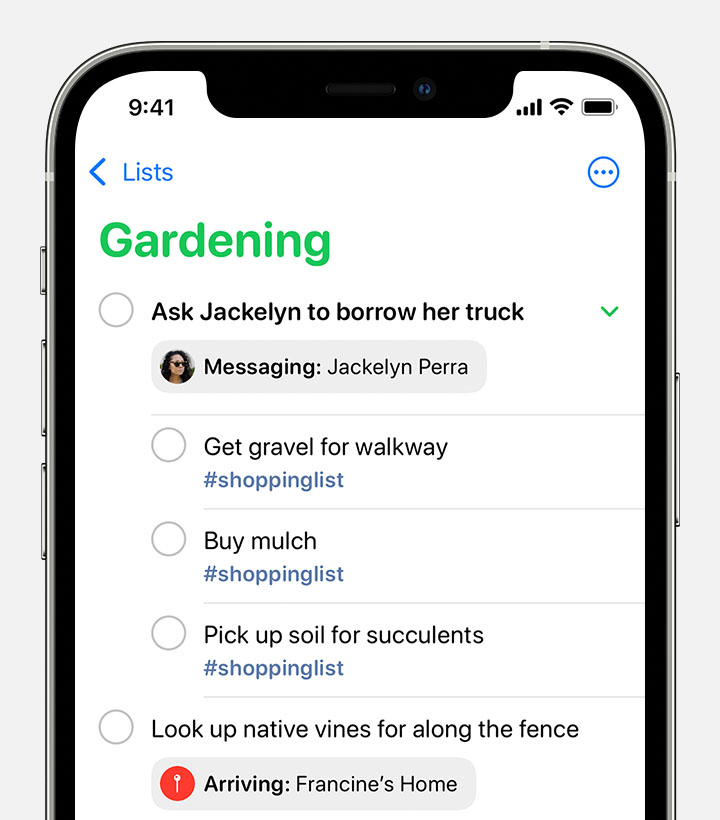
How do I activate my Reminders
In your Settings appOpen your phone's Settings app.Tap Apps & notifications. Notifications.Tap your Google app .Turn Reminders on or off.
How do I turn on Reminders on my iPhone
So you might be in a position where you want to set up a daily reminder on your iphone. Now there's a few different ways to do this you can do this within siri or you can do this within the reminders.
Why aren t my Reminders notifying me
Make sure you haven't hidden your notifications on the lock screen. If you have, you might be getting notifications for your reminders and just not seeing them. Try unhiding them to see if Google Reminders will begin working again. Reboot your Android phone.
Why are my Reminders not showing up on my iPhone
If a reminder isn't showing up on some of your devices, make sure that your iPhone and iPad have the latest version of iOS or iPadOS, or that your Mac has the latest version of macOS. Make sure that you're signed in to iCloud with the same Apple ID on all of your devices.
How do I get Reminders to pop up on my iPhone lock screen
More videos on YouTubeOpen Reminders app.Tap + New Reminder.Type your reminder.Tap the Date and Time button to set a due date for the reminder.
How do I get Reminders to show on my home screen
To create widgets on Android:
Both Create task and Create reminder can be pinned to your home screen from the Android widget gallery to quickly create tasks and reminders on the go! Add the Today widget to your home screen from the widget gallery – available when holding down on the app.
How do I get Reminders to show up on my iPhone calendar
Go to Settings > Notifications > Calendar. Turn on Allow Notifications. Choose how and where you want the notifications to appear—for example, on the Lock Screen, in Notification Center, as banners at the top of the screen, with an alert sound, and so on.
Why am I not getting Reminders on my phone
Some android vendors use aggressive battery saving policies that prevent applications from running in background and displaying notifications. This can cause notifications to stop working after a while or never show at all.
How do I get Reminders to show on my lock screen
Here's how to do it.Unlock your iPhone and tap and hold anywhere on the wallpaper to enter the edit mode.Tap the Customize button and choose the Lock Screen option.Tap on the empty field marked in the screenshot below to open the widgets menu.Scroll down to find Reminders and tap on it.
How do I see Reminders on my lock screen
Open your phone's Settings app. Notifications. Under "Lock screen," tap Notifications on lock screen or On lock screen. Choose Show alerting and silent notifications.
How do I get my Reminders back on my iPhone home screen
Restore your reminders on iCloud.comIf you don't have shared reminder lists, go to the next step.On iCloud.com, click.Click Restore Calendars and Reminders.To the right of the version you want to restore, click Restore.
How do I get Reminders to show up on my calendar
Create a reminderOpen the Google Calendar app .In the bottom right, tap Create. Reminder.Enter your reminder, or choose a suggestion.Select a date, time, and frequency.In the top right, tap Save.The reminder appears in the Google Calendar app. When you mark a reminder as done, it's crossed out.
How do I get Reminders to show on my screen
Here's how to do it.Unlock your iPhone and tap and hold anywhere on the wallpaper to enter the edit mode.Tap the Customize button and choose the Lock Screen option.Tap on the empty field marked in the screenshot below to open the widgets menu.Scroll down to find Reminders and tap on it.
How do I get reminders to pop up on my iPhone lock screen
"You can allow access to Notification Center on the Lock Screen.Go to Settings > Face ID & Passcode (on an iPhone with Face ID) or Touch ID & Passcode (on other iPhone models).Enter your passcode.Scroll down and turn on Notification Center (below Allow Access When Locked)."
How do I show reminders on lock screen iPhone
Additionally, if this isn't working for you, go to Settings > Notifications > Reminders > Banner Style and make sure Persistent is selected.
How do I show Reminders on lock screen iPhone
Go to Settings > Notifications.Choose how you want notifications displayed on the Lock Screen:
How do I get reminder notifications on my iPhone lock screen
More videos on YouTubeOpen Reminders app.Tap + New Reminder.Type your reminder.Tap the Date and Time button to set a due date for the reminder.
How do I get Reminders to show on my iPhone calendar
Go to Settings > Notifications > Calendar. Turn on Allow Notifications. Choose how and where you want the notifications to appear—for example, on the Lock Screen, in Notification Center, as banners at the top of the screen, with an alert sound, and so on.
Why don t Reminders show up in calendar
It may be due to one of your extensions. Firstly, if you aren't already using Reminders in Google Now and Google Calendar – you are missing out. If you are an Android user, you can speak reminders into your device and they get added effortlessly. You will then receive notifications on the go or at your desk.
How do I show reminders on lock screen
Here's how to do it.Unlock your iPhone and tap and hold anywhere on the wallpaper to enter the edit mode.Tap the Customize button and choose the Lock Screen option.Tap on the empty field marked in the screenshot below to open the widgets menu.Scroll down to find Reminders and tap on it.
How do I see reminders on my lock screen
Open your phone's Settings app. Notifications. Under "Lock screen," tap Notifications on lock screen or On lock screen. Choose Show alerting and silent notifications.
How do I get Reminders to show on my calendar
Create a reminderOpen the Google Calendar app .In the bottom right, tap Create. Reminder.Enter your reminder, or choose a suggestion.Select a date, time, and frequency.In the top right, tap Save.The reminder appears in the Google Calendar app. When you mark a reminder as done, it's crossed out.


0 Comments