
How do I secure my Verizon Wi-Fi?
not secure” or if you can connect to a Wi-Fi network without entering a password, it means that the network is unsecured. This can happen if the network owner has not set up a password or if the password has been compromised.
[/wpremark]
How can I secure my home Wi-Fi network
There are several steps you can take to secure your home Wi-Fi network:
- Change the default name of your home Wi-Fi.
- Make your wireless network password unique and strong.
- Enable network encryption (such as WPA2).
- Turn off network name broadcasting.
- Keep your router’s software up to date.
- Make sure you have a good firewall.
- Use VPNs (Virtual Private Networks) to access your network.
By following these steps, you can greatly enhance the security of your home Wi-Fi network and protect your personal information from unauthorized access.
How can I change the name of my home Wi-Fi
To change the name of your home Wi-Fi network, you will need to access your router’s settings. The exact steps may vary depending on the make and model of your router, but here are the general steps:
- Connect your computer to your router using an Ethernet cable or wirelessly.
- Open a web browser and enter your router’s IP address in the address bar. (The default IP address is usually printed on the router or can be found in the user manual.)
- Enter the username and password for your router (again, this information is usually printed on the router or can be found in the user manual).
- Navigate to the Wireless settings or Wi-Fi settings.
- Look for an option to change the SSID (network name) and enter the new name you want to use.
- Save the changes and restart your router.
After making these changes, your home Wi-Fi network will have a new name that you can use to connect your devices.
How can I create a strong password for my Wi-Fi network
Creating a strong password for your Wi-Fi network is important to ensure the security of your network. Here are some tips for creating a strong password:
- Use a combination of upper and lowercase letters, numbers, and symbols.
- Avoid using common words or phrases.
- Make the password at least 8 characters long (longer is better).
- Avoid using personal information (such as your name, address, or birthdate) in the password.
- Consider using a password manager to generate and store complex passwords.
By following these tips, you can create a strong password that is less likely to be cracked by hackers.
What is network encryption and how does it protect my Wi-Fi
Network encryption is a security measure that protects your Wi-Fi network by encoding the data transmitted between your devices and the router. It ensures that only authorized devices can access your network and prevents eavesdropping on your data.
The most commonly used network encryption protocol is WPA2 (Wi-Fi Protected Access II), which provides stronger security than its predecessor WEP (Wired Equivalent Privacy). WPA2 uses advanced encryption algorithms to secure the data transmitted over your Wi-Fi network.
By enabling network encryption on your Wi-Fi network, you can prevent unauthorized access to your network and ensure the privacy of your data.
How can I turn off network name broadcasting
Network name broadcasting, also known as SSID broadcasting, is the feature that allows your Wi-Fi network to be visible to other devices. By turning off network name broadcasting, you can make your Wi-Fi network less visible and thus harder for hackers to find.
To turn off network name broadcasting, you will need to access your router’s settings. The exact steps may vary depending on the make and model of your router, but here are the general steps:
- Connect your computer to your router using an Ethernet cable or wirelessly.
- Open a web browser and enter your router’s IP address in the address bar.
- Enter the username and password for your router.
- Navigate to the Wireless settings or Wi-Fi settings.
- Look for an option to disable SSID broadcasting and enable it.
- Save the changes and restart your router.
After making these changes, your Wi-Fi network will no longer be visible to other devices. You will need to manually enter the network name when connecting your devices to the Wi-Fi network.
Why is it important to keep my router’s software up to date
Keeping your router’s software up to date is important because it ensures that your router has the latest security patches and bug fixes. Router manufacturers regularly release updates to address vulnerabilities and improve the performance of their devices.
By keeping your router’s software up to date, you can ensure that any known security issues are addressed and minimize the risk of your network being compromised.
What is a firewall and how does it protect my Wi-Fi
A firewall is a security measure that acts as a barrier between your network and the internet. It monitors and filters incoming and outgoing network traffic based on predetermined security rules.
A firewall protects your Wi-Fi network by blocking unauthorized access attempts and preventing malicious traffic from entering your network. It can also monitor outgoing traffic to block potentially harmful data from leaving your network.
By using a firewall, you can add an extra layer of security to your Wi-Fi network and protect your devices from unauthorized access and cyber threats.
How can VPNs help secure my Wi-Fi network
VPNs (Virtual Private Networks) can help secure your Wi-Fi network by encrypting the data transmitted between your device and the VPN server. This ensures that your data is protected from eavesdropping and unauthorized access.
When you connect to a VPN, your internet traffic is routed through an encrypted tunnel, making it difficult for anyone else to intercept or access your data. VPNs also hide your IP address, making it harder for websites and online services to track your online activities.
By using a VPN, you can add an extra layer of security to your Wi-Fi network and protect your privacy online.
1. How do I make sure my Wi-Fi is secure?
To ensure the security of your Wi-Fi, you can follow these 7 simple steps:
– Change the default name of your home Wi-Fi.
– Make your wireless network password unique and strong.
– Enable network encryption (such as WPA2).
– Turn off network name broadcasting.
– Keep your router’s software up to date.
– Make sure you have a good firewall.
– Use VPNs to access your network.
2. Does Verizon protect against hackers?
Yes, Verizon Internet Security Suite is automatically updated to keep users protected from new online threats.
3. How do I turn on Verizon Digital Secure?
To turn on Verizon Digital Secure, follow these steps:
– On Android and iOS, open the Digital Secure app.
– Tap on Safe Wi-Fi.
– Tap the button at the top of the screen to turn Safe Wi-Fi on.
– You will see a message stating that your connection is secure and private, indicating that you’ve successfully enabled Safe Wi-Fi.
4. What security does Verizon router use?
Verizon routers are pre-set at the factory to use WPA2 (Wi-Fi Protected Access II) encryption, which is the best setting for most users and provides security.
5. What happens if your Wi-Fi is not secure?
If your Wi-Fi is not secure, anyone within the signal range could join the network and eavesdrop on data transmissions, potentially compromising your privacy and security.
6. What happens if you don’t secure your Wi-Fi?
If you don’t secure your Wi-Fi, anyone within range can use your internet connection without permission, which can lead to slow internet speeds and potential security risks.
7. Is my Verizon Wi-Fi secure?
Yes, Verizon Wi-Fi is secure. The VPN provided by Verizon uses advanced security and encryption technology to protect your data. Safe Wi-Fi does not track, log, or store any of your personal information.
8. What are the signs of being hacked?
Some common signs of being hacked include password reset emails, random popups, contacts receiving fake emails or text messages from you, redirected internet searches, slowed down computer or internet connection, and ransomware messages.
9. Do you have to pay for Verizon Digital Secure?
The free version of Verizon Digital Secure is available for anyone with an eligible device. To get the paid version, you must have a standard Verizon account. Prepaid, government, and business accounts may not be eligible at this time.
10. Is Verizon Wi-Fi secure?
Yes, Verizon Wi-Fi is secure. The VPN provided by Verizon uses advanced security and encryption technology to protect your data. Safe Wi-Fi does not track, log, or store any of your personal information.
11. Is my Verizon router secure?
Your Verizon router comes completely secured with a default username and password. You can also personalize your credentials by changing your Wi-Fi name or password.
12. Why did my Wi-Fi become unsecured?
Your Wi-Fi may become unsecured if the network owner has not set up a password or if the password has been compromised. This can result in your network being open to anyone within range.
13. How can I secure my home Wi-Fi network?
To secure your home Wi-Fi network, you can:
– Change the default name of your home Wi-Fi
– Make your wireless network password unique and strong
– Enable network encryption (such as WPA2)
– Turn off network name broadcasting
– Keep your router’s software up to date
– Make sure you have a good firewall
– Use VPNs to access your network
14. How can I change the name of my home Wi-Fi?
To change the name of your home Wi-Fi network, you will need to access your router’s settings. The specific steps may vary, but generally, you can connect to your router, open a web browser, enter your router’s IP address, enter your username and password, navigate to the wireless settings, and change the SSID (network name) to a new name of your choosing.
15. How can I create a strong password for my Wi-Fi network?
To create a strong password for your Wi-Fi network, consider using a combination of upper and lowercase letters, numbers, and symbols. Avoid using common words or phrases and personal information. Make the password at least 8 characters long, and you can use a password manager to generate and store complex passwords.
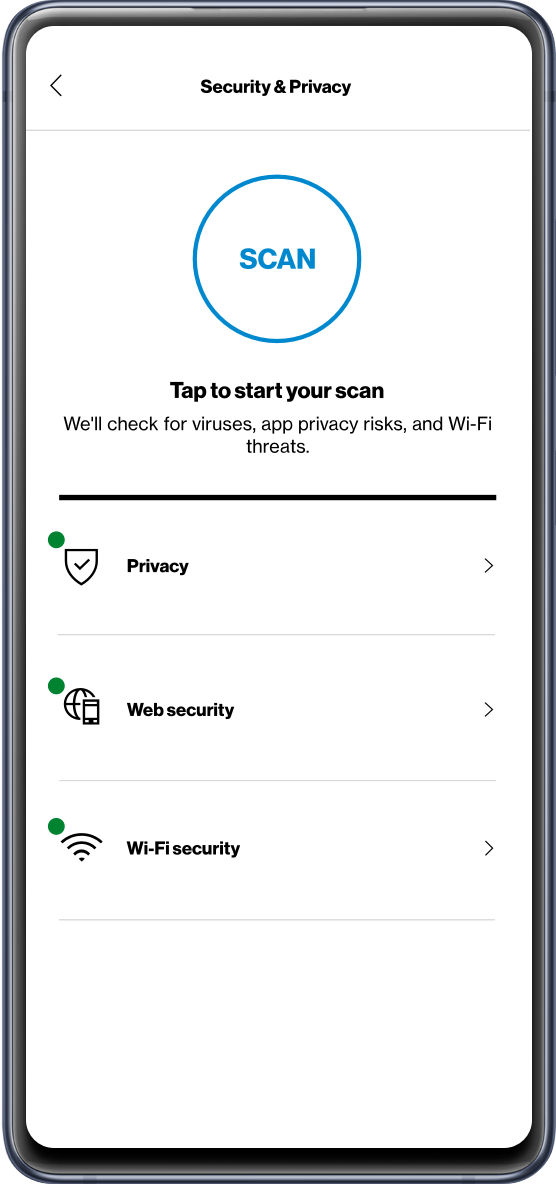
How do I make sure my Wi-Fi is secure
Keep your home Wi-Fi safe in 7 simple stepsChange the default name of your home Wi-Fi.Make your wireless network password unique and strong.Enable network encryption.Turn off network name broadcasting.Keep your router's software up to date.Make sure you have a good firewall.Use VPNs to access your network.
Does Verizon protect against hackers
Verizon Internet Security Suite is automatically updated to keep the user protected from new threats online.
Cached
How do I turn on Verizon Digital Secure
Turn on Safe Wi-FiTurn on Safe Wi-Fi.Android and iOS. Open the Digital Secure app. Tap Safe Wi-Fi. Tap the button at the top of the screen to turn Safe Wi-Fi on. You'll see a message stating that your connection is secure and private. You've successfully enabled Safe Wi-Fi.
Cached
What security does Verizon router use
WPA2
For your protection, your Verizon Router is pre-set at the factory to use WPA2 (Wi-Fi Protected Access II) encryption for your Wi-Fi network. This is the best setting for most users and provides security.
What happens if your Wi-Fi is not secure
If they skip the security step when getting their wireless set up, their network could remain open. If that happens, anyone within the signal range could join the network and eavesdrop on data transmissions.
What happens if you don’t secure your Wi-Fi
You use that signal to connect to the internet. But unless your network is password protected, any device within range — whether yours, your guest's, or a stranger's — can pull the signal from the air and use your internet connection. The upside of Wi-Fi
Is my Verizon Wi-Fi secure
Our VPN uses highly advanced security and 128-bit AES encryption technology to ensure your data is protected. Safe Wi-Fi never tracks, logs, or stores any of your personal information.
What are the signs of being hacked
Some of the most common signs of a hack are as follows.Password reset emails.Random popups.Contacts receiving fake emails or text messages from you.Redirected internet searches.Computer, network, or internet connection slows down.Ransomware messages.
Do you have to pay for Verizon Digital Secure
Anyone with an eligible device can use the free version of Digital Secure. To get the paid version for an individual line or for your entire account you must have a standard Verizon account. Prepaid, government and business accounts aren't eligible at this time.
Is Verizon Wi-Fi secure
Our VPN uses highly advanced security and 128-bit AES encryption technology to ensure your data is protected. Safe Wi-Fi never tracks, logs, or stores any of your personal information.
Is my Verizon router secure
Your router comes completely secured with a default username and password. Current credentials can be found on the Router. You can also personalize your credentials. Learn how to change your Wi-Fi name or password.
Why did my Wi-Fi become unsecured
If you get a warning “Your Wi-Fi connection is unsecured”, then you have connected to an unprotected wireless network. Information transferred through this network will be unencrypted. This means that your logins, passwords, messages, and other sensitive information can be intercepted.
Why does my Wi-Fi keep saying unsecured network
Unsecure Wi-Fi
An open network in a home comes from a router that hasn't been secured. Sometimes this is unintentional, if the owner doesn't know that her network is open. However, an unsecure wireless connection isn't always bad.
Which of the following is the best way to secure your router
To help secure your router, change the default name and password, turn off remote management, and log out as the administrator when not performing administrative functions.
Should secure WIFI be on or off
Most routers come with built-in firewalls, so check your settings to make sure your router's firewall is turned on. Protect your devices. Just as hackers can get to your data through unsecured networks, they can also get to your network through unsecured devices.
How do I know who is connected to my Verizon Wi-Fi
Verizon Internet Gateway (ASK-NCQ1338 / ASK-NCQ1338FA) – View Connected DevicesAccess the router admin page then click. Network. Client List. (on the left). Refer to Access Admin Page for assistance.From either the 'LAN' (wired) or 'Wi-Fi' (wireless) tab, view the list of currently connected devices.
Is there a charge for Verizon Digital Secure
How much does Digital Secure cost You can enroll your account for $10/month and protect all of your eligible lines. You'll also get anti-virus protection for all of your home computers and laptops. You can enroll individual lines for $5/month per line, and get anti-virus protection for your home computers and laptops.
What are three signs which shows your phone has been hacked
How to know if your phone is hacked1: You notice something you don't recognize on your phone. Look out for apps you didn't download, text messages you didn't send, purchases you didn't make, and suspicious phone calls.2: Your phone works slowly.3: Mysterious data usage spikes.4: Strange behavior.5: Pop-ups.
What is the first thing you do when you get hacked
Step 1: Change your passwords
This is important because hackers are looking for any point of entry into a larger network, and may gain access through a weak password. On accounts or devices that contain sensitive information, make sure your password is strong, unique—and not easily guessable.
What is the cost for Verizon safe WIFI
$3.99/mo
Verizon Safe Wi-Fi protects your personal data and devices so you can connect confidently and securely on any Wi-Fi network. Sign up today and get your first 30 days on us, then $3.99/mo after.
Should I turn on Digital Secure on my phone
Digital Secure scans your Android device and minimizes your risk of downloading malicious and infected apps. Digital Secure helps protect your device from: Viruses. Worms.
What is the most secure for wireless network
As the most up-to-date wireless encryption protocol, WPA3 is the most secure choice. Some wireless APs do not support WPA3, however. In that case, the next best option is WPA2, which is widely deployed in the enterprise space today.
Is Verizon secure Home Network protection free
Home Network Protection (HNP) is a free service on your Verizon Fios Quantum Gateway Router or Fios Router that, once enabled, will automatically protect all connected devices in your home network, including non-display Internet of Things (IoT) devices (sometimes called 'headless' devices) such as smart thermostats or …
Does Verizon Digital Secure do anything
Digital secure helps you safeguard your internet connection and personal data with anti-virus, anti-malware and identity theft protection.
How do I change my Wi-Fi from unsecured to secured
Turn on encryption
Go to your router's settings and find the security options. Look for the WPA2 Personal setting. If you don't see that, select WPA Personal (but this could be a sign that your router is outdated and more vulnerable). Set the encryption type to AES.


0 Comments