
Does 1Password use Dropbox?
How to Sync 1Password Vault with Dropbox
In 1Password, tap Settings > Sync. The display should show Primary and Dropbox. Tap the field. The Primary Vault should show Dropbox.
How to Save 1Password to Dropbox
Press the unlock button to open your data. Then go to the Dropbox folder and check if the 1password folder is synced with Dropbox.
How to Change 1Password Sync from Dropbox to iCloud
Go to 1Password > Preferences > Sync (Mac) or Settings > Vaults (iOS). Select a vault (if you have more than one), and choose a sync method—either Dropbox (the more flexible option, since it can sync with non-Apple devices and supports additional features) or iCloud.
Does 1Password Work across Platforms
With a 1Password membership, you can access all your passwords and other items from any of your devices, whether you’re online or offline. Apps for Mac, iOS, Windows, Android, and Linux are all included.
Where Is My 1Password Vault Stored
If you’re using 1Password 8, then your vaults are stored on 1Password.com since 1Password 8 no longer supports standalone vaults synced using iCloud or Dropbox. You can confirm that all of your data is backed up to 1Password by logging in to your 1Password account on 1Password.com (in the browser, not the app).
Does Dropbox Have a Secure Vault
Dropbox Vault is a feature that lets you create a location in Dropbox with an additional layer of security for your most sensitive files and share it with trusted contacts. This location, or “vault,” in your Dropbox account is guarded by a numeric password, or “PIN,” and can’t be opened or accessed by third-party apps.
Where Does 1Password Store Its Data
By default, all your 1Password data is stored locally on your devices. If you choose to use the iCloud or Dropbox sync option in 1Password, then an encrypted copy of your data is stored in your iCloud or Dropbox account, but your master password isn’t stored anywhere at all (except in your head).
Where Are the 1Password Files Stored
Windows: Logs are stored in your %LOCALAPPDATA%\1Password\logs folder.
Why Use Dropbox over iCloud
Dropbox offers more features and offers a simple, easy-to-use interface on all platforms, including on Mac and iOS. However, iCloud offers greater integration for Apple device owners, making it easier to share and sync your files.
Should I Switch from Dropbox to iCloud
The first reason you may consider moving files from Dropbox to iCloud is the larger free storage space offered by the latter. iCloud provides a free storage space of 5GB, while Dropbox only offers 2GB. With iCloud, you can store a few more files without purchasing additional storage space.
What Cloud Provider Does 1Password Use
1Password is hosted by Amazon Web Services (AWS).
What Database Does 1Password Use
1Password uses the open-source SQLite database format.
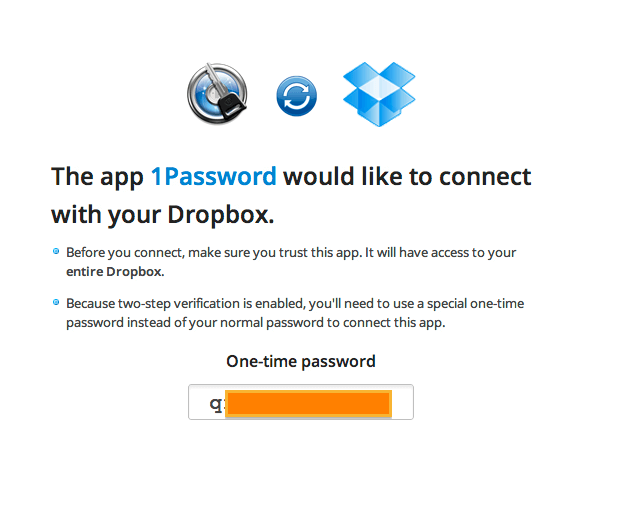
How do I sync 1Password vault with Dropbox
In 1Password, tap Settings > Sync. The display should show Primary and Dropbox. Tap the field. The Primary Vault should show Dropbox.
How do I save 1Password to Dropbox
And press the unlock button to open your. Data. Then go to the Dropbox folder and check if the 1password folder is synced with Dropbox.
How do I change my 1Password sync from Dropbox to iCloud
Go to 1Password > Preferences > Sync (Mac) or Settings > Vaults (iOS). Select a vault (if you have more than one), and choose a sync method—either Dropbox (the more flexible option, since it can sync with non-Apple devices and supports additional features) or iCloud.
Does 1Password work across platforms
With a 1Password membership, you can access all your passwords and other items from any of your devices, whether you're online or offline. Apps for Mac, iOS, Windows, Android, and Linux are all included.
Where is my 1Password vault stored
If you're using 1Password 8 then your vaults are stored on 1Password.com since 1Password 8 no longer supports standalone vaults synced using iCloud or Dropbox. You can confirm that all of your data is backed up to 1Password by logging in to your 1Password account on 1Password.com (in the browser, not the app).
Does Dropbox have a secure vault
Dropbox Vault is a feature that lets you create a location in Dropbox with an additional layer of security for your most sensitive files and share it with trusted contacts. This location, or “vault”, in your Dropbox account is guarded by a numeric password, or “PIN”, and can't be opened or accessed by third party apps.
Where does 1Password store its data
By default, all your 1Password data is stored locally on your devices. If you choose to use the iCloud or Dropbox sync option in 1Password, then an encrypted copy of your data is stored in your iCloud or Dropbox account, but your master password isn't stored anywhere at all (except in your head).
Where are the 1Password files stored
Windows: Logs are stored in your %LOCALAPPDATA%\1Password\logs folder.
Why use Dropbox over iCloud
Dropbox offers more features and offers a simple, easy-to-use interface on all platforms, including on Mac and iOS. However, iCloud offers greater integration for Apple device owners, making it easier to share and sync your files.
Should I switch from Dropbox to iCloud
The first reason you may consider moving files from Dropbox to iCloud is the larger free storage space offered by the latter. iCloud provides a free storage space of 5GB, while Dropbox only offers 2GB. With iCloud, you can store a few more files without purchasing additional storage space.
What cloud provider does 1Password use
1Password is hosted by Amazon Web Services (AWS).
What database does 1Password use
SQLite database
1Password uses the open-source SQLite database format.
Is 1Password data stored in the cloud
But to answer the question: Yes, you can trust 1Password, which uses the cloud to keep your data in sync across your devices. Our systems are designed so that your data would remain safe even if an attacker gained access to our servers.
How are passwords stored in 1Password
Your 1Password data is kept safe by AES-GCM-256 authenticated encryption. The data you entrust to 1Password is effectively impossible to decrypt. Secure random numbers. Encryption keys, initialization vectors, and nonces are all generated using cryptographically secure pseudorandom number generators.
Is Dropbox 100% safe
Dropbox files at rest are encrypted using 256-bit Advanced Encryption Standard (AES) Dropbox uses Secure Sockets Layer (SSL)/Transport Layer Security (TLS) to protect data in transit between Dropbox apps and our servers.
Is Dropbox completely private
All files you store in Dropbox are private. Other people can't see and open those files unless you purposely share links to files or share folders with others.
What cloud does 1Password use
1Password is hosted by Amazon Web Services (AWS).
Which is safer iCloud or Dropbox
Both services support two-factor authentication for greater personal security, and paid Dropbox users can monitor who accesses their files (and when), making it easier to track unauthorized access. There isn't much between iCloud and Dropbox when it comes down to privacy.
Is Dropbox more secure than iCloud
Dropbox users must pay 2TB for $11.99 a month and 3TB for $19.99. iCloud is notorious for not offering end-to-end encryption, which makes iCloud users susceptible to eavesdroppers. Dropbox doesn't do end-to-end encryption, either.
Which is more secure iCloud or Dropbox
Both services support two-factor authentication for greater personal security, and paid Dropbox users can monitor who accesses their files (and when), making it easier to track unauthorized access. There isn't much between iCloud and Dropbox when it comes down to privacy.
Does Apple have a Dropbox equivalent
iCloud vs Dropbox: Features
There are several features shared by iCloud and Dropbox, including device backup and sync, file and folder sharing, and custom file and folder links.
Where is 1Password data hosted
1Password is a Canadian company located at 4711 Yonge St, 10th Floor, Toronto, Ontario, M2N 6K8, Canada. At 1Password, we believe that the less information we know about you, the better. After all, it is impossible to lose, misuse, or abuse information we don't have.
Does anyone still use Dropbox
Dropbox is one of the most popular cloud storage services, with 500 million registered users, including 11.9 million paying users.
Has Dropbox ever been hacked
In the case of Dropbox, employees fell for a phishing scam that allowed hackers to gain access to the company's systems. While the Dropbox breach is certainly a cause for concern, it also provides us with an opportunity to learn from our mistakes and strengthen our own cyber security defenses.
What are the disadvantages of Dropbox
Dropbox ConsPoor storage limits for free users.Comparatively expensive paid subscriptions.Security issues.Limited search function.


0 Comments