
What Security should I have on my phone?
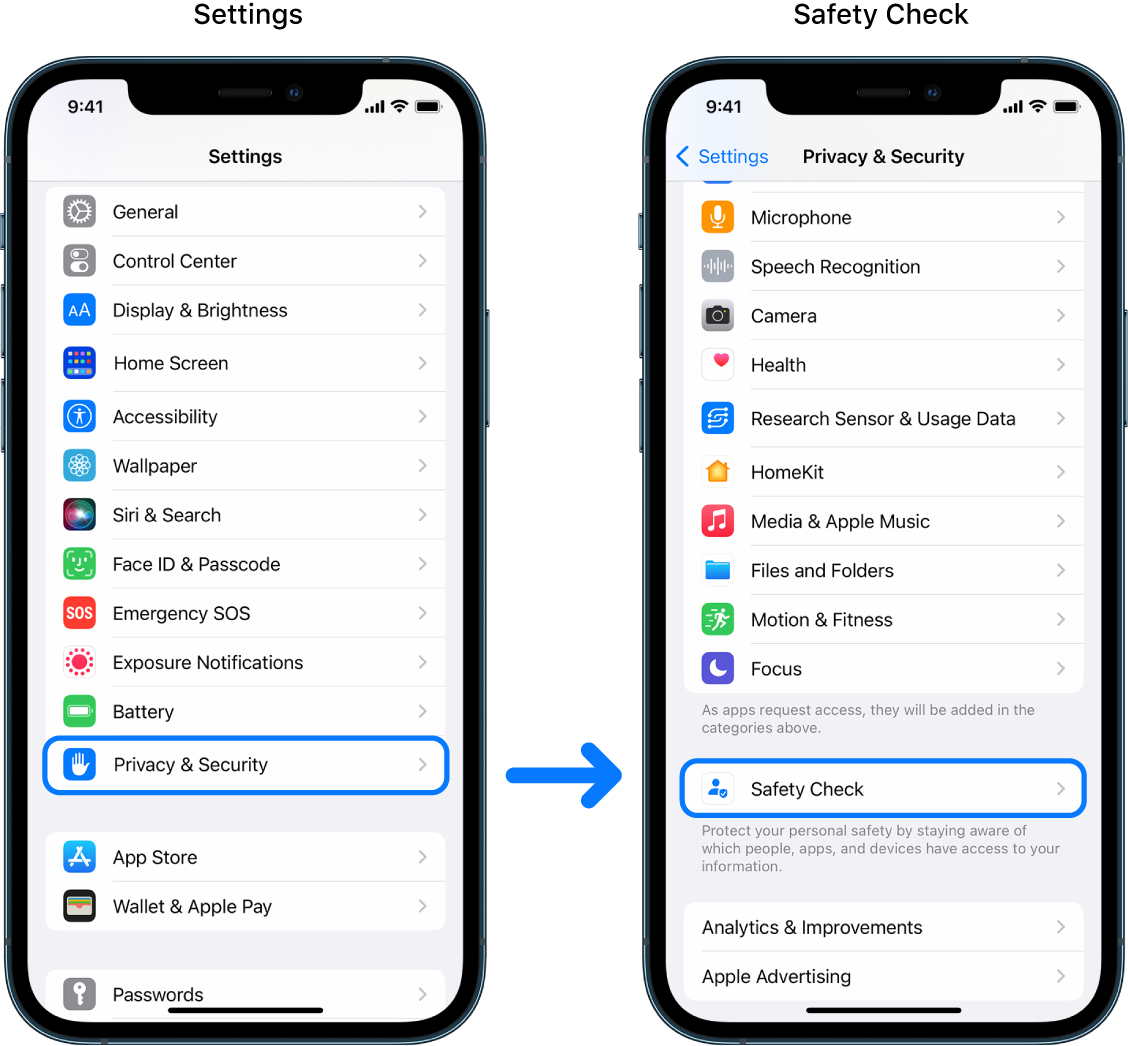
security on your iPhone? Absolutely. While iPhones are generally considered more secure than Android devices, they are still vulnerable to hacking and malware attacks. By having security measures in place, you can protect your personal information, prevent unauthorized access, and ensure the overall safety of your device. Here are some recommended security settings and practices for your iPhone:
1. Enable a strong passcode: Use a combination of numbers, letters, and symbols to create a secure passcode for your device.
2. Enable Touch ID or Face ID: Take advantage of biometric authentication to add an extra layer of security to your iPhone.
3. Keep iOS updated: Regularly update your iPhone’s operating system to benefit from the latest security patches and bug fixes.
4. Enable Find My iPhone: Activate this feature to locate, lock, or erase your device remotely in case it’s lost or stolen.
5. Use a VPN: A Virtual Private Network (VPN) encrypts your internet connection, making it more difficult for hackers to intercept your data.
6. Enable two-factor authentication: Add an extra layer of security by requiring a second verification step when signing in to your Apple ID.
7. Enable automatic app updates: Keep your apps up to date with the latest security enhancements by enabling automatic updates.
8. Be cautious of app permissions: Review and manage the permissions granted to apps, limiting access to sensitive data and functions.
9. Avoid public Wi-Fi networks: Public Wi-Fi networks can be insecure, so use a VPN or stick to trusted networks when accessing sensitive information.
10. Regularly back up your data: Be prepared for unexpected incidents by regularly backing up your iPhone’s data to iCloud or your computer.
11. Use strong, unique passwords: Avoid using the same password for multiple accounts and consider using a password manager to generate and store complex passwords.
12. Disable Siri on lock screen: Prevent unauthorized access to your iPhone by disabling Siri’s functionality on the lock screen.
13. Be cautious of phishing attempts: Stay vigilant and avoid clicking on suspicious links or providing personal information in response to unexpected messages.
14. Install reputable security apps: Consider using reputable security apps from the App Store to protect against malware, viruses, and other threats.
15. Review app privacy policies: Before downloading and using an app, review its privacy policy to understand how your data will be handled.
By implementing these security measures, you can enhance the protection of your iPhone and reduce the risk of security breaches and unauthorized access. Remember to stay informed about the latest security threats and make any necessary adjustments to your security settings as needed.
What security settings should I have on my phone
16 Android Security Settings to Keep Your Device SecureGoogle Play Protect.Find My Device.Device encryption. Basic Android security settings.App permissions.Lock screen controls.Emergency contacts. Advanced Android security settings.Biometric authentication.Lockdown mode.
How do I make sure my phone is secure
Enable two-factor authentication.Set a strong passcode (and consider disabling fingerprint or face login)Audit app permissions.Enable automatic updates.Enable Find My Device.Keep sensitive notifications off the lock screen.Disable personalized ads.Give your Google account a privacy check-up.
Cached
Which is the safest phone security
The Google Pixel 7 is a solid choice for those looking for a secure Android smartphone, thanks to its robust security features and regular software updates from Google.
Should you have security on your phone
Using Your Phone For Work: If you use your phone for work, then you would be storing much sensitive information such as confidential emails, passwords, and banking details, which would be quite costly to lose if you are hacked. So, in that case, Android antivirus software can be of great help.
What security mode should my Wi-Fi be on
WEP, WPA, and WPA2 are Wi-Fi security protocols that secure wireless connections. They keep your data hidden and protect your communications, while blocking hackers from your network. Generally, WPA2 is the best choice, even though it consumes more processing power to protect your network.
What security should I have on my Android phone
Google Play Protect is Google's built-in malware protection for Android devices. Play Protect scans apps in the Google Store daily to verify they remain free from malware. It also identifies and removes malicious apps from the store before they are downloaded onto devices.
What are signs that your phone is hacked
What are the signs your phone may have been hackedNoticeable decrease in battery life.Sluggish performance.Phone feels hot when not using or charging it.High data usage.Outgoing calls or texts you didn't send.Mystery pop-ups and apps.Unusual activity on any accounts linked to the device.Spy apps.
How will I know my phone has been hacked
There are other signs of a hacked phone, such as reduced screenshot quality, unusually high data usage, and apps crashing randomly. If you notice any of these signs, you can take immediate steps to protect your device by downloading a security tool that can scan your device for risks and remediate threats.
Which phone gets hacked the most
iPhones
Based on interest, it's likely Android phones get hacked more than iPhones. The two-factor authentication platform Rublon reported that there was 13 times more interest in hacking Android phones than iPhones in 2021.
Which phone Cannot be hacked
Bittium Tough Mobile 2C
The first device on the list of most secure Phones is the Bittium Tough Mobile 2C. The device is a rugged smartphone, and it is as tough on the outside as it is inside because Tough is in its name. Also Read: How To Stop Android Apps Running In The Background!
Do I really need security on my iPhone
Do you need antivirus for iPhone Viruses aren't that much of a threat to iPhones. Therefore, antivirus for iPhone is not the most essential app — if blocking viruses is all it does. However, an iPhone virus is not the only threat out there.
Should I use WPA2 WPA3 or open
WPA3 provides a more secure connection than WPA2, but many WiFi devices might not yet detect WPA3 and support only WPA2. Similarly, WPA2 provides a more secure connection than WPA, but some legacy WiFi devices do not detect WPA2 and support only WPA.
Which Wi-Fi feature should you disable to improve security
Turn off “remote management,” Wi-Fi Protected Setup (WPS), and Universal Plug and Play (UPnP) features. Some routers have features that can be convenient but weaken your network security. For example, enabling remote access to your router's controls allows you to change settings over the internet.
Does Android have any built-in security
When to Consider Android Antivirus. While Android does have basic built-in safety features, they may not be able to protect your devices depending on how you use them.
Should I have security on my Android phone
There's no reason to download an antivirus app on your Android phone. The same basic rules for using any device safely apply to Android devices: Get your apps from the official source, the Google Play Store. Don't go to shady-looking websites. Don't click suspicious links in emails.
Can a hacker see me through my phone
If a hacker installs spyware on your phone then there is a good chance they will be able to access your camera and turn it on/off as they please. They may also be able to access any photos or videos you have previously taken.
Can hackers look through your phone
Fake or malicious websites can hack your phone through sophisticated drive-by downloads that can launch an attack without any user interaction such as clicking a link or downloading a file. Even legitimate websites can be abused by hackers to infect your device via malvertising pop-ups and banners.
What are three signs which shows your phone has been hacked
How to know if your phone is hacked1: You notice something you don't recognize on your phone. Look out for apps you didn't download, text messages you didn't send, purchases you didn't make, and suspicious phone calls.2: Your phone works slowly.3: Mysterious data usage spikes.4: Strange behavior.5: Pop-ups.
Can someone hack my bank account with my phone number
Once hackers have your number, they can use it to gain access to your most sensitive and valuable data, such as your: Email accounts and contact lists. Financial assets and bank accounts. Current and previous home addresses.
Which phone can never be hacked
Bittium Tough Mobile 2C
The first device on the list of most secure Phones is the Bittium Tough Mobile 2C. The device is a rugged smartphone, and it is as tough on the outside as it is inside because Tough is in its name. Also Read: How To Stop Android Apps Running In The Background!
What are signs my phone is hacked
Unrecognized texts or calls
Receiving communications from unrecognized numbers could indicate you've been the victim of a data breach. Don't answer calls from unrecognized numbers, unless you're expecting them or can verify their authenticity. A hacked iPhone or Android phone can send text messages to all its contacts.
What phones get hacked the most
Based on interest, it's likely Android phones get hacked more than iPhones. The two-factor authentication platform Rublon reported that there was 13 times more interest in hacking Android phones than iPhones in 2021.
Which phone is easily hacked
Major Devices Such as Samsung Galaxy S22, A53, Google Pixel 6 and Pixel 7 are Vulnerable to Hacking with Just a Mobile Phone Number.
Does Apple recommend antivirus for iPhone
Do you need antivirus for iPhone Viruses aren't that much of a threat to iPhones. Therefore, antivirus for iPhone is not the most essential app — if blocking viruses is all it does.
Do Apple iPhones have built-in virus protection
Because of their shared operating system, iOS devices enjoy Apple's security measures, which keeps them protected from malware and viruses differently from most Android devices.


0 Comments