
How can I Scan my iPhone for free?
Summary of the Article: How can I Scan my iPhone for free?
Is there a free scanner for iPhone?
Adobe Scan is a free app that turns your iPhone into a powerful scanner. It can recognize text automatically (OCR) and allows you to create, save, and organize digital files of your paper documents.
How do I scan my iPhone for security threats?
To scan for security threats on your iPhone, go to Settings > Privacy & Security > Safety Check. If you don’t have access to Safety Check or encounter any issues, you can manually adjust your sharing settings and access to your device and accounts.
Is there a built-in scanner on iPhone?
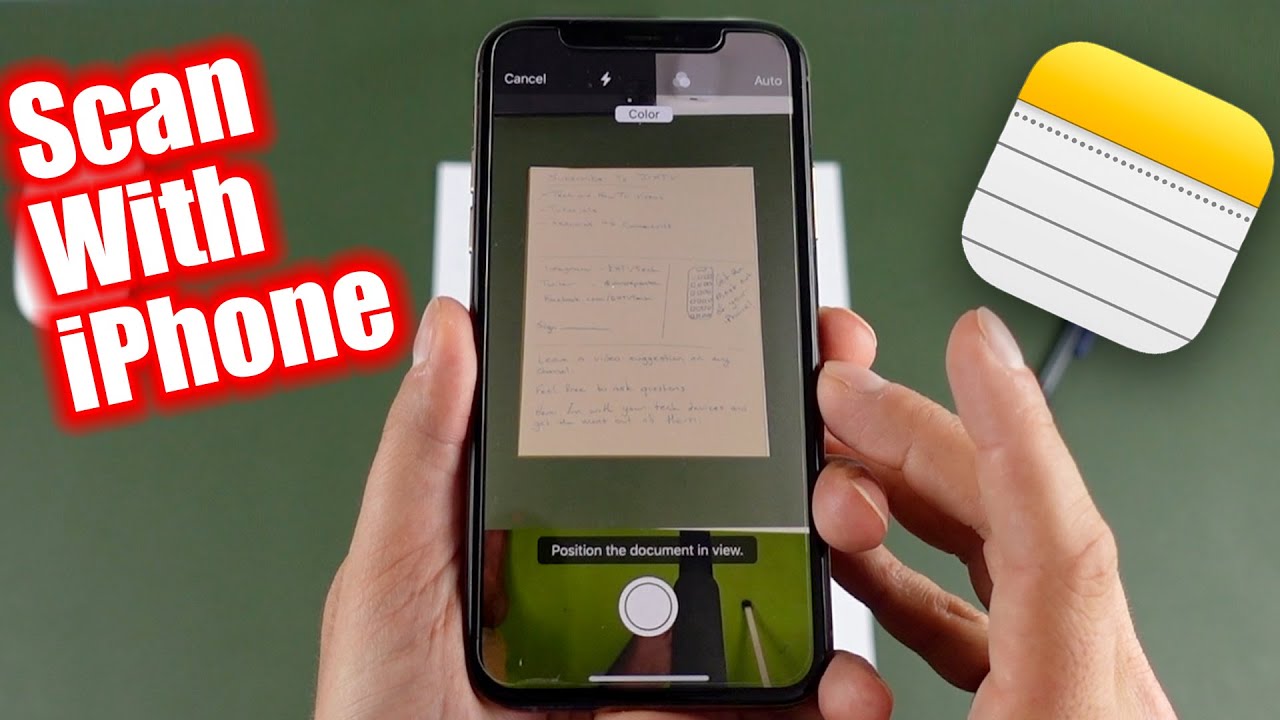
Yes, there is a built-in scanner on your iPhone in the Notes app. You can use this native scanner to scan documents without downloading another app. However, it does not convert the scanned documents into PDFs.
How do I scan directly from my iPhone?
To scan directly from your iPhone, open the Notes app and tap on the camera icon within the app. This will allow you to take pictures of your documents and save them as digital files.
Does Apple have a free QR scanner?
Yes, Apple’s Camera app can be used as a QR code scanner. Simply open the Camera app and point it at a QR code. The camera will automatically detect and highlight the QR code.
Is there any free scanner app?
CamScanner is a free app for both Android and iOS devices. It allows you to scan, merge, and access cloud storage. However, it adds a small watermark to your scanned documents.
How do I know if my iPhone is being attacked by a virus?
If you suspect that your iPhone is being attacked by a virus, go to Settings > Accounts and check for any suspicious calendars. If you find any, delete the account from your iPhone.
How do you check if your iPhone is linked to another device?
Sign in to appleid.apple.com and go to the Devices section of your Apple ID account page. From there, you can see all the devices linked to your Apple ID, including Android devices, consoles, and smart TVs.
Where is the scanner menu on iPhone?
To access the scanner menu on your iPhone, go to Settings > Accessibility > Switch Control > Scanning Style. Choose one of the scanning styles: Auto Scanning or Manual Scanning.
How do I scan with my phone camera?
Find the camera app on your phone and open it. Point your phone’s camera at the document you want to scan and take a picture. You can then save the picture as a digital file.
How do I scan from my iPhone without an app?
Your iPhone already has a built-in document scanner in the Files app. Open the Files app and navigate to the folder where your document is located. Tap on the document and select the option to scan it.
Is there a free scanner for iPhone
Adobe Scan is free to download and turns your mobile device into a powerful scanner that recognizes text automatically (OCR) and allows you to create, save, and organize your paper documents as a digital file.
How do I scan my iPhone for security threats
To access Safety Check, go to Settings > Privacy & Security > Safety Check. Note: If you donʼt have access to Safety Check or youʼre having trouble using the feature, you can manually adjust your sharing settings and access to your device and accounts.
Is there a built in scanner on iPhone
If you're wondering how to scan documents on your iPhone, you may not know that your iPhone has a native scanner automatically on your phone in the Notes app. While this scanner doesn't require you to download another app (even if it's free, like Adobe Scan), it also doesn't convert your scanned documents into PDFs.
Cached
How do I scan directly from my iPhone
You want I'm going to walk you through all those steps. So the first thing that we'll do is open up the notes app on your iPhone it's a default app. So tap on notes here and we're going to tap on the
Does Apple have a free QR scanner
You can use Camera or the Code Scanner to scan Quick Response (QR) codes for links to websites, apps, coupons, tickets, and more. The camera automatically detects and highlights a QR code.
Is any scanner app free
CamScanner (Android(opens in a new tab) and iOS(opens in a new tab)) This free app allows you to scan, merge, and access cloud storage — like iCloud or Google Drive. But the app does add a small watermark on your scanned documents, so it might not work for every document scan.
How do I know if my iPhone is being attacked by a virus
Then tap accounts. And look for any suspicious calendars on your iPhone like hot singles in your area if you see something like that tap on it. And then tap delete account tap delete from my iPhone.
How do you check if my iPhone is linked to another device
From the Devices section of your Apple ID account page, you can find all of the devices that you're currently signed in to with your Apple ID, including Android devices, consoles, and smart TVs: Sign in to appleid.apple.com,* then select Devices.
Where is the scanner menu on iPhone
Go to Settings > Accessibility > Switch Control > Scanning Style, then choose one of the following: Auto Scanning: The cursor automatically moves to the next item after a specified duration. This is the default scanning style.
How do I scan with my phone camera
Start by finding the camera app on your phone it should look like one of these icons. On my screen it is on the right at the top. Here once you find your camera app tap on it to open it. Point your
How do I scan from my iPhone without an app
So guys if you didn't know your iphone already has one of the best document scanners built right in you don't need to download any other app so what you need to do is go into the files. App go to the
How do I scan QR code in my phone
On your compatible Android phone or tablet, open the built-in camera app. Point the camera at the QR code. Tap the banner that appears on your Android phone or tablet. Follow the instructions on the screen to finish signing in.
How do I enable QR code scanning on my iPhone
How to turn on or turn off scan QR codes in camera on the iPhone 14. Series first let's go back to the home screen by swiping up at the bottom of the screen. And on the home screen tap on settings.
Which QR reader app is free
Here are the 7 Free Best QR Code Reader Apps for Android and iOS in 2023 –
| QR Code Scanner App | Operating System | Price |
|---|---|---|
| Barcode Reader | iOS and Android | Free |
| NeoReader QR & Barcode Scanner | iOS and Android | Free (Continuous scan – $1.99) |
| QuickMark Barcode Scanner | iOS | Free |
| QR Droid and QR Droid Private | Android | Free |
How do I get a free scanner on my phone
Free PDF Scanner App for Android DevicesGenius Scan. Genius Scan is an Android scanning app that supports both JPG and PDF.Mobile Doc Scanner. Mobile Doc Scanner comes with great features such as the batch mode, which allows the users to scan documents quickly, after the other.Handy Scanner.CamScanner.TurboScan.
What is the best free QR scanner for iPhone
Camera app (the best free QR scanner for iPhone & iPad) Yes, although it may sound too good to be true, the best free QR scanner for iPhone is its default Camera app.Kaspersky QR Scanner.QR Code Reader & QR Scanner!QR Code & Barcode Scanner.
How do I check my iPhone for malware
How to check your iPhone for malwareLook for unfamiliar apps. If you're anything like the average smartphone user, you've probably downloaded dozens (if not hundreds) of apps.Check your data usage.Check power consumption.Keep an eye on pop-up ads.Scan your phone using antivirus software.
How do I know if my iPhone has spyware
Signs of spyware on iPhoneDecreased battery life.Increased data usage.Slow performance.Unusual background noise during calls.Pop-up ads and browser redirection.Suspicious text messages.Unexplained app activity.Download apps only from the App Store.
How do I see who is connected to my iPhone
Go to Settings > Cellular (or Mobile Data). Scroll down to the Cellular Data (or Mobile Data) section and tap Personal Hotspot. You'll see a list of devices connected to your iPhone's Personal Hotspot.
How do you check if my iPhone is being tracked
So grab your phone and I'll show you where you can find that click on settings. From here scroll all the way down until you get to the past the standard apps. And then you'll start to see the apps
Where do I find scanner settings
Here's a way to do it manually.Select Start > Settings > Devices > Printers & scanners or use the following button. Open the Printers & scanners settings.Select Add a printer or scanner. Wait for it to find nearby scanners, then choose the one you want to use, and select Add device.
Does my phone have a scanner
Scanning Documents on Your Android Phone:
As the business world continues its digital revolution, many Android phones include a built-in scanning feature. For phones that don't include this feature automatically, the Google Drive app includes options for scanning documents.
How do I open my camera to scan
App to give it a shot just open your camera app and try it out on any qr code available. Online. If your phone notifies you with a link you can use your standard camera app to scan any qr. Code. If
How do I scan directly from my phone
Easiest: Tap Google Drive > plus sign (+) > Create New > Scan. Position the camera over the document, tap shutter, tap check mark. Use Adobe Scan: Tap screen > Continue. Tap the document's thumbnail to edit and save.
Where is the scan button on my phone
So I just want to show how to scan a document an Android the easiest way to do it is through your Google Drive app. So you just want to look for the Google Drive app it has the triangle with green


0 Comments