
How do you take 360 degree pictures on your phone?
How do you take 360-degree pictures on your phone?
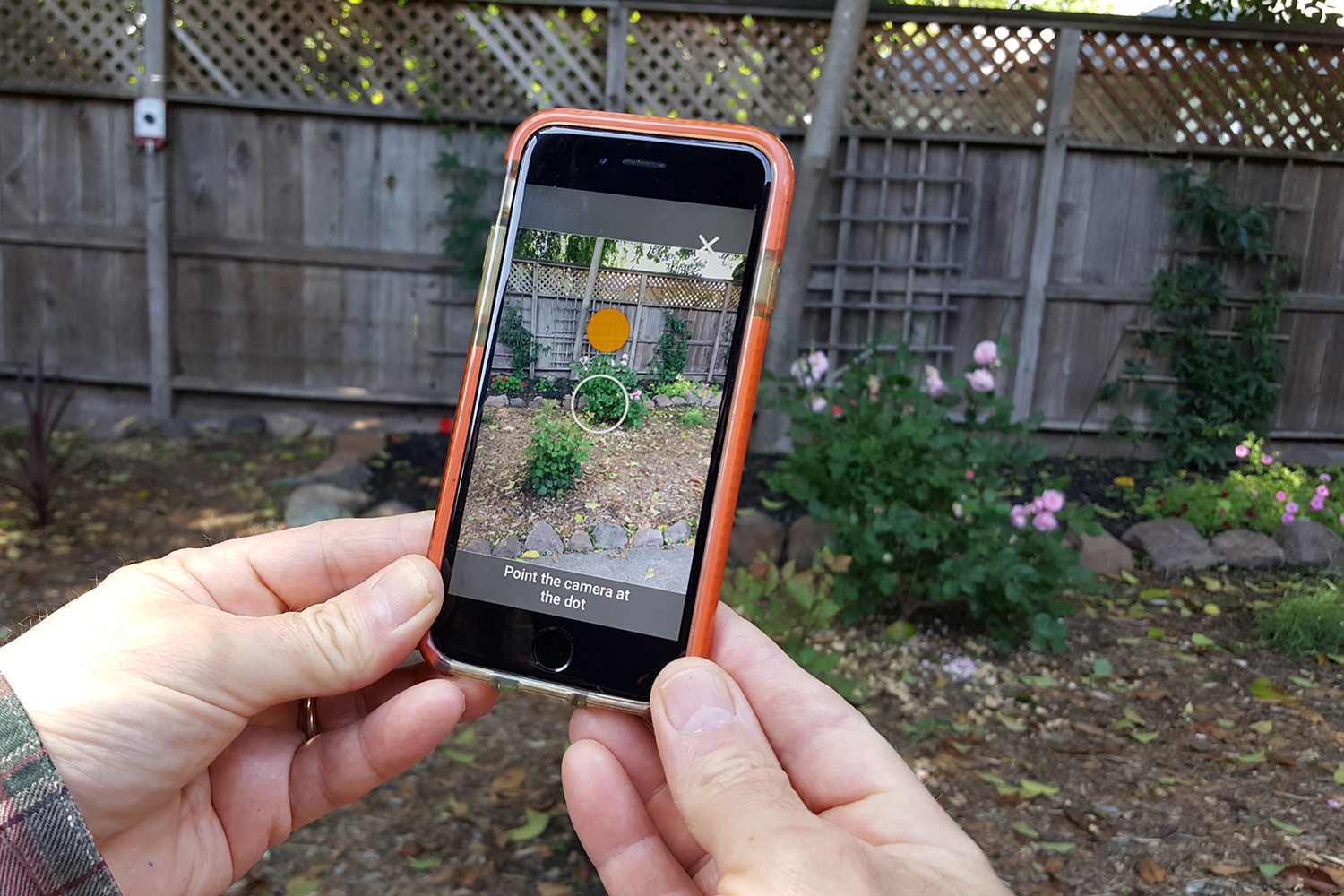
Can I take 360-degree photos from my phone?
Take photos with Cardboard CameraOn your Android phone, open the Cardboard Camera app. In the bottom right, tap Take picture. Tap Record. With your arms outstretched, move your device slowly in a circle to the left or right. The camera stops recording automatically once you complete a full 360-degree turn.
How to do a 360 with your phone?
But the best part is you don’t need to buy any fancy equipment; you can use your phone and a free Google app to do this. Let me show you how. So the first thing we’re gonna do is download…
How do you make a 360-degree angle picture?
Taken on a phone. For Apple users, open the camera app and capture a panorama. Any handset newer than an iPhone 4s or tablet newer than an iPad Mini 2 will work. For Android users, download Google’s…
How do you make 360 pictures on iPhone?
Take panoramic photos with your iPhone camera. Choose Pano mode. Tap the Shutter button. Pan slowly in the direction of the arrow, keeping it on the center line. To finish, tap the Shutter button again. Cached
What is the app 360 photo iPhone?
Panorama 360 is the fastest 360 panorama capture available on the App Store. Ever wished to view your iPhone camera captured panoramas in the true way they should be enjoyed? Import your photos through our gallery and instantly view them on the 360-degree viewer. With one more tap, you can share it with the entire world.
Is there an app for 360 photos?
Popular Android 360-degree camera apps include:
Google developed the Google Street View software, which enables users to take and share 360-degree pictures and movies of their surroundings. One of the most downloaded 360-degree camera apps on the Google Play Store is Panorama 360.
Is camera 360 app free?
Camera360 Ultimate is one of the best image-editing tools that you can currently find on Android, especially because beyond having an enormous amount of features, it’s free and very easy to use.
What is the 360 viewer app for iPhone?
Panorama 360 is the fastest 360 panorama capture available on the App Store. Ever wished to view your iPhone camera captured panoramas in the true way they should be enjoyed? Import your photos through our gallery and instantly view them on the 360-degree viewer. With one more tap, you can share it with the entire world.
Which type of camera can rotate 360 degrees?
PTZ security cameras offer rapid panning and tilt speeds, with a continuous 360-degree rotation that enables quick camera movement and focus on different subjects or objects in a surveillance area.
How do I change the camera angle on a photo?
How to Rotate Your Images: Click the “Get Started” button on this page to turn to Fotor’s editing page. Click “Open Image” to upload your photo, or directly drag your picture into the editing area. Then click “Rotate & Flip”. You can also move the “Straighten” slider to adjust the angle of the photo.
What is the 360 photo app for iPhone?
Panorama 360 is the fastest 360 panorama capture available on the App Store. Ever wished to view your iPhone camera captured panoramas in the true way they should be enjoyed? Import your photos through our gallery and…
[/wpremark>
Can I take 360-degree photos from my phone
Take photos with Cardboard CameraOn your Android phone, open the Cardboard Camera app .In the bottom right, tap Take picture .Tap Record .With your arms outstretched, move your device slowly in a circle to the left or right.The camera stops recording automatically once you complete a full 360-degree turn.
How to do a 360 with your phone
But the best part is you don't need to buy any fancy equipment you can use your phone and a free google app to do this let me show you how so the first thing we're gonna do is download. The correct
How do you make a 360-degree angle picture
Taken on a phone. For Apple users open the camera app and capture a panorama. Any handset newer than an iPhone 4s or tablet newer than an iPad Mini 2 will work for Android users download Google's
How do you make 360 pictures on iPhone
Take panoramic photos with your iPhone cameraChoose Pano mode.Tap the Shutter button.Pan slowly in the direction of the arrow, keeping it on the center line.To finish, tap the Shutter button again.
Cached
What is the app 360 photo iPhone
Panorama 360 is the fastest 360 panorama capture available on Appstore. Ever wished to view your iPhone camera captured panoramas in the true way they should be enjoyed. Import your photos through our gallery and instantly view them on the 360-degree viewer. With one more tap and you can share it with the entire world.
Is there an app for 360 photos
Popular Android 360-degree camera apps include:
Google developed the Google Street View software, which enables users to take and share 360-degree pictures and movies of their surroundings. One of the most downloaded 360-degree camera apps on the Google Play Store is Panorama 360.
Is camera 360 app free
Camera360 Ultimate is one of the best image-editing tools that you can currently find on Android, especially because beyond having an enormous amount of features it is free and very easy to use.
What is the 360 viewer app for iPhone
Panorama 360 is the fastest 360 panorama capture available on Appstore. Ever wished to view your iPhone camera captured panoramas in the true way they should be enjoyed. Import your photos through our gallery and instantly view them on the 360-degree viewer. With one more tap and you can share it with the entire world.
Which type of camera can rotate 360-degree
PTZ security cameras offer rapid panning and tilt speeds, with a continuous 360-degree rotation that enables quick camera movement and focus on different subjects or objects in a surveillance area.
How do I change the camera angle on a photo
How to Rotate Your ImagesClick the "Get Started" button on this page to turn to Fotor's editing page.Click "Open Image" to upload your photo, or directly drag your picture into the editing area.Then click "Rotate & Flip".You can also move the "Straighten" slider to adjust the angle of the photo.
What is the 360 photo app for iPhone
Panorama 360 is the fastest 360 panorama capture available on Appstore. Ever wished to view your iPhone camera captured panoramas in the true way they should be enjoyed. Import your photos through our gallery and instantly view them on the 360-degree viewer. With one more tap and you can share it with the entire world.
What is camera 360 for iPhone
Camera360 is a professional but easy-to use App for photo editing and selfie retouching. You can use Camera360 to edit photo with filters, stickers and make-ups. – Smooth Skin: Swipe over wrinkles, blemishes and smooth skin.
Do you have to pay for the 360 app
Discover Life360 for free! Download the app today to stay connected with your friends and family and share your location with them using advanced Location Sharing. You'll also have access to two days of Location History as well as two Place Alerts.
What is the free 360 photo app for iPhone
Panorama 360 is the fastest 360 panorama capture available on Appstore. Ever wished to view your iPhone camera captured panoramas in the true way they should be enjoyed. Import your photos through our gallery and instantly view them on the 360-degree viewer. With one more tap and you can share it with the entire world.
What app do I download for 360 camera
Photaf Panorama Pro
This 360 camera app Android helps you create exciting virtual tours or 3D images of apartments and houses to excite customers in new ways. The Pro package is $4. It allows you to upload pictures to the company's website to view them from your PC.
Can I take a 360 photo with my iPhone
But a lot of people just stick with the standard photo. And of course you can do slow motion videos you can do time-lapse. All in the camera app. And then there are ton of different apps that make
Can you view 360 photo on iPhone
If the saved image is uploaded to Google Photos, it can be seen in an immersive view with the Google Photos app. It's quite nice of Google to offer this capability to iPhone users for free even if the 360 images are kept for personal use.
How do I enable 360-degree rotation
Open your device's Settings app. . Select Accessibility. Select Auto-rotate screen.
How much does 360 camera cost
Luckily, there are 360 cameras at many different price points. The 360 cameras listed below range anywhere from $300 to $4,000.
Can you change the angle of a photo on Iphone
All we need to do is first open the photos. App so select it this will open up the camera roll where you can see all the different photos. And videos you've taken on your iphone. From here simply
How do I change the camera angle on my Iphone
You just press that and the photo is taken now to the left from shutter you'll see a circle that says 1x. And this option is only on the iphones that come with two cameras. So if you tap on that one x
Does 360 work on iPhone
The Life360 app is available for free on both Android and iOS devices.
Is there a free 360 app
Discover Life360 for free! Download the app today to stay connected with your friends and family and share your location with them using advanced Location Sharing.
Can you use Life360 without a subscription
Our basic service is free to download and use. We also offer three paid memberships (Silver, Gold and Platinum) that provide your Circle with additional safety features. For users outside of the U.S. and Canada, we offer Life360 Premium with additional features. Try any of these paid plans free for 7 days.
Does everyone need their own account for Life360
Each person you invite will need to download the Life360 app and create their own account.


0 Comments