
What is the fastest Firestick?
Which Fire Stick has the fastest processor
Fire TV Stick 4K Max vs Fire TV Stick 4K: Performance
The Fire TV Stick 4K Max’s new processor is one of the ways it improves, with a 1.8GHz quad-core CPU and 750MHz GPU (the normal Fire TV Stick 4K’s got a 1.7GHz quad-core CPU and a 650MHz GPU).
Which Fire Stick is faster
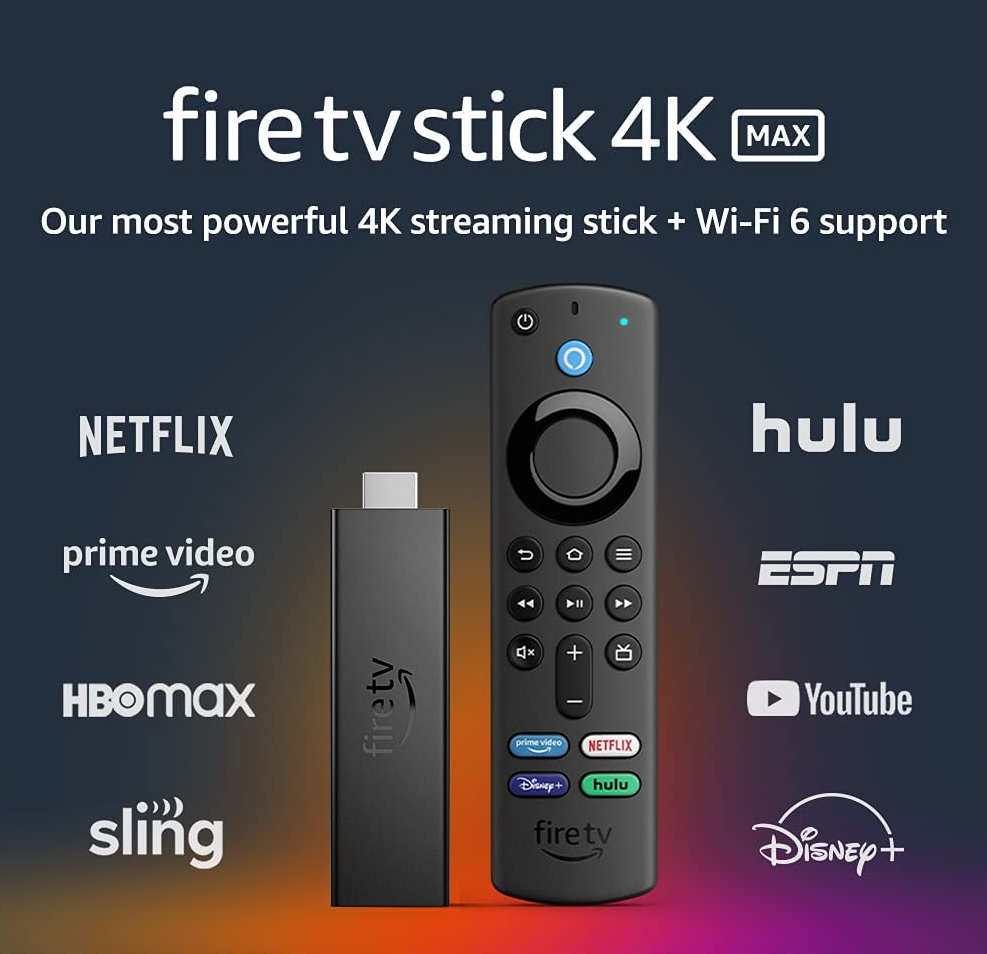
Fire TV Stick 4K Max
The Fire TV Stick 4K Max is the most powerful of the Amazon models, so is faster and the most satisfying to use. It offers Dolby Vision, Dolby Atmos and 4K streaming.
Is Fire Stick 4K faster than Fire Stick
You want the fastest Fire TV Stick available
But the Fire TV Stick 4K Max features a faster processor and 2GB of memory, which makes for a smoother streaming and gaming experience and improved speed compared with the 4K version.
What is the max speed for Amazon Fire Stick
Amazon Fire Stick requires 3 Mbps for SD video streaming and 5 Mbps for HD video streaming. So, to answer your question, yes, 40 Mbps is most definitely fast enough for the Amazon Fire Stick.
Is there a more powerful Fire Stick
If you’re looking for the best Fire Stick on the market, the Fire TV Stick 4K Max is it. The Max is speedy and loads apps almost immediately, and navigating around the system is swift and smooth. Even better, the Max supports Wi-Fi 6 and nearly all the latest playback standards, including Dolby Vision.
Is a 3rd generation Fire Stick faster
Amazon Fire TV Cube (3rd generation) review: Amazon’s best and fastest streamer. The Fire TV Cube sits at the top of Amazon’s streaming device range, giving you the same Smart TV experience as the Fire TV Stick 4K Max but with more processing power, even faster Wi-Fi and what amounts to a built-in Echo Dot.
Is it worth upgrading to Fire Stick 4K Max
But it’s safe to say the new fire tv stick 4k max makes the act of using the fire tv platform a more pleasant. Experience unfortunately we don’t have access to a wi-fi 6 router at the moment to test
What is the difference between Fire Stick Lite and 4K
The Fire TV 2020 and Firestick 4K has Dolby ATMOS Audio while the Fire TV Stick Lite only has Dolby Audio, (although, you can also get Dolby ATMOS on Firestick Lite via HDMI pass through). To do so, you will need soundbar, if you don’t have a soundbar, you won’t get Dolby ATMOS natively.
Which is best Fire Stick to buy
If you’re looking for the best Fire Stick on the market, the Fire TV Stick 4K Max is it. The Max is speedy and loads apps almost immediately, and navigating around the system is swift and smooth. Even better, the Max supports Wi-Fi 6 and nearly all the latest playback standards, including Dolby Vision.
How do I increase my FireStick speed
Is there any way to upgrade my Firestick’s hardwareCheck your power source.Restart.Uninstall unused apps and add-ons.Force stop unused apps.Clear data and cache.Disable features that you don’t use.Turn off data monitoring.App notifications.
Why is my FireStick not getting full Internet speed
There are multiple reasons why you may be experiencing slow speeds while using your Firestick. In particular, it may be that you have too many devices connected to the Internet in your home, leaving insufficient bandwidth for the Firestick to operate at its full speed.
Which Fire Stick has the fastest processor
Fire TV Stick 4K Max vs Fire TV Stick 4K: Performance
The Fire TV Stick 4K Max's new processor is one of the ways it improves, with a 1.8GHz quad-core CPU and 750MHz GPU (the normal Fire TV Stick 4K's got a 1.7GHz quad-core CPU and a 650MHz GPU).
Cached
Which Fire Stick is faster
Fire TV Stick 4K Max
The Fire TV Stick 4K Max is the most powerful of the Amazon models, so is faster and the most satisfying to use. It offers Dolby Vision, Dolby Atmos and 4K streaming.
Cached
Is Fire Stick 4K faster than Fire Stick
You want the fastest Fire TV Stick available
But the Fire TV Stick 4K Max features a faster processor and 2GB of memory, which makes for a smoother streaming and gaming experience and improved speed compared with the 4K version.
Cached
What is the max speed for Amazon Fire Stick
Amazon Fire Stick requires 3 Mbps for SD video streaming and 5 Mbps for HD video streaming. So, to answer your question, yes, 40 Mbps is most definitely fast enough for the Amazon Fire Stick.
Cached
Is there a more powerful Fire Stick
If you're looking for the best Fire Stick on the market, the Fire TV Stick 4K Max is it. The Max is speedy and loads apps almost immediately, and navigating around the system is swift and smooth. Even better, the Max supports Wi-Fi 6 and nearly all the latest playback standards, including Dolby Vision.
Is a 3rd generation Fire Stick faster
Amazon Fire TV Cube (3rd generation) review: Amazon's best and fastest streamer. The Fire TV Cube sits at the top of Amazon's streaming device range, giving you the same Smart TV experience as the Fire TV Stick 4K Max but with more processing power, even faster Wi-Fi and what amounts to a built-in Echo Dot.
Is it worth upgrading to Fire Stick 4K Max
But it's safe to say the new fire tv stick 4k max makes the act of using the fire tv platform a more pleasant. Experience unfortunately we don't have access to a wi-fi 6 router at the moment to test
What is the difference between Fire Stick Lite and 4K
The Fire TV 2020 and Firestick 4K has Dolby ATMOS Audio while the Fire TV Stick Lite only has Dolby Audio, (although, you can also get Dolby ATMOS on Firestick Lite via HDMI pass through). To do so, you will need soundbar, if you don't have a soundbar, you won't get Dolby ATMOS natively.
Which is best Fire Stick to buy
If you're looking for the best Fire Stick on the market, the Fire TV Stick 4K Max is it. The Max is speedy and loads apps almost immediately, and navigating around the system is swift and smooth. Even better, the Max supports Wi-Fi 6 and nearly all the latest playback standards, including Dolby Vision.
How do I increase my FireStick speed
Is there any way to upgrade my Firestick's hardwareCheck your power source.Restart.Uninstall unused apps and add-ons.Force stop unused apps.Clear data and cache.Disable features that you don't use.Turn off data monitoring.App notifications.
Why is my FireStick not getting full Internet speed
There are multiple reasons why you may be experiencing slow speeds while using your Firestick. In particular, it may be that you have too many devices connected to the Internet in your home, leaving insufficient bandwidth for the Firestick. Alternatively, it's possible that your ISP is throttling your connection.
Is it worth upgrading to Fire Stick 4k Max
But it's safe to say the new fire tv stick 4k max makes the act of using the fire tv platform a more pleasant. Experience unfortunately we don't have access to a wi-fi 6 router at the moment to test
What is the difference between all of the Amazon Fire Sticks
What Are the Differences Between Firesticks Aside from price, the biggest differences between the various models of Fire TV Stick are the video and audio formats they support. The lower models only support 1080p, while higher models start to include things like 4K, Dolby Vision and Dolby Atmos.
Is 4K Fire Stick faster than 2nd generation
A few quick thoughts:
The Fire TV 2nd Gen Box is slightly faster but not fast enough to justify buying it over the new Fire TV Stick 4K if you are looking for a new Fire TV. If you have a TV that can take advantage of Dolby Vision HDR I would upgrade to the new Fire TV Stick 4K.
What is the difference between Fire Stick 3rd generation and 4K
The standard option, aka the Amazon Fire TV Stick (3rd Gen) (you'll also sometimes see it called the 'Fire TV Stick with Alexa Voice Remote'), is the mid-specced of the three; the Ultra HD-toting Fire TV Stick 4K is where to head for the highest resolution video; and the stripped-down Fire TV Stick Lite could, actually …
Is the 4K Max faster than the 4K FireStick
The answer here is super simple: if you're looking to buy a Fire TV Stick, the 4K Max option is the way to go. It's faster, running on improved hardware that boosts streaming and network performance. It features newer software than what's included in the older 4K model.
How can I make my FireStick 4K max faster
Go down to preferences. Right here when you click on preferences. You're going to go down to your featured content this is where you're going to turn that off just by turning that one little setting
What is the difference between all of the Firesticks
The main difference between the Fire TV Stick and the cheaper Fire TV Stick Lite lies in the remote control. Fire Stick's remote has buttons for volume, mute and power, allowing you to control those functions on your TV. The Lite lacks these capabilities and is therefore slightly less expensive.
Is the Fire Stick Lite worth it
The Fire TV Stick Lite is a no-brainer if you want to buy into the Fire TV ecosystem and you want just a 1080p Full HD solution. It's well priced, fast and highly capable. If you want a 4K-capable device then you need to check out the Amazon Fire Stick 4K, Chromecast Ultra, Roku Premiere or Apple TV 4K.
Which is better Fire Stick or Fire Stick light
If you want to future-proof your streaming stick, splurge on the 4K or 4K Max version. Or, save some money with the Lite version if you don't need extra remote features. Go with the classic Fire TV Stick if you can't decide between the cheapest and the most expensive options.
Why is my Fire Stick not getting full Internet speed
There are multiple reasons why you may be experiencing slow speeds while using your Firestick. In particular, it may be that you have too many devices connected to the Internet in your home, leaving insufficient bandwidth for the Firestick. Alternatively, it's possible that your ISP is throttling your connection.
How do I stop my Fire Stick from buffering
How to Remedy Buffering Issues on Your Amazon FirestickReboot Your Firestick.Check the Strength of Your WiFi Signal.Use an Ethernet Cable Whenever Possible.Use a VPN.Turn Off Background Processes and Apps.Clear the Firestick's App Cache and Data.Keep Your Fire TV's Operating System and Apps Updated.
How do I increase my Internet speed on Amazon FireStick
And 5 gigahertz Network to seriously boost your fire stick speed. Make sure that you have the 5 gigahertz. Range enabled on your router. And connect to it. Go into your fire stick settings. And click
What is the difference between Amazon Fire Stick Lite and 4K
Fire TV Stick 4K
This streaming stick has the same remote as the Fire TV Stick, same storage space and is powered by the same quad-core processor. However, it packs a bit more memory than the Fire TV Stick/Lite featuring 1.5GB of RAM. That's an additional 500MB of RAM.
Does it matter what Fire Stick I have
The answer is: not much. The Lite model offers the same UI and apps, the same 60fps 1080p streaming, and the same HDR format support as the standard stick. The major differences are that the Fire TV Stick Lite has less fully fledged Dolby Atmos support and remote control options.


0 Comments