
Are reminder apps free?
Summary of the Article:
Are reminder apps free?
Reminder apps offer free features for users to add one-time reminders, recurring reminders, and set location-based reminders. These apps provide convenience and help users stay organized without any cost.
Is there a free reminder app for iPhone?
Sure, there are free reminder apps available for iPhone. These apps offer smart reminders that allow users to set reminders based on their preferences, including one-time, recurring, or location-based reminders.
Does iPhone come with a reminder app?
Yes, iPhones come pre-installed with a built-in reminder app called “Reminders.” Users can create reminders with subtasks and attachments, and set alerts based on time and location.
How do reminder apps make money?
Reminder apps such as Remind generate revenue by charging a small percentage fee to the participants. For example, if a third-grade class is visiting an art museum and the charge is $10 per student, parents can submit the payment through Remind, generating revenue for the app.
What are the pros and cons of Remind app?
The Remind app offers various benefits, including translations into over 70 languages and the ability to easily share files and links with caregivers. However, some cons include difficulties for adults who are not confident with technology, limited accessibility to all resources, and a message length limitation in the free version.
Where is the reminder app on my phone?
To access the reminder app on an Android phone or tablet, you can say “Hey Google, open Assistant settings” and then tap on “Reminders” under “All settings.”
How do I use reminders on my iPhone?
Apple’s reminders application on iPhones offers a range of features. Users can explore the application to discover the new functionalities and benefits it provides, especially with the iOS 16 update.
How do I put a reminder on my iPhone?
Setting up a daily reminder on an iPhone can be done in a few different ways. Users can utilize Siri or the Reminders app to set up their reminders based on their preferences and requirements.
How do I get Reminders on my iPhone?
To access the Reminders app on an iPhone, simply tap on the app icon from the home screen. You can then create a new list, choose a color, and start adding reminders to stay organized.
What is the best way to use Reminders on iPhone?
One of the best ways to use Reminders on an iPhone is by utilizing Siri. Users can ask Siri to create reminders using voice commands, such as “Siri, remind me to take my medicine at 7 in the morning,” to make the most of this feature.
What are the benefits of using the reminders app?
Using a reminders app offers several benefits, including the ability to break down tasks by day and time, set reminders for yourself, track progress, delegate tasks, and easily share information with others.
Do any free apps make money?
Yes, many free apps monetize through advertisements. App developers earn revenue when users view or interact with ads within the app. This is a common monetization model for free apps.
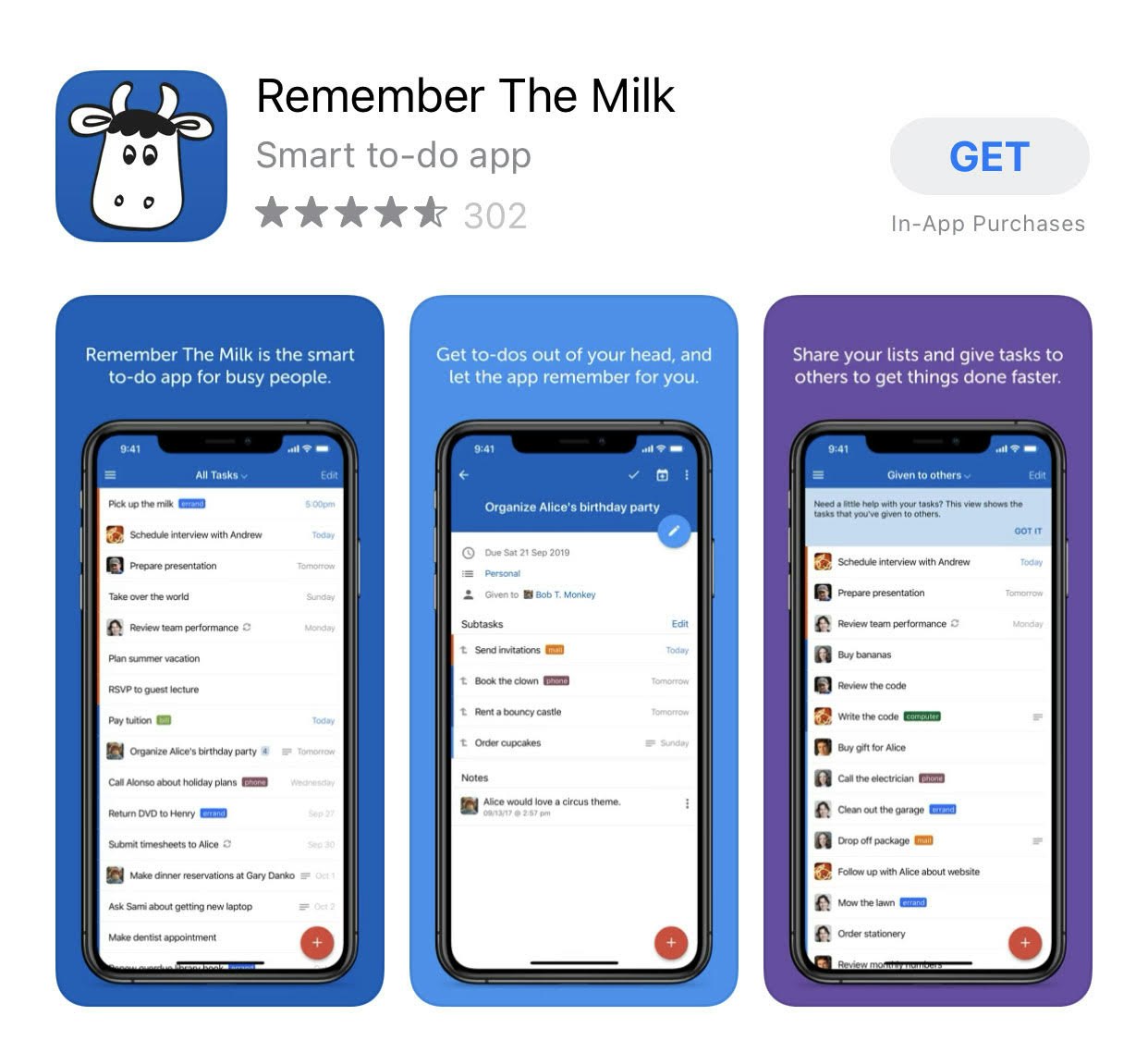
Is the reminder app free
Add one-time reminders for regular items, recurring reminders for daily, weekly or monthly commitments, and set location-based reminders to remember buying milk on your way home. Get Started – It's Free!
Is there a free reminder app for iPhone
do's smart reminders for iPhone. Set one-time, recurring or location-based reminders to effortlessly meet your deadlines. Get Started – It's Free!
Does iPhone come with a reminder app
With the Reminders app on iOS 13 or later and iPadOS, you can create reminders with subtasks and attachments, and set alerts based on time and location.
How do reminder apps make money
Remind charges 5 percent to the participant. For example, if a third-grade class is visiting an art museum and the charge is $10 per student, parents can submit the payment on Remind the same way they'd buy from Amazon or order an Uber. The total cost would be $10.50, with Remind generating 50 cents in revenue.
What are the pros and cons of Remind app
Pros: Translation into over 70 languages. Easily share files and links with caregivers. Cons: Adults not confident with tech might struggle, not all resources are readily accessible and message length in free version is limited.
Where is the reminder app on my phone
On your Android phone or tablet, say "Hey Google, open Assistant settings." Under "All settings," tap Reminders.
How do I use reminders on my iPhone
Apple's reminders application is better than most people give it credit for and it's getting even better with ios 16.. So in this video i'm going to show you what's new in reminders with this new
How do I put a reminder on my iPhone
So you might be in a position where you want to set up a daily reminder on your iphone. Now there's a few different ways to do this you can do this within siri or you can do this within the reminders.
How do I get Reminders on my iPhone
Open the reminders app from your home screen and press new list type in a name for your list. Select a color and hit done press an empty line in the list to create a new entry. After each entry. Press
What is the best way to use Reminders on iPhone
Use Siri to Create Reminders
Siri is one of the most useful tools you have on your iPhone, iPad, and Mac. Unsurprisingly, it helpfully links with Reminders. You can ask Siri to create reminders for you, using commands like "Siri, remind me to take my medicine at 7 in the morning."
What are the benefits of using reminders app
Benefits of a Checklist AppBreak down your tasks by day and time.Set reminders for yourself.Track progress.Delegate tasks.Share information.
Do any free apps make money
Ads are the easiest and most common ways to make money from free apps. If you've downloaded any free app, chances are you've encountered all kinds of ads. In this app monetization model, you get paid every time a user views the ad, clicks on it, or installs a program directly from the advertisement.
Does the Remind app cost money
Access to and use of Remind itself is free, but we do offer additional features that require fees, such as our Remind Tutoring services. Remind reserves the right to charge fees for certain features.
What is better than Remind app
Top 10 Alternatives to RemindClassDojo.Schoology.TalkingPoints.SchoolStatus.Bloomz.ClassTag.ParentSquare.Dyknow Classroom.
How do I get reminders on my home screen
To create widgets on Android:
Both Create task and Create reminder can be pinned to your home screen from the Android widget gallery to quickly create tasks and reminders on the go! Add the Today widget to your home screen from the widget gallery – available when holding down on the app.
How do you get reminders on your home screen
On your Android's Home screen, touch and hold the Tasks widget. Slide the widget to another part of the screen. To move the widget to another Home screen, slide it to the left or right. To remove the widget, touch and hold it, then tap Remove from Home screen.
How do I turn on Reminders on my phone
Create a reminderOpen the Google Calendar app .In the bottom right, tap Create. Reminder.Enter your reminder, or choose a suggestion.Select a date, time, and frequency.In the top right, tap Save.The reminder appears in the Google Calendar app. When you mark a reminder as done, it's crossed out.
How do I set a reminder on my phone
To set a reminder in android we're going to use the google calendar. App if you don't have it you should be able to get it from the play. Store open the app and then tap on the plus icon in the bottom
How do I set my Reminders
All you have to do is go and just you know make your account which you've already probably logged in i didn't even make an account and sorry you know doing this and what you want to do here is you
What is Apple Reminders good for
Customize your lists.
You can even convert it to a Smart List (more on this below). The Reminders app has a number of helpful functions: Share lists and give editing permissions to collaborate with others. Rearrange lists and/or tasks however you'd like, just drag and drop in any order.
Do Reminders on iPhone alert you
When you create a scheduled task, Reminders will alert you with a notification on your iPhone or iPad at the time you set. Launch Reminders from the Home screen. Tap New Reminder. It's in the bottom left corner of the screen.
What is reminder app on my phone
You can use reminders in Google Calendar to track tasks. Reminders repeat every day or until you mark them as done. Reminders are private and cannot be shared with others.
How do I use reminders on my I phone every day
Now nine times out of ten it's not going to work so we'll go and try it out. Here. Set a daily reminder to pick up food every. Day. And it actually ended up working out pretty well.
How does free apps without ads make money
If you don't want to include ads in your free application, you can still make money with it by utilizing one or a combination of the following models:In-app purchase and a freemium models: Subscription model. Sponsorship model. Crowdfunding model.
Do free apps make more money than paid
Turns out not at all! According to a report by Distimo, the total App Store profit revenue from paid apps accounts for only 24%. The revenue from in-app purchases, made inside of paid apps, account for another 5%, and the revenue from in-app purchases from free apps account for 71% of profit revenue.


0 Comments