
What is my Screen Time passcode?
Summary of the article: Common Questions About Screen Time Passcode
1. What is the default screen time passcode?
If you don’t have any backup, then the default screen time passcode is 0000.
2. How do I retrieve my iPhone screen time password?
To retrieve your iPhone screen time password, tap on “Change Screen Time Passcode” and then tap on “Forgot Passcode.” Enter your Apple ID and password, and create a new screen time passcode.
3. How do I turn off screen time without a password?
You can turn off screen time without needing a passcode by logging out of iCloud. Signing out of your iCloud account will automatically turn off the screen time feature on your device running iOS 14.
4. What happens after 10 failed screen time passcode attempts?
After 10 failed screen time passcode attempts, your iPhone/iPad will restrict you from using the feature for the next 1 hour.
5. How do I get rid of Screen Time?
To get rid of Screen Time, you can uninstall the app from within the Screen Time app itself. There is an Uninstall option available.
6. What does the Screen Time passcode on iPhone mean?
The Screen Time passcode is used to lock the restrictions set in Screen Time, such as content and privacy restrictions and application restrictions. It is required to change settings or request more time on restricted applications.
7. Why is the “Forgot Passcode” option not showing up for Screen Time?
If your iPhone/iPad is running an incompatible iOS software version (earlier than iOS 13.4) or is too old to support iOS 13.4 or later, you won’t see the “Forgot Passcode” option.
8. What is the Screen Time passcode on iPhones?
The Screen Time passcode, previously known as the Restrictions passcode, is a separate 4-digit passcode that secures changes to the device settings and the user’s Apple ID account, and enforces Content & Privacy Restrictions.
9. How do I disable Screen Time?
To disable Screen Time, go to Settings, then tap on Screen Time. If unavailable, swipe left to access the App Library and tap on Screen Time. Select one of the options to manage, such as Downtime, and tap on “Turn off Screen Time.”
10. How do I delete Screen Time?
You can delete Screen Time by using the Uninstall option within the app itself. This process is different from the normal method of uninstalling Android apps.
11. How many tries before your iPhone is disabled?
After six unsuccessful attempts to enter the correct passcode, your iPhone will disable for one minute. This can happen when someone plays with your phone or when your device is unintentionally triggered in your pocket or bag.
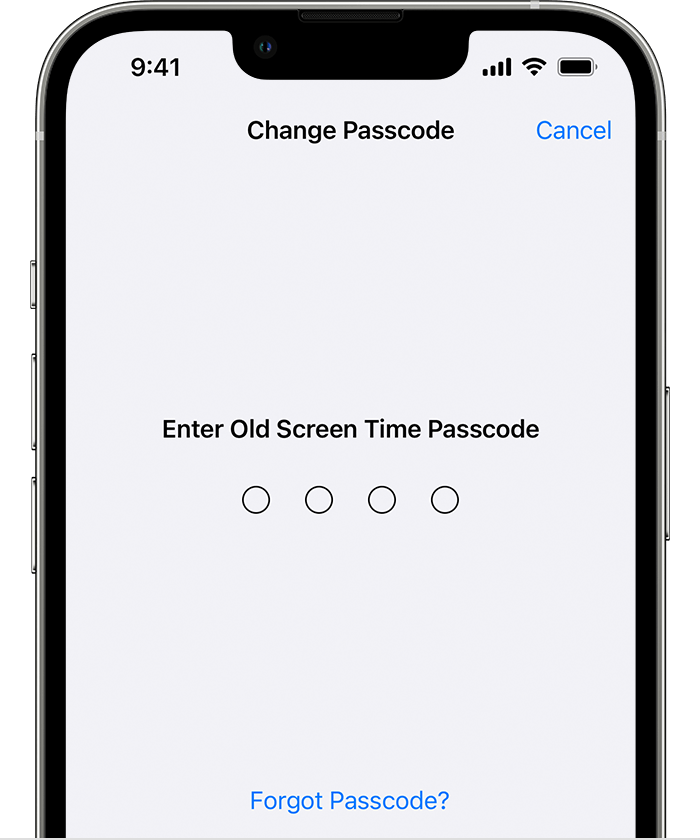
What is the default screen time passcode
If you don't have any backup, then PhoneRescue will first create a backup of your device and 0000 is the default screen time passcode.
How do I retrieve my iPhone screen time password
Then tap change screen time passcode again tap forgot passcode enter your Apple ID and password. Then create a new screen time passcode. Forget reset.
How do I turn off screen time without password
Log out of iCloud to Turn Off Screen Time Passcode
Thus, if you sign out of your iCloud, this feature will be automatically turned off. By signing out of your iCloud, you can turn off the screen time without needing a passcode if your device is running iOS 14.
What happens after 10 failed screen time passcode attempts
What happens after 10 failed screen time passcode attempts The answer is that your iPhone/iPad will restrict you from using the feature for the next 1 Hour. It means that after attempting 10 times wrong screen time passcode, the device will not allow you to do that more.
How do I get rid of Screen Time
There is an Uninstall option in the menu of the Screen Time app. You will need to uninstall Screen Time from within the app and not through the normal method of uninstalling Android apps.
What is Screen Time passcode in iPhone mean
What Is Screen Time Passcode on iPhone/iPad Screen time passwords are used to lock the restrictions you set in screen time, such as content and privacy restrictions and application restrictions. You need to enter the password to change settings or request more time on restricted applications.
Why is the forgot passcode not showing up for Screen Time
Your iPhone/iPad or iOS software version is incompatible. If the iOS version on your iPhone/iPad is earlier than iOS/iPad 13.4, the "Forgot Passcode" option will not appear. Or if your iPhone/iPad is too old to support iOS 13.4 or later, there is also no way to find this option.
What is Screen Time passcode on iphones
The Screen Time passcode (known as the Restrictions passcode in previous versions of iOS) is a separate 4-digit passcode designed to secure changes to the device settings and the user's Apple ID account and to enforce the Content & Privacy Restrictions.
How do I disable Screen Time
For additional info on Screen Time, visit the Apple support page.Settings. Screen Time. . If unavailable, swipe left to access the App Library.Tap. Turn On Screen Time. then select one of the following to manage: Downtime.To turn off Screen time tap. Turn off Screen Time. .
How do I delete Screen Time
There is an Uninstall option in the menu of the Screen Time app. You will need to uninstall Screen Time from within the app and not through the normal method of uninstalling Android apps.
How many tries before your iPhone is disabled
six unsuccessful attempts
Failed log-ins can happen when your children play with your phone or your device is in your pocket or bag. After six unsuccessful attempts at entering the correct passcode, an iPhone disables for one minute.
What happens if you forget your passcode 10 times on iPhone
If you forgot your iPhone passcodeIf you enter the wrong passcode on your iPhone Lock Screen too many times, an alert lets you know that your iPhone is disabled.Step 1: Make sure that you have a computer (Mac or PC)Step 2: Turn off your iPhone.Step 3: Put your iPhone in recovery mode.Step 4: Restore your iPhone.
What is the default passcode for iPhone
The default 6 digit passcode for iPhone is: 000000.
How do I turn off screen time
For additional info on Screen Time, visit the Apple support page.Settings. Screen Time. . If unavailable, swipe left to access the App Library.Tap. Turn On Screen Time. then select one of the following to manage: Downtime.To turn off Screen time tap. Turn off Screen Time. .
How do I turn off Screen Time
For additional info on Screen Time, visit the Apple support page.Settings. Screen Time. . If unavailable, swipe left to access the App Library.Tap. Turn On Screen Time. then select one of the following to manage: Downtime.To turn off Screen time tap. Turn off Screen Time. .
How many Screen Time passcode attempts do you have
You also have 5 failed attempts to enter screen passcode and unlock iPhone before you are locked out for one minute. From the sixth attempt on, each time you enter the wrong passcode, your iPhone will be unavailable for longer.
How many digits is a screen time passcode
The Screen Time passcode (known as the Restrictions passcode in previous versions of iOS) is a separate 4-digit passcode designed to secure changes to the device settings and the user's Apple ID account and to enforce the Content & Privacy Restrictions.
Can Screen Time be removed
If you don't see a Profiles & Device Management section in the settings, then please skip this step, the profile has already been removed. Uninstall the Screen Time app in the normal way by holding your finger on the app until all of the apps start wobbling, then press the X in the corner of the app to delete.
How can my child override Screen Time
There are several ways kids can break through screen time regulations set by parents by using/changing settings on their devices.Changing the Time Zone.Deleting and Reinstalling Apps.Reset the Device/Set Up a New Account/Use an Old Device.The Power Glitch.Disable Location.Software Downloads.
Will iPhone erase after 10 attempts
Erase data after 10 failed passcodes
Set iPhone to erase all information, media, and personal settings after 10 consecutive failed passcode attempts. Go to Settings , then do one of the following: On an iPhone with Face ID: Tap Face ID & Passcode. On an iPhone with a Home button: Tap Touch ID & Passcode.
Why is my iPhone disabled for millions of minutes
This happens because your iPhone resets its internal clock to midnight of January 1, 1970, or the Unix Epoch where Time = 0. In this case, the lock time can change from a few minutes to millions of minutes. One of the common solutions is to insert a new working SIM card into your iPhone and it may get the current time.
How many failed passcode attempts before iPhone disabled
six unsuccessful attempts
Failed log-ins can happen when your children play with your phone or your device is in your pocket or bag. After six unsuccessful attempts at entering the correct passcode, an iPhone disables for one minute.
How many failed passcode attempts do you get
The locked iPhone gives serious headaches. For security measures, a passcode is set up by an iPhone user. If you forget that passcode, Apple allows you to enter 5 failed attempts.
How do I find my 6 digit passcode on my iPhone
On iPhone X and later, or iPad with Face ID, go to Settings > Face ID & Passcode. On earlier iPhone models, go to Settings > Touch ID & Passcode. On devices without Touch ID, go to Settings > Passcode.
What is the most common 6 digit passcode
123456.654321.111111.000000.123123.666666.121212.112233.


0 Comments