
What is digital secure on android?
Summary of the Article
Should I turn on Digital Secure on my phone?
App privacy is on by default, and provides valuable information on the data apps on your device can access. We recommend that you keep this feature on.
Should I allow Digital Secure?
Digital secure is one of the best privacy tools for smartphones to shield them from security threats. You can safeguard your smartphone from ongoing security threats, whether it’s the web, identity theft, phishing, or any severe malware attack.
Is Verizon Digital Secure a free service?
Anyone with an eligible device can use the free version of Digital Secure. To get the paid version for an individual line or for your entire account, you must have a standard Verizon account.
Does Verizon Digital Secure do anything?
Digital secure helps you safeguard your internet connection and personal data with anti-virus, anti-malware, and identity theft protection.
What security settings should I have on my phone?
– Google Play Protect
– Find My Device
– Device encryption
– Basic Android security settings
– App permissions
– Lock screen controls
– Emergency contacts
– Advanced Android security settings
– Biometric authentication
– Lockdown mode
What happens if I turn on secure VPN?
The Norton Secure VPN hides your IP address when you connect to the VPN before browsing. Once connected, all your internet traffic will pass through a tunnel with AES-256 encryption. This tunnel hides your IP address and internet traffic from your ISP.
What is the purpose of digital security?
Digital security, also known as information security, is the practice of protecting digital information from unauthorized access, use, disclosure, disruption, modification, or destruction.
Why do we need digital security?
Cybersecurity is critical because it helps to protect organizations and individuals from cyber attacks. Cybersecurity can help to prevent data breaches, identity theft, and other types of cybercrime. Organizations must have strong cybersecurity measures to protect their data and customers.
What is Digital Secure and is it free?
With Digital Secure, you can avoid risky websites, protect your data on public Wi-Fi, receive ID theft alerts, and get one-click access to experts for your security questions. The Digital Secure app gives you:
– Security (free): Protect your device from online threats and avoid unprotected networks and risky websites.
Does Verizon charge a monthly access fee?
What are the monthly access charges for smartphones, tablets, and mobile hotspots on the Verizon Plan, and why are some of them different? Monthly access charges for smartphones on The Verizon Plan differ: If you’re currently making monthly device payments or own the phone, the monthly access charge will be $20.
What is an example of digital security?
Firewalls, multi-factor authentication (MFA), virtual private networks (VPNs), and identity theft protection tools all offer ways to preserve your identity. Cybersecurity describes how organizations use technology to protect employee, customer, and company data.
Questions:
- Should I turn on Digital Secure on my phone?
- Should I allow Digital Secure?
- Is Verizon Digital Secure a free service?
- Does Verizon Digital Secure do anything?
- What security settings should I have on my phone?
- What happens if I turn on secure VPN?
- What is the purpose of digital security?
- Why do we need digital security?
- What is Digital Secure and is it free?
- Does Verizon charge a monthly access fee?
- What is an example of digital security?
App privacy is on by default, and provides valuable information on the data apps on your device can access. We recommend that you keep this feature on.
Digital secure is one of the best privacy tools for smartphones to shield them from security threats. You can safeguard your smartphone from ongoing security threats, whether it’s the web, identity theft, phishing, or any severe malware attack.
Anyone with an eligible device can use the free version of Digital Secure. To get the paid version for an individual line or for your entire account, you must have a standard Verizon account.
Digital secure helps you safeguard your internet connection and personal data with anti-virus, anti-malware, and identity theft protection.
– Google Play Protect
– Find My Device
– Device encryption
– Basic Android security settings
– App permissions
– Lock screen controls
– Emergency contacts
– Advanced Android security settings
– Biometric authentication
– Lockdown mode
The Norton Secure VPN hides your IP address when you connect to the VPN before browsing. Once connected, all your internet traffic will pass through a tunnel with AES-256 encryption. This tunnel hides your IP address and internet traffic from your ISP.
Digital security, also known as information security, is the practice of protecting digital information from unauthorized access, use, disclosure, disruption, modification, or destruction.
Cybersecurity is critical because it helps to protect organizations and individuals from cyber attacks. Cybersecurity can help to prevent data breaches, identity theft, and other types of cybercrime. Organizations must have strong cybersecurity measures to protect their data and customers.
With Digital Secure, you can avoid risky websites, protect your data on public Wi-Fi, receive ID theft alerts, and get one-click access to experts for your security questions. The Digital Secure app gives you:
– Security (free): Protect your device from online threats and avoid unprotected networks and risky websites.
What are the monthly access charges for smartphones, tablets, and mobile hotspots on the Verizon Plan, and why are some of them different? Monthly access charges for smartphones on The Verizon Plan differ: If you’re currently making monthly device payments or own the phone, the monthly access charge will be $20.
Firewalls, multi-factor authentication (MFA), virtual private networks (VPNs), and identity theft protection tools all offer ways to preserve your identity. Cybersecurity describes how organizations use technology to protect employee, customer, and company data.
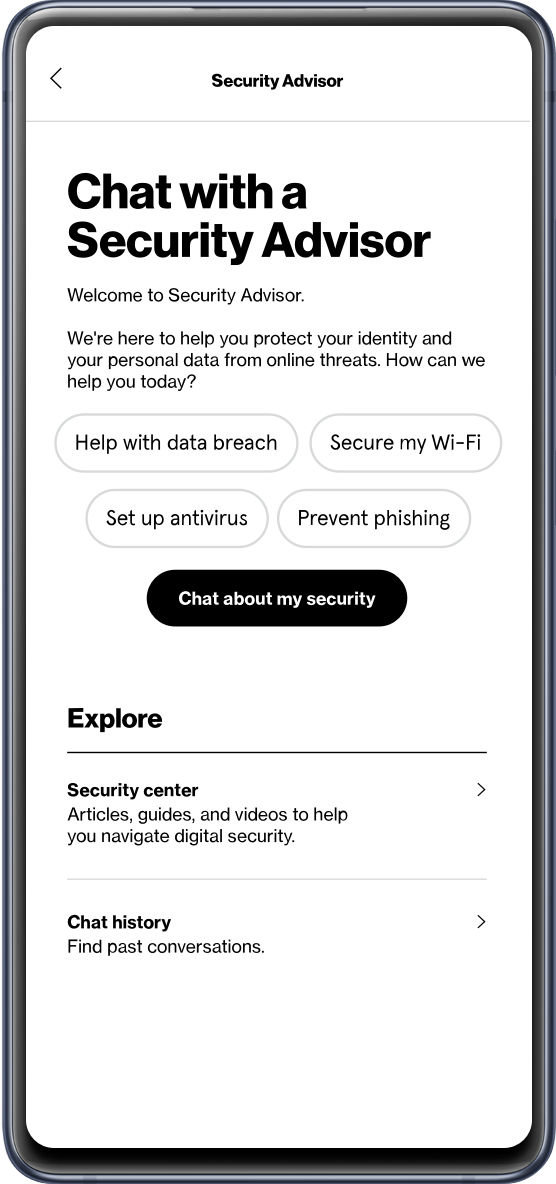
Should I turn on Digital Secure on my phone
App privacy is on by default, and provides valuable information on the data apps on your device can access. We recommend that you keep this feature on.
Cached
Should I allow Digital Secure
Digital secure is one of the best privacy tools for smartphones to shield them from security threats. You can safeguard your smartphone from ongoing security threats, whether it's the web, identity theft, phishing, or any severe malware attack.
Cached
Is Verizon Digital Secure a free service
Anyone with an eligible device can use the free version of Digital Secure. To get the paid version for an individual line or for your entire account you must have a standard Verizon account.
Does Verizon Digital Secure do anything
Digital secure helps you safeguard your internet connection and personal data with anti-virus, anti-malware and identity theft protection.
What security settings should I have on my phone
16 Android Security Settings to Keep Your Device SecureGoogle Play Protect.Find My Device.Device encryption. Basic Android security settings.App permissions.Lock screen controls.Emergency contacts. Advanced Android security settings.Biometric authentication.Lockdown mode.
What happens if I turn on secure VPN
The Norton Secure VPN hides your IP address when you connect to the VPN before browsing. Once connected, all your internet traffic will pass through a tunnel with AES-256 encryption. This tunnel hides your IP address and internet traffic from your ISP.
What is the purpose of digital security
Digital security, also known as information security, is the practice of protecting digital information from unauthorized access, use, disclosure, disruption, modification, or destruction.
Why do we need digital security
Cybersecurity is critical because it helps to protect organizations and individuals from cyber attacks. Cybersecurity can help to prevent data breaches, identity theft, and other types of cybercrime. Organizations must have strong cybersecurity measures to protect their data and customers.
What is Digital Secure and is it free
With Digital Secure, you can avoid risky websites, protect your data on public Wi-Fi, receive ID theft alerts and get one-click access to experts for your security questions. The Digital Secure app gives you: – Security (free). Protect your device from online threats and avoid unprotected networks and risky websites.
Does Verizon charge a monthly access fee
What are the monthly access charges for smartphones, tablets and mobile hotspots on the Verizon Plan, and why are some of them different Monthly access charges for smartphones on The Verizon Plan differ: If you're currently making monthly device payments or own the phone, the monthly access charge will be $20.
What is an example of digital security
Firewalls, multi-factor authentication (MFA), virtual private networks (VPNs), and identity theft protection tools all offer ways to preserve your identity. Cybersecurity describes how organizations use technology to protect employee, customer, and company data.
Does Verizon safety mode cost anything
Who is eligible for Safety Mode, and how much does it cost Safety Mode is available for no additional charge on: Shared Data Plan – 5GB* Shared Data Plan – 10GB*
What settings should I turn off on Android
Phone open up settings head to location location services google location history. And then sign into your google. Account this should open the activity. Controls page or panel. And you can toggle
Do I need to install security on my Android phone
You should consider installing Android antivirus software on your device if you are using it in one of these ways: Downloading apps: While Google Play vets its apps, there are many dangerous ones that can — and do — slip through the cracks.
Should my secure VPN be on or off
You should use a Virtual Private Network (VPN) whenever you're online. By doing so, you make sure that your data and privacy are protected. Without a VPN, your every action online may be monitored and taken advantage of. A VPN encrypts all of your data, effectively hiding any information about you from prying eyes.
How do I know if my VPN is protecting me
There are several different ways to check that your VPN service is working properly and protecting your internet traffic and personal data. Check your IP address. Take note of your current IP address, connect to a VPN server, and recheck the IP address. If it differs from the one you initially noted, your VPN works.
What are some examples of digital security
Digital security is the collective term that describes the resources employed to protect your online identity, data, and other assets. These tools include web services, antivirus software, smartphone SIM cards, biometrics, and secured personal devices.
What is the disadvantage of digital security
Cyber security measures may not always be effective against malicious insiders who have legitimate access to systems and data, making it challenging to detect and prevent insider attacks.
How much is Digital Secure per month
How much does Digital Secure App cost The basic version of the Digital Secure app is free. However, the premium version of Digital Secure costs $5/month, which is a pretty nominal cost compared to other apps available in the Google Play Store.
How does digital security work
Digital security involves protecting your online presence (data, identity, assets). At the same time, cyber security covers more ground, protecting entire networks, computer systems, and other digital components, and the data stored within from unauthorized access.
How do I avoid Verizon line access fee
Verizon offers prepaid plans that don't require line access fees and offer discounts for multiple lines and for setting up automatic payments via credit card. You can mix and match data allowances as part of a family prepaid, with monthly tiers at 500 MB, 3 GB, and 8 GB.
Do you always have to pay activation fee for Verizon
We charge a one-time $35 fee per device activated or upgraded on the Verizon network. This fee applies regardless of the device type, since each device is set up individually: The activation fee is a one-time charge for activating a new line of service on the Verizon network.
What does safety mode mean on my phone
Android safe mode is a diagnostic tool or feature that helps you figure out what is causing device issues. Safe mode lets you run your Android device with only factory-installed apps and services. From there, you can determine if the problem is with your operating system or a third-party app.
How much does Verizon charge for phone protection
Verizon Mobile Protect Multi-Device coverage automatically adjusts based on the number of lines* on your account: $60/month per account for 4-20 lines* (3 registrations) $50/month per account for 3 lines* (3 registrations) $34/month per account for 2 lines* (2 registrations)
What are hidden settings on Android
The best secret Android settings, and how to enable themAccess your phone stats.Find your IMEI number in seconds.Check the Specific Absorption Rate (SAR) of your phone.Run Google Play diagnostics.View calendar information.Other codes.


0 Comments