
How do I clear my phone of viruses?
How do I clear my phone of viruses?
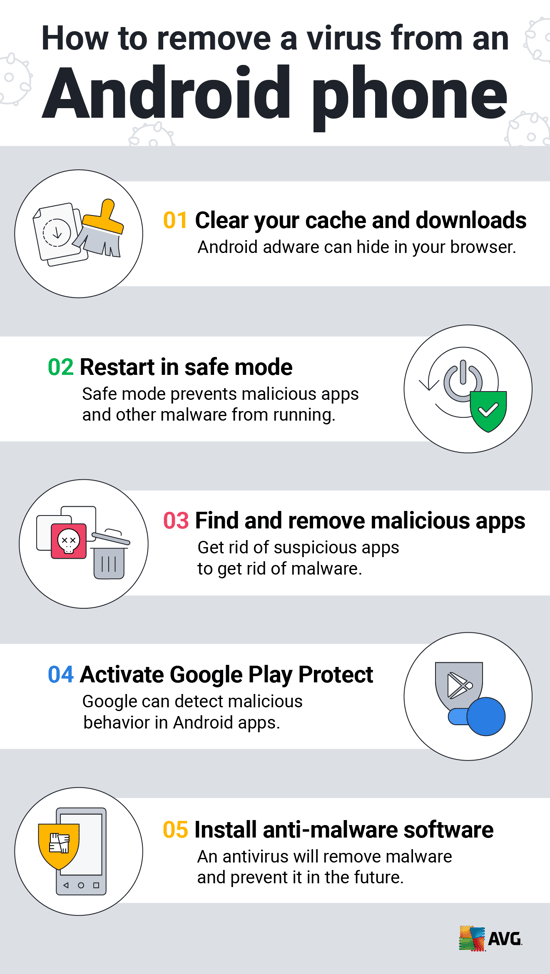
If your phone does have a virus, you’ll notice some changes in its behavior. A typical sign is the sudden existence of poor performance issues. Your phone might slow down when you try to open its browser or another app. Other times, you’ll notice some apps behaving suspiciously.
How do I clear all viruses from my iPhone?
Everything from your iphone. First. So back up all your photos. And videos and everything like that. And then what you want to do is you want to go ahead after you back it up you want to make your way.
Can you reset your phone to get rid of a virus?
The short answer is yes, in most cases. Viruses are typically embedded in malicious files or apps on your phone, and since a factory reset removes all of your files it will often remove the offending virus or malware, too.
Is there a virus cleaner for iPhone?
In most cases, yes. iOS antivirus apps like McAfee and Avira will work for most iOS devices, including iPads. But still, you should check with each product to make sure that the app offers the protection you want. There may be certain features that will only work on iPhones.
Is the virus warning on my iPhone real?
Does Apple let you know if your phone has a virus? No, as Apple does not have an in-built antivirus and it does not perform malware scans. So, any pop-up virus warnings are fake.
Can iPhones get viruses from websites?
While the number of potential viruses that could affect your iPhone is miniscule compared to the thousands of known viruses that could infect your PC, iPhones are not as invincible as many people think they are. To answer the question “Can iPhones get viruses from websites”, the answer is a resounding yes.
How do I know if my iPhone has viruses?
And enter your passcode. And you won’t get malware. If you click on the Subscribe. Button below the video another sign your iPhone has a virus is increased. Data usage it’s possible some bad app or
Can iPhones be infected with viruses?
Fortunately for Apple fans, iPhone viruses are extremely rare, but not unheard of. While generally secure, one of the ways iPhones may become vulnerable to viruses is when they are ‘jailbroken’.
Should I reset my iPhone if I have a virus?
Restart your phone: Malware may spread with your phone on. Restore a previous backup: If you can’t pinpoint the virus’s origin, iCloud may contain a virus-free backup. Restore your iPhone to factory settings: If all else fails, you’ll need to erase your device and reset it to its original settings.
How do I check my iPhone for malware?
How to check your iPhone for malware. Look for unfamiliar apps. If you’re anything like the average smartphone user, you’ve probably downloaded dozens (if not hundreds) of apps. Check your data usage. Check power consumption. Keep an eye on pop-up ads. Scan your phone using antivirus software.
Can I run a free virus scan on my iPhone?
Avast Mobile Security for iOS. Download Avast’s advanced security antivirus app for iPhones and iPads.
How can I tell if my phone has a virus
If your phone does have a virus, you'll notice some changes in its behavior. A typical sign is the sudden existence of poor performance issues. Your phone might slow down when you try to open its browser or another app. Other times, you'll notice some apps behaving suspiciously.
How do I clear all viruses from my iPhone
Everything from your iphone. First. So back up all your photos. And videos and everything like that. And then what you want to do is you want to go ahead after you back it up you want to make your way
Can you reset your phone to get rid of a virus
The short answer is yes, in most cases. Viruses are typically embedded in malicious files or apps on your phone, and since a factory reset removes all of your files it will often remove the offending virus or malware, too.
Cached
Is there a virus cleaner for iPhone
In most cases, yes. iOS antivirus apps like McAfee and Avira will work for most iOS devices, including iPads. But still, you should check with each product to make sure that the app offers the protection you want. There may be certain features that will only work on iPhones.
Is the virus warning on my iPhone real
Does Apple let you know if your phone has a virus No, as Apple does not have an in-built antivirus and it does not perform malware scans. So, any pop-up virus warnings are fake.
Can iPhones get viruses from websites
While the number of potential viruses that could affect your iPhone is miniscule compared to the thousands of known viruses that could infect your PC, iPhones are not as invincible as many people think they are. To answer the question “Can iPhones get viruses from websites” the answer is a resounding yes.
How do I know if my iPhone has viruses
And enter your passcode. And you won't get malware. If you click on the Subscribe. Button below the video another sign your iPhone has a virus is increased. Data usage it's possible some bad app or
Can iPhones be infected with viruses
Fortunately for Apple fans, iPhone viruses are extremely rare, but not unheard of. While generally secure, one of the ways iPhones may become vulnerable to viruses is when they are 'jailbroken'.
Should I reset my iPhone if I have a virus
Restart your phone: Malware may spread with your phone on. Restore a previous backup: If you can't pinpoint the virus's origin, iCloud may contain a virus-free backup. Restore your iPhone to factory settings: If all else fails, you'll need to erase your device and reset it to its original settings.
How do I check my iPhone for malware
How to check your iPhone for malwareLook for unfamiliar apps. If you're anything like the average smartphone user, you've probably downloaded dozens (if not hundreds) of apps.Check your data usage.Check power consumption.Keep an eye on pop-up ads.Scan your phone using antivirus software.
Can I run a free virus scan on my iPhone
Avast Mobile Security for iOS. Download Avast's advanced security antivirus app for iPhones and iPads. Quickly and easily scan your iOS devices for viruses and other malware, plus strengthen your online security and privacy.
Can an iPhone get hacked
While iPhones are generally considered secure, they are still susceptible to hacking, among other types of security threats. Despite Apple's efforts to enhance security features in iOS, you should still be aware of potential risks such as phishing, malware, and other cyber-attacks.
How do you know if your iPhone has virus
And enter your passcode. And you won't get malware. If you click on the Subscribe. Button below the video another sign your iPhone has a virus is increased. Data usage it's possible some bad app or
Can iPhones get viruses from Safari
Not from Safari itself, but it's possible to get your iPhone infected via Safari. Just as any other browser, Safari can be a getaway for malicious programs and viruses. This is why it's important to avoid clicking on links and ads on the websites you don't trust, and generally avoid suspicious-looking websites.
How can I tell if my iPhone has a virus
And enter your passcode. And you won't get malware. If you click on the Subscribe. Button below the video another sign your iPhone has a virus is increased. Data usage it's possible some bad app or
How do I scan my iPhone for malware
How to Check Your iPhone for a Virus or MalwareLook for Unfamiliar Apps.Check if Your Device Is Jailbroken.Find Out if You Have Any Large Phone Bills.Look at Your Storage Space.Restart Your iPhone.Restore Factory Settings.Delete Unusual Apps.Clear Your Browser Data.
How can I tell if my iPhone has viruses
Up and then tap cellular. And then scroll down to your list of apps. And see if anything stands out here is there a scary looking app using a ton of data on your iPhone.
Will my iPhone tell me if it has a virus
No, virus warnings on iPhones are not real. Virus warnings are pop-up notifications claiming to warn you that a virus is on your device or about to be on your device. These pop-ups are scams, typically including a link that will attempt to infect your phone if you click it.
Does resetting iPhone remove malware
Answer: Resetting the phone or clearing all the data will most probably remove any spyware, malware, or virus available on your device. But it should be the last option. First, try deleting unwanted apps and the apps that ask for access to your personal information, then try restoring your device to a previous backup.
How do I know if my iPhone is infected
The best way to know if your iPhone has a virus is to check for the following signs: unfamiliar or crashing apps, lots of Safari pop-ups, unusual charges or data usage, a rapidly draining battery, or a consistently hot phone.
Does Apple offer a virus scan
Apple monitors for new malware infections and strains, and updates signatures automatically—independent from system updates—to help defend a Mac from malware infections. XProtect automatically detects and blocks the execution of known malware.
How do I know if my iPhone has a virus
If you click on the Subscribe. Button below the video another sign your iPhone has a virus is increased. Data usage it's possible some bad app or some bad program on your iPhone is sending your data
How do you know your iPhone is hacked
Has my iphone been hacked you'd worry about this when your iphone start acting weird like apps open and close itself automatically receiving pop-ups warning your iphone has been hacked. Green or
Does Apple have a virus scan
Notarization. Notarization is a malware scanning service provided by Apple.
How do I clean my iPhone
So the household products like lysol. Or anything like windex to clean your display. You're actually going to remove a coating that's an anti-fingerprint coating on your iphone. And then over time


0 Comments