
How do I set reminders?
How do I set reminders for my iPhone?
This will allow you to now type the reminder in the top box. And then under this, you can choose the Google account it is linked to. Below this, you can specify the timings for the reminder.
How do I set daily reminders on my iPhone?
So let’s open up that app. If you don’t have it on your phone, just go to the App Store and download it. And let’s hit new reminder at the bottom left. Now I’m going to say take out the trash as my reminder.
How do I get reminders from my iPhone?
Open the Settings app, then tap [your name] > iCloud and turn on Reminders. Inside the Reminders app, you’ll see all of your reminders on all of your Apple devices that are signed in to the same Apple ID. Learn more about upgrading your iCloud reminders after you update to iOS 13 or later and iPadOS.
Is the Reminders app free?
Add one-time reminders for regular items, recurring reminders for daily, weekly, or monthly commitments, and set location-based reminders to remember buying milk on your way home. Get Started – It’s Free!
How do I set reminders on my iPhone 13?
In this video, we’re going to take a look at how you can enable/disable reminders show us overdue on the iPhone 13 series. First, let’s go back to the home screen by swiping up at the bottom of the
How do I create a daily routine on my iPhone?
Create a RoutineOn your iPhone or iPad, open the Google Assistant app. At the top right, tap your Profile picture or initial. At the top, tap New. Add at least one starter and one action. If your Routine is set to start automatically and it includes audio actions, select the audio device. At the bottom, tap Save.
How do I get reminders to show up on my iPhone Calendar?
Go to Settings > Notifications > Calendar. Turn on Allow Notifications. Choose how and where you want the notifications to appear—for example, on the Lock Screen, in Notification Center, as banners at the top of the screen, with an alert sound, and so on.
Why are my iPhone Reminders not showing on my phone?
If a reminder isn’t showing up on some of your devices, make sure that your iPhone and iPad have the latest version of iOS or iPadOS, or that your Mac has the latest version of macOS. Make sure that you’re signed in to iCloud with the same Apple ID on all of your devices.
How do I get reminders to show up on my iPhone Calendar?
Go to Settings > Notifications > Calendar. Turn on Allow Notifications. Choose how and where you want the notifications to appear—for example, on the Lock Screen, in Notification Center, as banners at the top of the screen, with an alert sound, and so on.
Is there a free reminder app for iPhone?
Do’s smart reminders for iPhone. Set one-time, recurring, or location-based reminders to effortlessly meet your deadlines. Get Started – It’s Free!
What are the cons of the Remind app?
Pros: Translation into over 70 languages. Easily share files and links with caregivers. Cons: Adults not confident with tech might struggle, not all resources are readily accessible, and message length in the free version is limited.
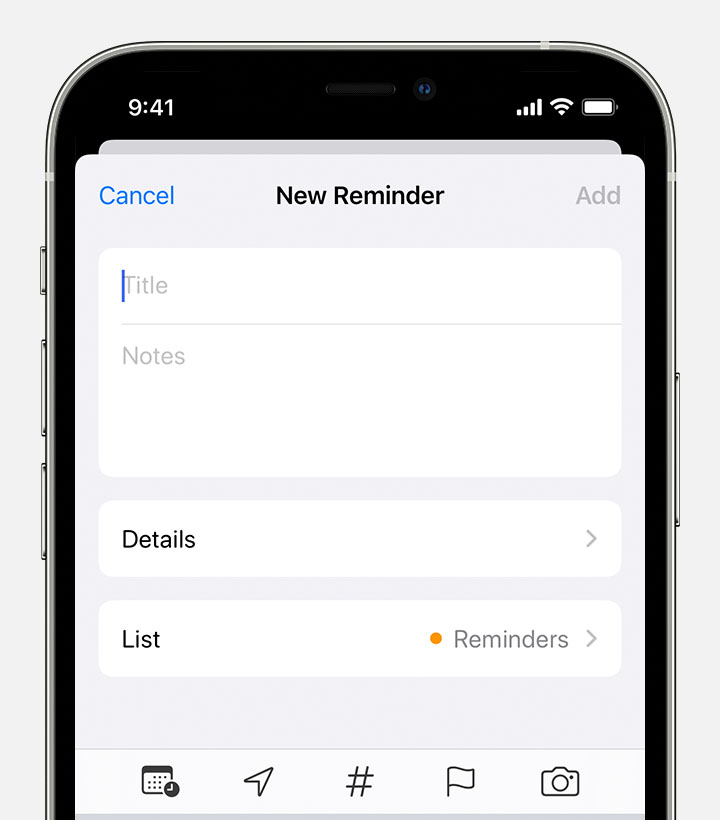
How do I set a reminder for my phone
This will allow you to now type the reminder in the top. Box. And then under this you can choose the google. Account it is linked to below this you can specify the timings for the reminder.
How do I set daily Reminders on my iPhone
So let's open up that app if you don't have it on your phone just go to the App Store and download it. And let's hit new reminder at the bottom left. Now I'm going to say take out the trash as my
How do I get Reminders from my iPhone
Open the Settings app, then tap [your name] > iCloud and turn on Reminders. Inside the Reminders app, you'll see all of your reminders on all of your Apple devices that are signed in to the same Apple ID. Learn more about upgrading your iCloud reminders after you update to iOS 13 or later and iPadOS.
CachedSimilar
Is Reminders app free
Add one-time reminders for regular items, recurring reminders for daily, weekly or monthly commitments, and set location-based reminders to remember buying milk on your way home. Get Started – It's Free!
How do I set Reminders on my iPhone 13
In this video we're going to take a look at how you can enable disable reminders show us overdue on the iphone 13 series first let's go back to the home screen by swiping up at the bottom of the
How do I create a daily routine on my iPhone
Create a RoutineOn your iPhone or iPad, open the Google Assistant app .At the top right, tap your Profile picture or initial.At the top, tap New.Add at least one starter and one action.If your Routine is set to start automatically and it includes audio actions, select the audio device:At the bottom, tap Save.
How do I get Reminders to show up on my iPhone Calendar
Go to Settings > Notifications > Calendar. Turn on Allow Notifications. Choose how and where you want the notifications to appear—for example, on the Lock Screen, in Notification Center, as banners at the top of the screen, with an alert sound, and so on.
Why are my iPhone Reminders not showing on my phone
If a reminder isn't showing up on some of your devices, make sure that your iPhone and iPad have the latest version of iOS or iPadOS, or that your Mac has the latest version of macOS. Make sure that you're signed in to iCloud with the same Apple ID on all of your devices.
How do I get Reminders to show up on my iPhone calendar
Go to Settings > Notifications > Calendar. Turn on Allow Notifications. Choose how and where you want the notifications to appear—for example, on the Lock Screen, in Notification Center, as banners at the top of the screen, with an alert sound, and so on.
Is there a free reminder app for iPhone
do's smart reminders for iPhone. Set one-time, recurring or location-based reminders to effortlessly meet your deadlines. Get Started – It's Free!
What is the cons of remind app
Pros: Translation into over 70 languages. Easily share files and links with caregivers. Cons: Adults not confident with tech might struggle, not all resources are readily accessible and message length in free version is limited.
Why can’t I set Reminders on my iPhone
Check notifications settings for Reminders app
Open Settings app and tap Notifications. Scroll down and tap Reminders. Here make sure that Allow Notification is turned on. Also, ensure that under ALERTS, everything is checked.
Does the iPhone have a daily planner
You can use the Reminders app to make to-do lists for tasks around the house and projects at work.
How do I create a routine on my phone
With an Android phone or tablet, you can add a shortcut to the Home screen that you can tap to run your Routine.Open the Google Home app .Tap Automations .Select the Routine you want to create a shortcut for.At the top right, tap Create a Home screen shortcut .Tap Add to Home screen.
How do I get Reminders to show up on my calendar
Create a reminderOpen the Google Calendar app .In the bottom right, tap Create. Reminder.Enter your reminder, or choose a suggestion.Select a date, time, and frequency.In the top right, tap Save.The reminder appears in the Google Calendar app. When you mark a reminder as done, it's crossed out.
Why is my phone not giving me Reminders
Make sure app notifications are enabled. On Android, you can turn off notifications for each app individually. Check to be sure you didn't accidentally turn off notifications or change the permission settings for the Google Reminders app. Turn off battery optimization.
What is the best free app for reminders
List of Reminder Apps and Software to Help You Out!Todoist. Let's kickstart the list with Todoist, task manager, and reminder app with a clean and simple interface loaded with features.Microsoft To-Do.Desktop Reminder.Google Keep.TickTick.Remember the Milk.BZ Reminder.Capsicum.
Is there a free automatic text reminder app
Top 10 Free Appointment Reminder Software in 2023YouCanBook.me.Text-Em-All.Acuity Scheduling.GReminders.Doodle.SimpleTexting.Boomerang for Gmail.ReminderCall.
Can everyone see your Remind messages
An individual message is a conversation between you and one other participant. You and the participant are the only people who can see the message.
How do you use the Remind app
And you can compose a message notice what it says here everyone in your class can receive announcements by text app web. And email they can also reply directly to you depending on your message
Why is my phone not setting Reminders
Enable reminder notifications in Android Settings
First, check that notifications are enabled for the To Do app in your Android device settings: Go to Settings > Apps. Search for the To Do app, and then select Notifications. Verify that notifications are enabled.
Does iPhone have a planner app
Designed for those people who're looking for a full-featured app to manage daily life better. Planner Pro, which costs years for designing and coding is now coming out for everybody. We combine events, tasks and notes in one place so that you do not need to spend extra money for other apps.
Is there any app for daily routine
Daily Routine Apps for Android
We must mention the Todoist app here again. It is available for iPhone and Android and it really is such an excellent option to help you get organized. Plan your day, add tasks, set reminders, and track your habits — it has it all!
How do I create a daily routine schedule
How to create a daily scheduleWrite everything down. Begin by writing down every task, both personal and professional, you want to accomplish during a normal week.Identify priorities.Note the frequency.Cluster similar tasks.Make a weekly chart.Optimize your tasks.Order the tasks.Stay flexible.
Why are my iPhone Reminders not showing on my calendar
Things to check first
Make sure that you're signed in to iCloud with the same Apple ID on all of your devices. Then, check that you turned on Contacts, Calendars, and Reminders in your iCloud settings. Check that the date and time settings on your device are correct for your current location.


0 Comments