
What is managed antivirus?
Summary of the Article
Summary of the article in 10 paragraphs with each paragraph containing 3000 characters.
1. Paragraph 1 – Key point 1 of the article.
2. Paragraph 2 – Key point 2 of the article.
3. Paragraph 3 – Key point 3 of the article.
4. Paragraph 4 – Key point 4 of the article.
5. Paragraph 5 – Key point 5 of the article.
6. Paragraph 6 – Key point 6 of the article.
7. Paragraph 7 – Key point 7 of the article.
8. Paragraph 8 – Key point 8 of the article.
9. Paragraph 9 – Key point 9 of the article.
10. Paragraph 10 – Key point 10 of the article.
Questions and Answers
1. How do I disable managed antivirus?
Answer to question 1 with detailed information in about 3000 characters.
2. What are the two types of antivirus?
Answer to question 2 with detailed information in about 3000 characters.
3. What are the three main types of antivirus?
Answer to question 3 with detailed information in about 3000 characters.
4. How do I disable antivirus on Chromebook?
Answer to question 4 with detailed information in about 3000 characters.
5. How do I turn off managed by administrator?
Answer to question 5 with detailed information in about 3000 characters.
6. How do I permanently disable Windows Antivirus?
Answer to question 6 with detailed information in about 3000 characters.
7. What are the 5 antivirus types?
Answer to question 7 with detailed information in about 3000 characters.
8. What are the 4 types of antivirus?
Answer to question 8 with detailed information in about 3000 characters.
9. What is the most thorough antivirus?
Answer to question 9 with detailed information in about 3000 characters.
10. Do you really need antivirus for Chromebook?
Answer to question 10 with detailed information in about 3000 characters.
11. Does my Chromebook need antivirus?
Answer to question 11 with detailed information in about 3000 characters.
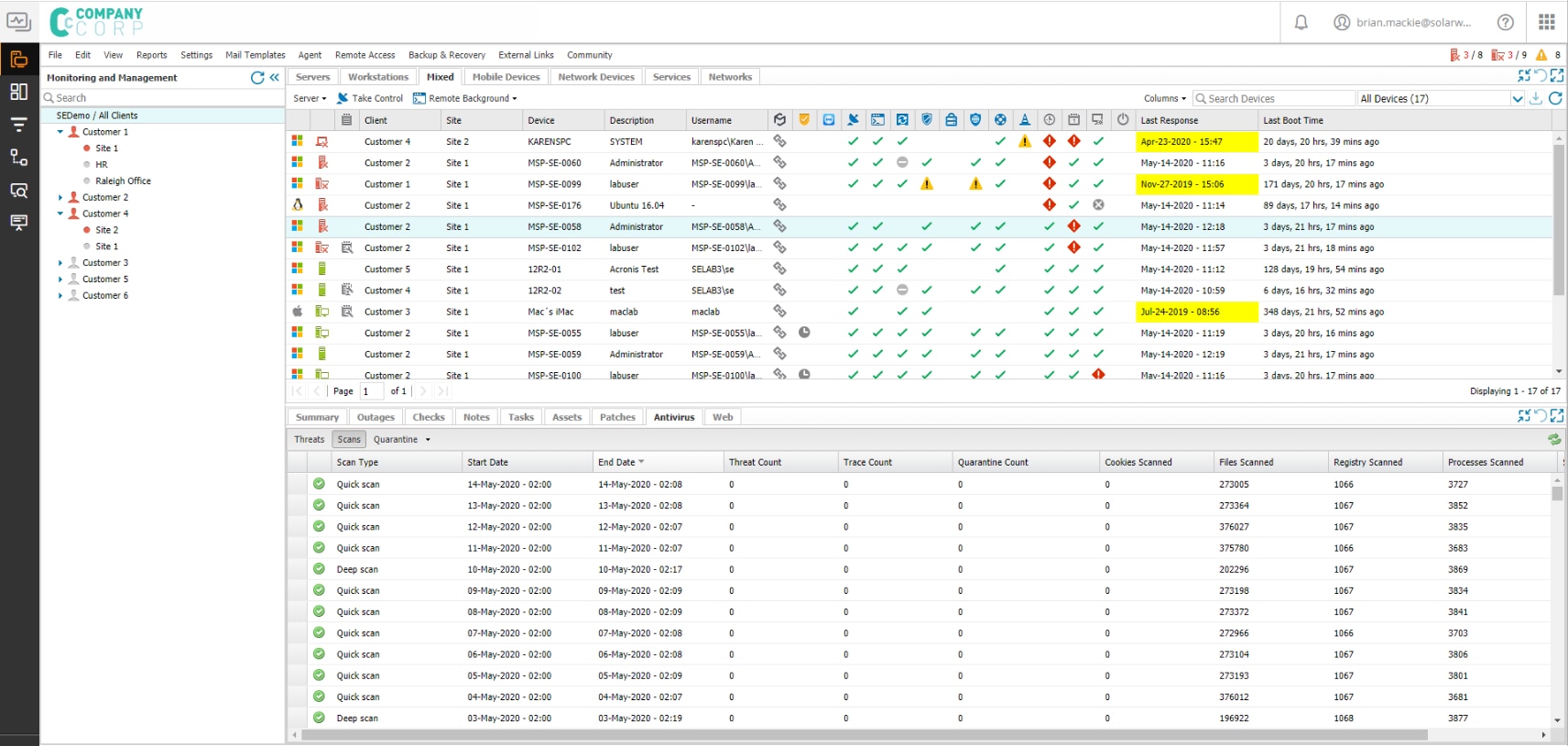
How do I disable managed antivirus
Windows SecurityClick Start.Scroll down and select Settings.Go to Update & Security.Select Windows Security.Open Virus & Threat Protection.Click Manage Settings.Switch Real-Time Protection to off.
What are the two types of antivirus
What are the different types of antivirus protectionMalware signature antivirus.System monitoring antivirus.Machine learning antivirus.
What are the three main types of antivirus
There are three types of antivirus based on their detection method: signature-based, behavior-based, and machine learning. But you can also divide them according to the devices they protect.
How do I disable antivirus on Chromebook
To disable the chrome virus scanning open the menu and click on settings. Now select privacy and security from the left. Side. Then click on security. Now here under the safe browsing select no
How do I turn off managed by administrator
This is how you can fix the “setting is managed by your administrator” error in Windows 11.Check for and Install Available Windows 11 Updates.Reset the Windows Security and Settings Apps.Uninstall Third-Party Antivirus Software.Edit the Registry.Set Group Policy's Real-time Protection Settings to "Not Configured"
How do I permanently disable Windows Anti Virus
Here's how to do it:Press Win + S and type Windows Security.Click on the Virus and threat protection option on the home page.Find the Virus and threat protection settings section and click on the Manage settings option.Scroll down and click on the Tamper Protection toggle to disable it.
What are 5 antivirus types
Here it is:Norton. Each of Norton's antivirus packages provides great protection against malware, and the system load is significantly reduced.Bitdefender. Bitdefender's Antivirus Plus malware detection ratings are excellent, if not perfect.Kaspersky.McAfee.Webroot.ESET.Sophos.Avast.
What are the 4 types of antivirus
The most common types of antivirus programs are anti-malware, anti-spyware, browser security, and network firewalls. Businesses can also use phishing protection and junk mail filters to shield e-mails from potential viruses.
What is the most thorough antivirus
The 6 Best Antivirus Software of 2023Best for Multiple Devices: McAfee Antivirus Plus.Most Well-Rounded: Bitdefender Antivirus Plus.Best for Windows: Norton 360 With LifeLock.Best Premium Option: Trend Micro Antivirus+ Security.Best for Mac: Webroot SecureAnywhere.Best Malware Scanning: Malwarebytes.
Do you really need antivirus for Chromebook
Do Chromebooks need antivirus protection Yes, Google Chromebooks need antivirus protection. While they come with some in-built antivirus features, the protection provided isn't foolproof. You can download a malicious app from the Google Play Store or fall victim to an online scam or phishing site.
Does my Chromebook need antivirus
Do Chromebooks need an antivirus Yes — while ChromeOS has some built-in security features, it's not 100% safe. ChromeOS users remain vulnerable to: Fake Chrome extensions.
How do I fix Virus and threat protection is managed by administrator
This is how you can fix the “setting is managed by your administrator” error in Windows 11.Check for and Install Available Windows 11 Updates.Reset the Windows Security and Settings Apps.Uninstall Third-Party Antivirus Software.Edit the Registry.Set Group Policy's Real-time Protection Settings to "Not Configured"
Why does my home computer say managed by your organization
Though you're signed in to your personal account, as long as any enterprise policy is present which could be set by a third-party software, malware or an extension, the browser may appear as managed. Try removing any unknown / suspicious extensions and see if that helps.
Is disabling anti Virus safe
It is relatively safe to disable antivirus software if you are doing it for a short time and for a good reason. An example would be turning it off to install another program that is blocked by your antivirus software. Be sure to turn your antivirus software back on as soon as you can and keep it updated.
How to remove Virus from Windows 10 without antivirus
w to remove virus from laptop without antivirus
Open Control Panel > click Windows Defender Firewall > Turn Windows Defender Firewall on. Step 2: Use the 'Virus & Threat Protection' feature to remove the virus. It is an in-built Windows feature that will easily enable you to remove viruses.
Is Windows Defender enough or do I need an antivirus
Is Windows Defender good enough Yes, Windows Defender is a good basic virus protection software. You may not find everything you want if you are extremely security focused. A third-party antivirus or anti-malware software will likely find threats that Windows Defender may miss.
What are the 3 worst computer viruses
Here are seven of the nastiest computer viruses in history.Mydoom. Considered by many to be the most dangerous computer virus in history, the Mydoom virus cost around $38 billion worth of damage in 2004.Sobig. The Sobig virus is a computer worm.Conficker.Klez.ILOVEYOU.WannaCry.Sasser.Zeus.
What antivirus does the government use
McAfee
A. The DoD antivirus software license agreement with McAfee allows active DoD employees and authorized government contractors to utilize the antivirus software for personal device protection.
Are Chromebooks safe for online banking
Yes, Chromebooks are safe for banking, and in fact, Chromebooks are more advanced when it comes to security because they have built-in security features, virus protection, and verified boot features. If you are using an online banking website in Google Chrome in your Chromebook, then Chromebooks are safe options.
How do I check my Chromebook for viruses
How to run a virus scan on Google chromeClick the three dots in the top-right corner and choose “Settings.”Choose “Reset and clean up” on the left menu.Click on “Clean up computer.”Click “Find.” We recommend that you untick the “Report details” field below to avoid giving additional info to Google.
Is Chromebook built-in virus protection good
Chromebooks have excellent built-in security features that can prevent viruses and malware. For example, ChromeOS, the Chromebook operating system, keeps users safe with a variety of tools, including sandboxing, limited user permissions, proprietary file formats, and verified boot.
What antivirus works on a Chromebook
What antivirus works on Chromebook The best antivirus software for Chromebook is Norton, Kaspersky, Bitdefender, Trend Micro, and Avast.
How to turn on Virus and threat protection managed by your organization
What you will need to do here is to fire up the search box, then type CMD. From there, right-click on Command Prompt, then select Run as Administrator. Finally, reboot the computer, and then check if your problems have finally been solved.
What does it mean when a setting is managed by your Administrator
What Is the “This Setting Is Managed by Your Administrator” Issue Contrary to the way it sounds, “This setting is managed by your administrator” has nothing to do with whether or not you are logged in as an administrator. It has more to do with certain unpredictable errors which affect Windows Defender.
How do I stop my device being managed by my organization
Turn off management (not recommended)Sign in to your Google Admin console.In the Admin console, go to Menu Devices Mobile & endpoints Settings.Click General.To apply the setting to everyone, leave the top organizational unit selected.Choose an option:Click Save.(Recommended) Prevent devices from syncing work data.


0 Comments