
Does a webcam have to be connected to a computer?
Summary of the article:
How does a wireless webcam work? Wireless cameras transmit video through a radio transmitter to a receiver connected to a storage device or through cloud storage.
What does a webcam connect to? Most webcams connect to a computer via a USB cable.
What do I need to use a webcam? You need a webcam, which is a small camera that plugs into your PC or Mac.
What is the difference between a camera and a webcam? A digital camera is portable and uses batteries and memory cards, while a webcam is typically used for video chats online and connects to a computer.
Is there such thing as a wireless webcam? Yes, a wireless webcam eliminates the need for wires and provides crystal clear video quality.
How do I connect my wireless webcam? Install the webcam software, connect your computer to a wireless network, set up a wireless USB hub, and plug the webcam’s USB cable into a wireless receiver. Test the connection to ensure it’s working.
Where do I connect my webcam? Most webcams connect to a computer through a USB port, which is usually located on the front or back of the computer.
Can someone watch you on webcam? Cybercriminals can potentially access webcams, so it’s a good idea to cover your webcam or take other steps to improve internet security.
Can you use a webcam without software? No, you need custom software or a dongle capable of capturing a video signal to use a webcam with your computer.
How do I set up a webcam at home? Plug your webcam into a USB port on your PC, let your computer detect it, and install the driver software if needed.
Do I need a webcam if I have a camera on my laptop? It depends on your needs. A built-in camera on a laptop may suffice, but a standalone webcam can offer better video quality and additional features.
Questions:
1. How does a wireless webcam work?
Answer: Wireless cameras transmit video through a radio transmitter to a receiver connected to a storage device or through cloud storage.
2. What does a webcam connect to?
Answer: Most webcams connect to a computer via a USB cable.
3. What do I need to use a webcam?
Answer: You need a webcam, which is a small camera that plugs into your PC or Mac.
4. What is the difference between a camera and a webcam?
Answer: A digital camera is portable and uses batteries and memory cards, while a webcam is typically used for video chats online and connects to a computer.
5. Is there such thing as a wireless webcam?
Answer: Yes, a wireless webcam eliminates the need for wires and provides crystal clear video quality.
6. How do I connect my wireless webcam?
Answer: Install the webcam software, connect your computer to a wireless network, set up a wireless USB hub, and plug the webcam’s USB cable into a wireless receiver. Test the connection to ensure it’s working.
7. Where do I connect my webcam?
Answer: Most webcams connect to a computer through a USB port, which is usually located on the front or back of the computer.
8. Can someone watch you on webcam?
Answer: Cybercriminals can potentially access webcams, so it’s a good idea to cover your webcam or take other steps to improve internet security.
9. Can you use a webcam without software?
Answer: No, you need custom software or a dongle capable of capturing a video signal to use a webcam with your computer.
10. How do I set up a webcam at home?
Answer: Plug your webcam into a USB port on your PC, let your computer detect it, and install the driver software if needed.
11. Do I need a webcam if I have a camera on my laptop?
Answer: It depends on your needs. A built-in camera on a laptop may suffice, but a standalone webcam can offer better video quality and additional features.
How does a wireless webcam work
Wireless cameras work by transmitting the camera's video through a radio (RF) transmitter. The video is sent to a receiver that is connected to a built-in storage device or through cloud storage. Through your monitor or receiver, you'll have an easy link to access all of your image or video clips.
What does a webcam connect to
Most webcams have a USB cable connected to them. Plug the USB cable into an available USB port on your computer. USB ports are on the back of the computer or the sides of a laptop. Newer operating systems, like Windows 8 and Windows 10, should recognize the webcam as connected.
Cached
What do I need to use a webcam
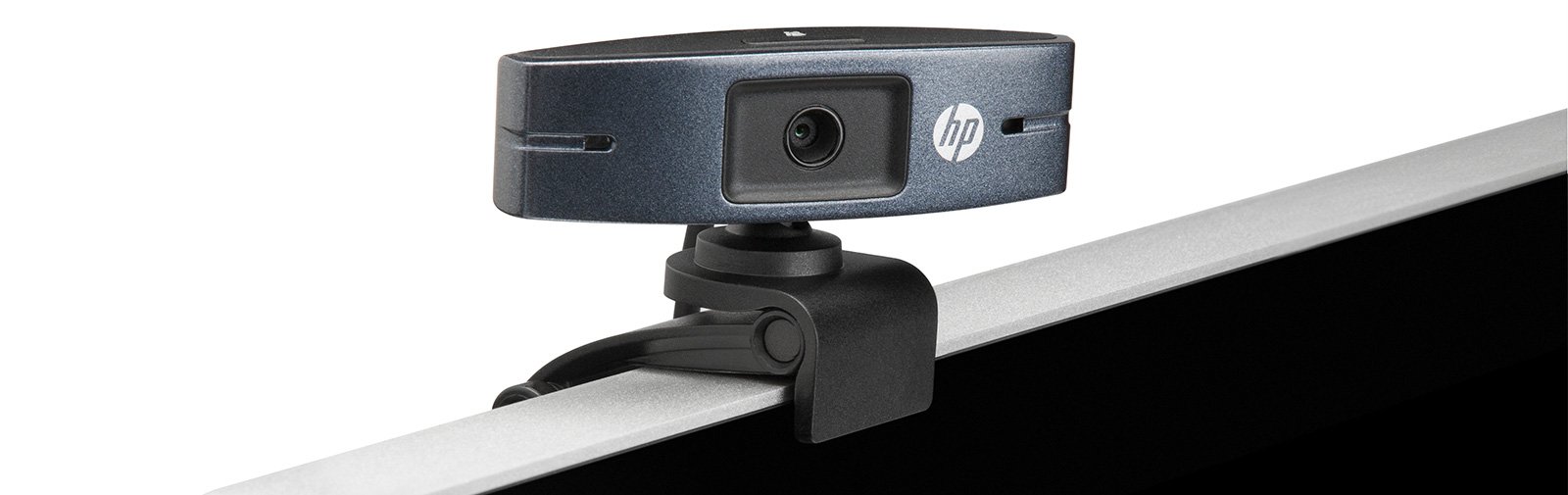
So first of all let's have a look at a webcam. So here's an example of a webcam. And really it's just a small camera with a cable that plugs into your PC. Or into your Mac.
What is the difference between a camera and a webcam
DIGITAL CAMERA:- A digital camera is a portable camera that runs on batteries and usually has a slot for a memory card to save pictures and videos. WEB CAMERA:- A webcam is a small camera that connects to a computer [or is built into a laptop] and is generally used for video chats online.
Is there such thing as a wireless webcam
Answer: When it comes to buying a webcam for a laptop, you can really opt for a wireless webcam. A wireless webcam first of all eradicates the need for wires which messes up your surroundings. Secondly, wireless webcams provide users a crystal clear video quality.
How do I connect my wireless webcam
Use a Wireless RecieverInstall the webcam software to your computer.Ensure that your computer is connected to a wireless network.Set up the wireless USB hub.Plug the webcam's USB cable into a wireless receiver. Then, set up your webcam.Test the connection to ensure the wireless webcam function is working. Warning.
Where do I connect my webcam
Most webcams connect with a USB cord or something similar. Locate a USB port on the computer. It's usually on the front or the back of the computer and looks like a tiny rectangle with a USB icon. Typically, when you plug in the webcam, Windows automatically opens the installed software.
Can someone watch you on webcam
Cybercriminals can access these cameras, and because of their positions — facing your living room, kitchen, or office — they can expose your privacy and sensitive conversations. That's why it's a good idea to cover up your webcam or take other steps to improve your internet security.
Can you use a webcam without software
Plugging your camera directly into your computer without custom software won't work. To use your camera as a webcam through your computer without that custom software requires a dongle that is capable of capturing a video signal from an external device via its HDMI connection.
How do I setup a webcam at home
Use the USB cable attached to your webcam to plug it into any free USB port on your PC. Your computer should detect it automatically. Install the driver software if needed. If Windows doesn't detect your webcam automatically, you may need to install the driver software for your webcam.
Do I need a webcam if I have a camera on my laptop
Whether you're attending a virtual meeting, an online class, or simply catching up with a friend, having the right webcam can make all the difference. Laptop cameras are rarely suitable for making video calls. They lack the quality and resolution that people need for clear communication.
What is the difference between wireless camera and Wi-Fi camera
Wireless cameras communicate over Wi-Fi, whereas wired cameras use wires to transmit their footage. Wireless cameras can be powered by AC power (such as a normal household outlet) or by batteries. When powered by batteries, a wireless camera becomes a wire-free camera.
Can a webcam be connected to a phone
Now before we continue I do want to say that this is only for Android users currently iOS users this is coming for you but you don't have it just yet so keep an eye on your prism updates it is coming
Can I connect a webcam to my phone
Now before we continue I do want to say that this is only for Android users currently iOS users this is coming for you but you don't have it just yet so keep an eye on your prism updates it is coming
Can I use my phone as a webcam
You can use an Android phone as a webcam without the app by using the screen-sharing feature of your phone. However, it won't work in most cases when videoconferencing. You can rely on the browser option of Droidcam, but it still needs the isntallation of the app on your Android phone.
How do you know if a camera is watching you
How Do You Know If a CCTV Security Camera Is OnObserve whether the security camera is moving to see if it is on.Check the status of the LEDs in the IP security cameras.Log in to your security camera software.Use electronic bug detectors.Know if a CCTV is recording from its power indicator.
Can your webcam turn on without you knowing
Can someone hack your webcam without the light coming on While the indicator light can alert you to a webcam hack, it's not always reliable. There are some advanced attacks that can take over your laptop's camera without the light even blinking.
Can I use a webcam as a camera
Pros & Cons of Using Webcams as CCTV
A webcam security system is usually the best choice for people who have home security concerns but don't want to spend more on an IP camera. To turn a webcam into a security camera, all you need is a PC, a webcam and very good surveillance software.
What is standalone webcam
Standalone webcams predate most other types. They usually connect to the computer via a USB cable. Older models may use serial port connectors or other methods of data transfer. Standalone options provide the most control over your peripherals.
How do I connect my webcam
Connect your webcam to your computer.
The webcam that you purchase will either come with a separate USB cable or have a USB cable attached to the camera itself. Plug the USB cable into the USB port on your computer. If the computer is a desktop, the USB port will be located in the back and/or front of the system unit.
What is the difference between a laptop camera and a webcam
Webcams are an external piece of equipment, while laptop cameras are built-in. You can use a webcam with desktop and laptop computers. Webcams are an extra expense on your budget because you have to buy them separately. Laptop cameras don't require any additional investment because all laptops have one.
Does webcam work without wifi
Internet Protocol cameras can use Ethernet or USB instead of Wi-Fi to connect to a video recorder. Some cameras that work without Wi-Fi are designed to transfer video data over Ethernet or USB cables.
Can you have cameras without Wi-Fi
Do all home security cameras require Wi-Fi Not all home security cameras require Wi-Fi. Some cameras, like the Arlo Go and the Reolink Go, can use LTE plans instead of Wi-Fi. Other home security cameras aren't connected to the internet at all but rather record onto local storage like hard drives.
Do you need Wi-Fi for a camera
Most of today's security cameras require Wi-Fi, but some use cellular data instead. One option for those who don't have a Wi-Fi network in their home is to install security cameras that don't need internet at all. Instead, users can choose a camera that uses cellular signals to transmit data.
Can I access my webcam remotely
Can I view my webcam remotely Yes. Using a dedicated software solution will allow you to set up webcam networking, and view it from anywhere via Internet connection.


0 Comments