
Can you find deleted browsing history?
Can you find deleted browsing history?
Yes, you can retrieve deleted browsing history on Google Chrome if you’ve previously made a backup using File History. File History allows you to restore files to a previous version.
Where can I find deleted browsing history?
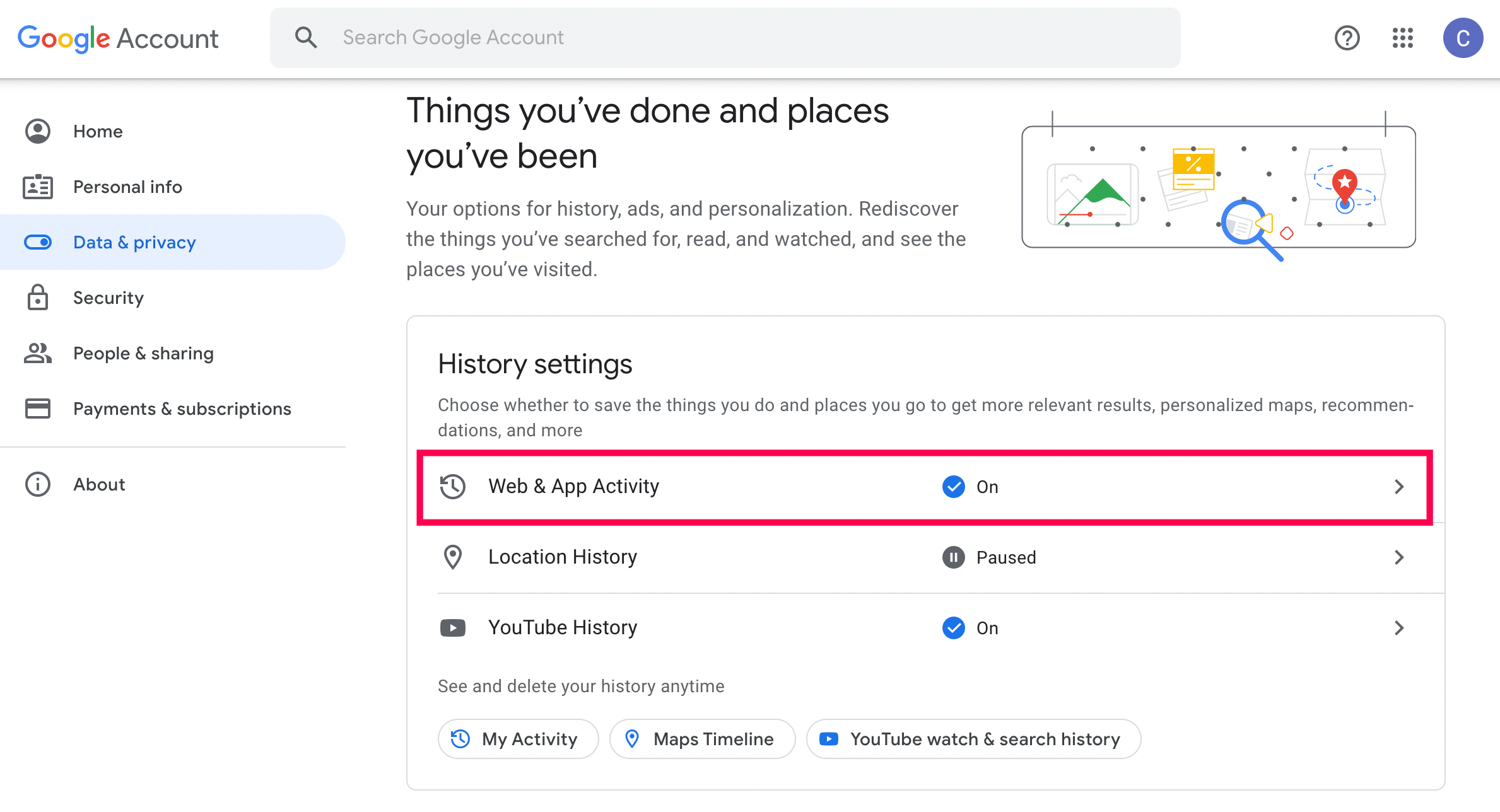
To find deleted browsing history on an Android phone, go to Settings > Google > Manage Your Google Account. Under “Data & Personalization,” scroll down to “Activity and timeline” and select My Activity.
Is deleted Safari history gone forever?
If you haven’t made a backup, it is impossible to retrieve deleted Safari history. Only users who have backed up their Safari history can recover it; otherwise, it is permanently gone.
How do I find deleted search history on iPhone?
To find deleted search history on iPhone, open iTunes and click on the iPhone icon. Select “Restore Backup” and choose the backup file that contains your deleted Safari history. Click the “Restore” button to recover the deleted history.
Does iPhone store deleted history?
Deleted history on an iPhone can be recovered by restoring it from an iCloud or iTunes backup. However, this method will overwrite any recent data that isn’t included in the backup.
How long until search history is permanently deleted?
The complete deletion of data from servers generally takes around 2 months from the time of deletion. This includes a recovery period in case the data was inadvertently removed.
Is deleted Safari history gone forever?
If there is no backup, it is impossible to retrieve deleted Safari history. Only users who have backed up their Safari history can recover it; otherwise, it is permanently gone.
Is deleted history really deleted on iPhone?
Even if you delete your data and browsing history on an iPhone, it can still be retrieved using data recovery tools. Therefore, it is not permanently deleted.
How do I find deleted activity on my iPhone?
To recover deleted messages on iPhone, go to the Messages conversation list. Tap “Edit” in the top-left corner, then select “Show Recently Deleted.” Choose the conversations you want to restore and tap “Recover Messages.”
How do I find deleted browsing history on my iPhone?
To find deleted browsing history on your iPhone, open iTunes and select “Restore Backup.” Choose the backup file that contains your deleted Safari history and click the “Restore” button.
Does Google keep deleted history forever?
Google retains information until your Google Account is deleted. However, specific Google searches can be deleted from My Activity.
Can I retrieve deleted browsing history
You can restore deleted browsing history on Google Chrome if you've previously made a backup using File History. File History, once configured, makes periodic backups of your files and allows you to restore them to a previous version, depending on the version of the file you want.
Cached
Where can I find deleted browsing history
Step 1: On your Android phone, go to Settings > Google > Manage Your Google Account. Step 2: Under “Data & Personalization”, and scroll down to “Activity and timeline” and hit My Activity. Step 3: Scroll through to check your search history. Just tap on any file to view more details.
Cached
Is deleted safari history gone forever
At least for users, if there is no backup, it is impossible to retrieve the deleted history. So the answer is clear, if you have backed Safari history before, then you can recover deleted safari history; if not, then the deleted Safari history is forever gone.
How do I find deleted search history on iPhone
Open iTunes, click on the iPhone icon and select Restore Backup. 2. Select the backup file which contains your deleted Safari history, and click the Restore button. To get the deleted Safari history back by restoring the backup, you should have backed up your iPhone to iTunes regularly.
Does iPhone store deleted history
Recover from iPhone Backup. Finally, you can recover deleted history on iPhone by restoring it from iCloud/iTunes backup. Before you try this method though, you need to know that this method will overwrite all the latest data that aren't included in the backup.
How long until search history is permanently deleted
Complete deletion of data from our servers is equally important for users' peace of mind. This process generally takes around 2 months from the time of deletion. This often includes up to a month-long recovery period in case the data was removed unintentionally.
Is deleted Safari history gone forever
At least for users, if there is no backup, it is impossible to retrieve the deleted history. So the answer is clear, if you have backed Safari history before, then you can recover deleted safari history; if not, then the deleted Safari history is forever gone.
Is deleted history really deleted on iPhone
Your data and browsing history cannot be deleted permanently even if you delete them because it can still be retrieved using data recovery tools.
How do I find deleted activity on my iPhone
Recover deleted messages on iPhoneIn the Messages conversation list, do one of the following: Tap Edit in the top-left corner, then tap Show Recently Deleted.Select the conversations whose messages you want to restore, then tap Recover.Tap Recover Messages.
How do I find deleted browsing history on my iPhone
Open iTunes, click on the iPhone icon and select Restore Backup. 2. Select the backup file which contains your deleted Safari history, and click the Restore button. To get the deleted Safari history back by restoring the backup, you should have backed up your iPhone to iTunes regularly.
Does Google keep deleted history forever
Information retained until your Google Account is deleted
For example, after you delete a specific Google search from My Activity, we might keep information about how often you search for things, but not what you searched for.
Why does my search history still show up after deleting
If the content has been removed, and still shows up in a google search, this indicates the content (snapshot of the page) has been cached. If content was deleted from a site but still shows up in Google search results, the page description or cache might be outdated.
Can you still see Safari history after deleted
If you're using iCloud to back up your Safari data and keep it synchronized across devices, then you can recover deleted Safari history using your iPhone or any other iOS and iPadOS device that still contains the original browsing history data.
Can you see delete history on iPhone
Delete history, cache, and cookies
To clear your history and cookies, go to Settings > Safari, and tap Clear History and Website Data. Clearing your history, cookies, and browsing data from Safari won't change your AutoFill information.
How do I permanently delete browsing history from my hard drive
How to permanently delete your browsing history on a Windows PCOpen the Control Panel.Click on System and Security.Click on Administrative Tools.Double-click on Disk Cleanup.Check the boxes next to the types of files you want to delete and click OK.
How do I permanently delete browsing history on my iPhone
Clear the history and cookies from Safari on your iPhone, iPad, or iPod touchTo clear your history and cookies, go to Settings > Safari, and tap Clear History and Website Data.To clear your cookies and keep your history, go to Settings > Safari > Advanced > Website Data, then tap Remove All Website Data.
How do I permanently delete my Internet history
How to permanently delete your browsing history on a Windows PCOpen the Control Panel.Click on System and Security.Click on Administrative Tools.Double-click on Disk Cleanup.Check the boxes next to the types of files you want to delete and click OK.
Can you look up deleted history on iPhone
Finally, you can recover deleted history on iPhone by restoring it from iCloud/iTunes backup. Before you try this method though, you need to know that this method will overwrite all the latest data that aren't included in the backup. Therefore, you need to make sure that you have kept them safe.
How long does Safari keep deleted browsing history
Your Mac can keep your browsing history for as long as a year, while some iPhone, iPad and iPod touch models keep browsing history for a month. To change how often your Mac removes items from your history, see Change General settings.
Can browsing history be deleted permanently on Iphone
To clear your history and cookies, go to Settings > Safari, and tap Clear History and Website Data. Clearing your history, cookies, and browsing data from Safari won't change your AutoFill information.
Is it better to delete or clear history
In order to be as safe as possible online, it is necessary to delete your search history frequently. Failing to do so makes it much easier for hackers to collect enough of your personal information to scam and deceive you.
How do I delete all traces of Internet history on safari
Clear your browsing history in Safari on MacIn the Safari app on your Mac, choose History > Clear History, then click the pop-up menu.Choose how far back you want your browsing history cleared.
Can deleted Safari history be found
At the Safari page, scroll to the bottom and tap on the Advanced option. 4. Go to the next section and find Website Data. Click on it and you will find some of your deleted browser history listed there.
Does Apple keep deleted Safari history
At least for users, if there is no backup, it is impossible to retrieve the deleted history. So the answer is clear, if you have backed Safari history before, then you can recover deleted safari history; if not, then the deleted Safari history is forever gone.
Does clearing history delete everything permanently
Deleting your search history doesn't remove all traces of your online activity. If you have a Google account, it collects information not only on your searches and websites you visit but also on the videos you watch and even places you go.


0 Comments