
Can I leave my phone in Safe Mode?
Can I leave my phone in Safe Mode?
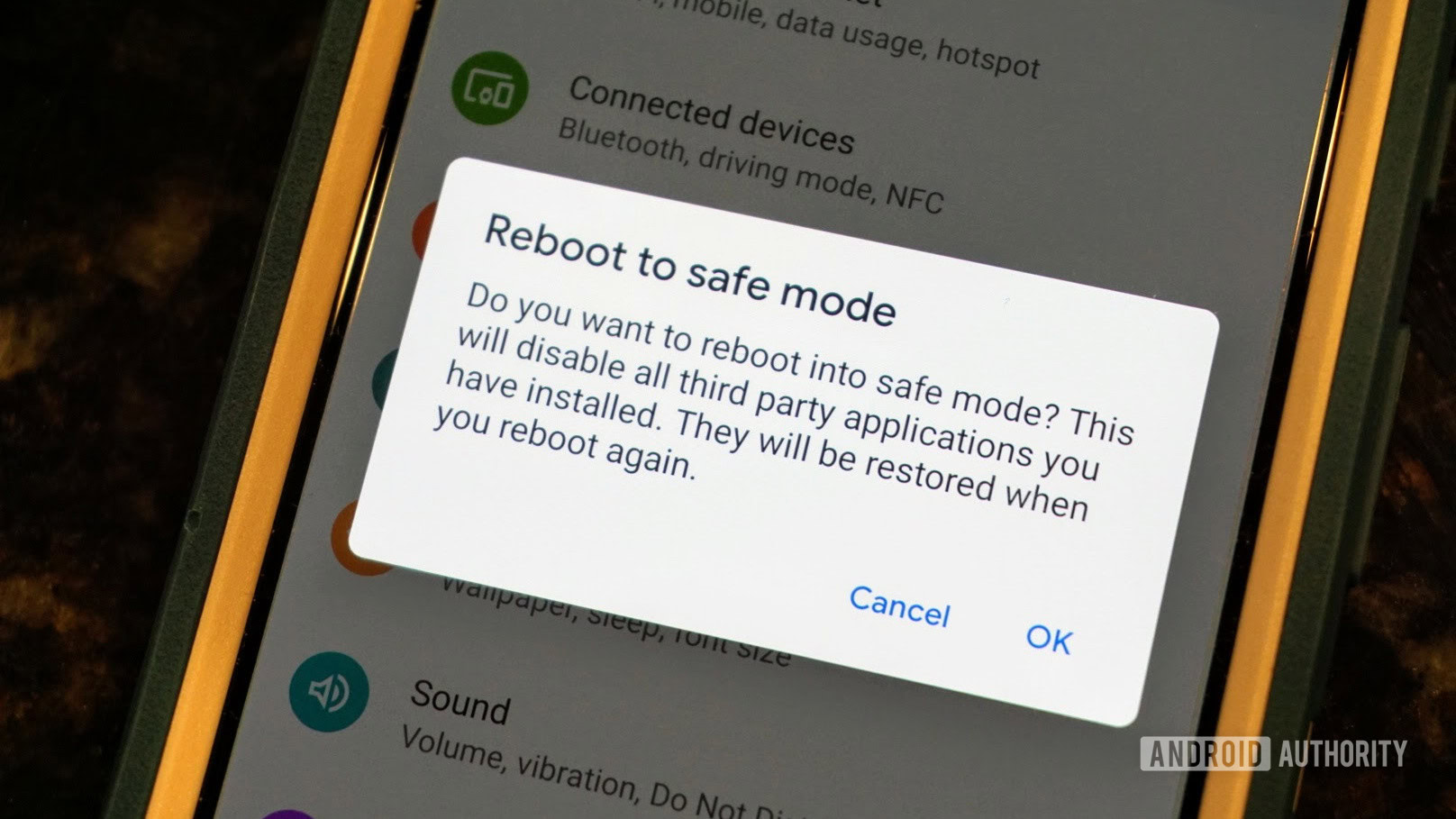
Summary:
Downloaded applications may affect the performance of your device or cause it to behave unpredictably. Use safe mode to check whether a downloaded application is causing the problem. In safe mode, your device only starts with software and applications that were already installed when you purchased your device.
Questions:
1. Is it OK to use a phone in safe mode?
Safe Mode is an excellent feature that can help you troubleshoot problems on your Android devices. Also, it’s easy to get out of safe mode on your Android device without losing any data.
2. What is safe mode on an Android phone and how do I turn it off?
The easiest way to turn off safe mode on Android is to simply restart your device. You can turn off your phone when it’s in safe mode just like you would normally — just press and hold the power button until a power icon appears on the screen, and then tap it.
3. Why is my phone still stuck in safe mode?
If your phone is stuck in safe mode, it’s possible that one or more buttons are stuck down. If you’re using a button case, try taking it off and starting the phone again. If you’re not using a case, try pressing the power button for about 30 seconds to see if it fixes the issue.
4. When should you use safe mode?
Safe mode is a special way for Windows to load when there is a system-critical problem that interferes with the normal operation of Windows. The purpose of safe mode is to allow you to troubleshoot Windows and try to determine what is causing it to not function correctly.
5. What does safe mode allow you to do?
Safe mode starts Windows in a basic state, using a limited set of files and drivers. If a problem doesn’t happen in safe mode, this means that default settings and basic device drivers aren’t causing the issue.
6. What does safe mode actually do?
Safe mode is designed to help you find problems with your apps and widgets, but it disables parts of your phone. Pressing or holding certain buttons during start-up will bring up recovery mode. For help with any step on your device, visit the Devices page, select your device, and find the steps there.
7. What is the purpose of safe mode on Android?
Safe mode is a diagnostic mode on your phone that helps you troubleshoot device issues such as slow speeds or frequent crashes. Safe mode disables your third-party apps to help you determine whether your issue is caused by one of the apps or your operating system.
8. What is the benefit of safe mode in Android?
Safe mode is designed to help you find problems with your apps and widgets, but it disables parts of your phone. Pressing or holding certain buttons during start-up will bring up recovery mode.
9. Is safe mode permanent?
Enable safe mode in System Configuration. This is a rather permanent option for accessing safe mode, but it can help restart the PC often and make sure you always enter safe mode. From System Configuration, you can force the PC to always launch in safe mode whenever you restart.
10. What to do when a Samsung phone is stuck in safe mode?
The best way to get back to normal mode is to restart it. You can restart your Android phone by pressing and holding the power button. Butto…
Is it OK to use phone in safe mode
Downloaded applications may affect the performance of your device or cause it to behave unpredictably. Use safe mode to check whether a downloaded application is causing the problem. In safe mode, your device only starts with software and applications that were already installed when you purchased your device.
Is safe mode good or bad on Android
Safe Mode is an excellent feature that can help you troubleshoot problems on your Android devices. Also, it's easy to get out of Safe Mode on your Android device without losing any data.
Cached
What is safe mode on an Android phone and how do I turn it off
The easiest way to turn off Safe Mode on Android is to simply restart your device. You can turn off your phone when it's in Safe Mode just like you would do normally — just press and hold the power button until a power icon appears on the screen, and then tap it.
Cached
Why is my phone still stuck in safe mode
If your phone is stuck on safe mode, it's possible that one or more buttons are stuck down. If you're using a button case, try taking it off and starting the phone again. If you're not using a case, try pressing the power button for about 30 seconds to see if it fixes the issue.
Cached
When should you use safe mode
Safe Mode is a special way for Windows to load when there is a system-critical problem that interferes with the normal operation of Windows. The purpose of Safe Mode is to allow you to troubleshoot Windows and try to determine what is causing it to not function correctly.
What does safe mode allow you to do
Safe mode starts Windows in a basic state, using a limited set of files and drivers. If a problem doesn't happen in safe mode, this means that default settings and basic device drivers aren't causing the issue.
What does safe mode actually do
Safe mode is designed to help you find problems with your apps and widgets, but it disables parts of your phone. Pressing or holding certain buttons during start-up will bring up recovery mode. For help with any step on your device, visit the Devices page, select your device, and find the steps there.
What is the purpose of safe mode on Android
Safe mode is a diagnostic mode on your phone that helps you troubleshoot device issues such as slow speeds or frequent crashes. Safe mode disables your third-party apps to help you determine whether your issue is caused by one of the apps or your operating system.
What is the benefit of safe mode in Android
Safe mode is designed to help you find problems with your apps and widgets, but it disables parts of your phone. Pressing or holding certain buttons during start-up will bring up recovery mode.
Is safe mode permanent
Enable Safe mode in System Configuration. This is a rather permanent option for accessing the safe mode, but it can help restart the PC often and make sure you always enter the safe mode. From System configuration, you can force the PC to always launch in safe mode whenever you restart.
What to do when Samsung phone is stuck in safe mode
The best way to get back to normal mode is to restart it. You can restart your Android phone by pressing and holding the power. Button. Next check the physical buttons. If you didn't set your Android
What exactly does safe mode do
Safe mode starts Windows in a basic state, using a limited set of files and drivers. If a problem doesn't happen in safe mode, this means that default settings and basic device drivers aren't causing the issue.
Will safe mode delete everything
Safe mode doesn't have anything to do with deleting data.
Safe mode disables all the unnecessary tasks from starting up also disabling startup items. Safe mode is mostly for troubleshooting any errors that you may be facing. Unless you delete anything the safe mode will not do anything to your data.
What are the disadvantages of safe mode
While in safe mode, your screen resolution may look a bit off, certain applications might not work properly, or your computer may run a bit slower than usual. This is completely normal; it's just the effects of certain drivers not running.
What is the point of safe mode
Safe mode allows you to boot up your OS in a very basic state so you can potentially identify and fix the problem. While in safe mode, your screen resolution may look a bit off, certain applications might not work properly, or your computer may run a bit slower than usual.
What happens in Safe Mode Samsung
Using Safe Mode on a Samsung phone or tablet allows you to force the device to run the essential operating system, and disable most 3rd party applications. It's designed as a diagnostic tool to help solve issues with connectivity, battery life, and more.
Will Safe Mode delete everything Samsung
Booting into Safe mode deletes NOTHING. This is done by a Factory Reset if applied.
What is the difference between safe mode and normal start up mode
Safe Mode is a diagnostic startup mode in Windows operating systems that's used as a way to gain limited access to Windows when the operating system won't start normally. Normal Mode, then, is the opposite of Safe Mode in that it starts Windows in its typical manner. Safe Mode is called Safe Boot on macOS.
Does safe mode get rid of viruses
Safe Mode. The best way to scan a computer for viruses is to boot the computer in safe mode. Safe mode only loads the drivers needed to operate windows, so any potential viruses will not load in this mode.
Why do people use safe mode
Safe mode is a diagnostic mode on your phone that helps you troubleshoot device issues such as slow speeds or frequent crashes. Safe mode disables your third-party apps to help you determine whether your issue is caused by one of the apps or your operating system.
What is the purpose of safe mode in Samsung
In Safe mode, your device won't run any third-party apps. This allows you to easily identify and remove the app that may be causing the problem.
What is the purpose of Safe Mode
Safe mode allows you to boot up your OS in a very basic state so you can potentially identify and fix the problem. While in safe mode, your screen resolution may look a bit off, certain applications might not work properly, or your computer may run a bit slower than usual.
What all things can run in Safe Mode
Safe mode typically provides access to utility and diagnostic programs so a user can troubleshoot what is preventing the operating system from working normally. Safe mode is intended for maintenance, not functionality, and it provides minimal access to features.
What is the purpose of safe mode
Safe mode allows you to boot up your OS in a very basic state so you can potentially identify and fix the problem. While in safe mode, your screen resolution may look a bit off, certain applications might not work properly, or your computer may run a bit slower than usual.
How do I clean my phone from viruses
How to remove viruses and other malware from your Android devicePower off the phone and reboot in safe mode. Press the power button to access the Power Off options.Uninstall the suspicious app.Look for other apps you think may be infected.Install a robust mobile security app on your phone.


0 Comments