
How do I get my reminders to notify me?
How do I get Reminders to alert me?
In order to manage your reminder notifications, follow these steps:
1. Open your phone’s Settings app.
2. Tap on Apps & notifications.
3. Select Notifications.
4. Tap on your Google app.
5. Turn Reminders on or off.
1. How do I get my Reminders to notify me on iPhone?
To adjust reminder settings on iPhone, follow these steps:
1. From the Home Screen or App Library, go to Settings > Reminders.
2. Adjust any of the settings according to your preferences.
3. For example, you can enable Siri & Search to allow content in Reminders to appear in Siri Suggestions or search results.
4. You can also customize how you receive notifications, choose the alert style, and have Siri announce notifications.
Cached
2. Why are my Reminders not notifying me?
If your Reminders are not notifying you, try the following:
1. Make sure you haven’t hidden your notifications on the lock screen.
2. If you have, you might still be receiving notifications for your reminders but not seeing them.
3. Unhide your notifications to see if Google Reminders begin working again.
4. Reboot your Android phone.
Cached
3. How do I turn on sound for Reminders?
To enable sound for Reminders, follow these steps:
1. Launch the Google app on your device.
2. Tap on the More option at the bottom-right corner.
3. Select Settings, then go to Notifications.
4. Tap on Ringtone under Priority notifications.
5. Choose a tone of your choice.
6. This will enable sound for Reminders.
4. Why aren’t my Reminders popping up on iPhone?
To ensure that your Reminders pop up on iPhone, follow these steps:
1. Open the Settings app on your iPhone.
2. Tap on Notifications.
3. Scroll down and tap on Reminders.
4. Make sure that Allow Notification is turned on.
5. Also, ensure that everything is checked under ALERTS.
5. Do Reminders on iPhone make a noise?
To make sure Reminders on iPhone make a noise, follow these steps:
1. Tap on the Settings icon.
2. Scroll down to Sounds & Haptics.
3. Go to the Sounds and Vibration Patterns section.
4. Tap on Reminder Alerts.
5. From here, you can customize the sound and vibration settings for your Reminders.
6. Why aren’t my Reminders popping up on my iPhone?
If a reminder isn’t showing up on some of your devices, try the following:
1. Make sure that your iPhone and iPad have the latest version of iOS or iPadOS.
2. Also, make sure that your Mac has the latest version of macOS.
3. Check that you’re signed in to iCloud with the same Apple ID on all your devices.
7. How do I get Reminders to show up on my iPhone calendar?
To make Reminders show up on your iPhone calendar, follow these steps:
1. Go to Settings > Notifications > Calendar.
2. Turn on Allow Notifications.
3. Choose how and where you want the notifications to appear.
4. For example, you can select to receive notifications on the Lock Screen, in Notification Center, with an alert sound, etc.
8. Why don’t my Reminders make a sound?
To enable sound for your Reminders, follow these steps:
1. Navigate to the Settings screen on your device.
2. Tap on Reminders.
3. Tap on Reminder Sound.
4. Select the desired option to choose a sound for your Reminders.
9. Why is my iPhone not giving me sound for my calendar Reminders?
To set an alert or ringtone for your calendar Reminders, follow these steps:
1. Open the Settings app on your iPhone or iPad.
2. Go to Notifications.
3. Scroll down and tap on Calendar.
4. Under the Sounds section, choose a ringtone for your calendar alert.
10. How do I make my iPhone Reminders pop up everyday?
To set up a daily reminder on your iPhone, you can do it within Siri or Reminders. Here are the steps:
1. Use Siri: Simply activate Siri and say “Set a daily reminder” followed by the details of the reminder.
2. Use Reminders: Open the Reminders app and create a new reminder.
3. Set the reminder to repeat daily.
4. This will make your iPhone Reminders pop up every day.
How do I get Reminders to alert me
Manage your reminder notificationsOpen your phone's Settings app.Tap Apps & notifications. Notifications.Tap your Google app .Turn Reminders on or off.
How do I get my Reminders to notify me on iPhone
From the Home Screen or App Library, go to Settings > Reminders, then adjust any of the settings. For example: Siri & Search: Allow content in Reminders to appear in Siri Suggestions or search results. Notifications: Set how you receive notifications, choose the alert style, and have Siri announce notifications.
Cached
Why are my Reminders not notifying me
Make sure you haven't hidden your notifications on the lock screen. If you have, you might be getting notifications for your reminders and just not seeing them. Try unhiding them to see if Google Reminders will begin working again. Reboot your Android phone.
Cached
How do I turn on sound for Reminders
Step 1: Launch the Google app on your device and tap on the More option present at the bottom-right corner. Step 2: Tap on Settings followed by Notifications. 4: Here, tap on Ringtone under Priority notifications and pick a tone of your choice. This will work.
Why are Reminders not popping up on iPhone
Open Settings app and tap Notifications. Scroll down and tap Reminders. Here make sure that Allow Notification is turned on. Also, ensure that under ALERTS, everything is checked.
Do Reminders on iPhone make a noise
And then we want to tap on the settings. Icon. Next in settings go down to sounds and haptics. And then you want to go down to the sounds and vibration patterns section in here tap on reminder alerts
Why aren’t my Reminders popping up on my iPhone
If a reminder isn't showing up on some of your devices, make sure that your iPhone and iPad have the latest version of iOS or iPadOS, or that your Mac has the latest version of macOS. Make sure that you're signed in to iCloud with the same Apple ID on all of your devices.
How do I get Reminders to show up on my iPhone calendar
Go to Settings > Notifications > Calendar. Turn on Allow Notifications. Choose how and where you want the notifications to appear—for example, on the Lock Screen, in Notification Center, as banners at the top of the screen, with an alert sound, and so on.
Why don t my Reminders make a sound
Navigate to the Settings screen by tapping its icon in the upper left. Tap on Reminders. Tap Reminder Sound and select the desired option.
Why is my iPhone not giving me sound for my calendar Reminders
To set an alert or ring tone for an event you've scheduled in the calendar, open Settings on iPhone or iPad. Go to Notifications → Calendar → Sounds. To use a ring tone: scroll down, and you'll see the RINGTONES section. Select a ringtone for your calendar alert.
How do I make my iPhone Reminders pop up everyday
So you might be in a position where you want to set up a daily reminder on your iphone. Now there's a few different ways to do this you can do this within siri or you can do this within the reminders.
Do Apple Reminders pop up
Reminders notifications appear in the top-right corner of the screen. You can complete, defer, or view the reminder right from the notification. You can also choose options for how reminders notifications appear; or turn them off.
Why is the sound not working on my iPhone Reminders
Scroll down and tap Reminders. Here make sure that Allow Notification is turned on. Also, ensure that under ALERTS, everything is checked. Tap Sounds and check that any tone is set for the Reminders app.
How do I make my Reminders buzz
How do I change the reminder soundNavigate to the Settings screen by tapping its icon in the upper left.Tap on Reminders.Tap Reminder Sound and select the desired option.Tap Vibrate if you would also like the device to vibrate.Press < Back > to return to the previous screen.
Why are my iPhone Reminders not popping up
Check notifications settings for Reminders app
Open Settings app and tap Notifications. Scroll down and tap Reminders. Here make sure that Allow Notification is turned on. Also, ensure that under ALERTS, everything is checked.
Why are my iPhone Reminders not showing on my phone
If a reminder isn't showing up on some of your devices, make sure that your iPhone and iPad have the latest version of iOS or iPadOS, or that your Mac has the latest version of macOS. Make sure that you're signed in to iCloud with the same Apple ID on all of your devices.
How do I unmute Reminders on iPhone
To see and hear these notifications again, swipe left on the notification in Notification Center, tap Options, then tap Unmute.
Why is there no sound for Reminders on my iPhone
Check App and Notification Settings
Open the Settings app. Tap Sounds & Haptics. Scroll down and tap Reminder Alerts. Make sure that an Alert Tone and Vibration setting has been selected.
Do Apple Reminders make a sound
Settings>Notifications>Reminders>Allow Notifications>On>Sounds. Choose the sound that you like in the next screen.
Why are my iPhone Reminders and not popping up
Open Settings app and tap Notifications. Scroll down and tap Reminders. Here make sure that Allow Notification is turned on. Also, ensure that under ALERTS, everything is checked.
How do I set a reminder that pops up every day
Create a reminderOpen the Google Calendar app .In the bottom right, tap Create. Reminder.Enter your reminder, or choose a suggestion.Select a date, time, and frequency.In the top right, tap Save.The reminder appears in the Google Calendar app. When you mark a reminder as done, it's crossed out.
Do Apple Reminders alert you
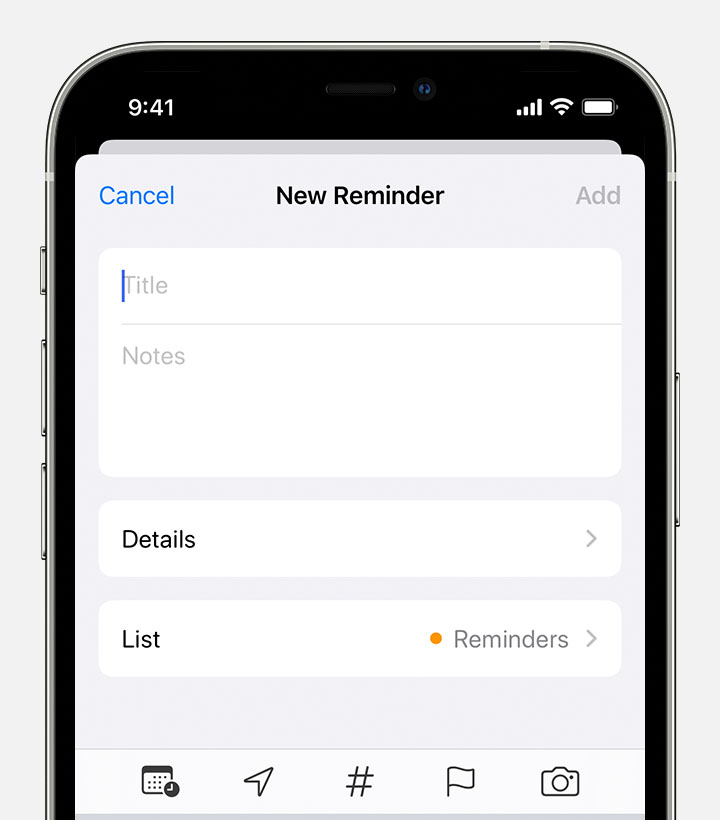
When you create a scheduled task, Reminders will alert you with a notification on your iPhone or iPad at the time you set. Launch Reminders from the Home screen. Tap New Reminder. It's in the bottom left corner of the screen.
Can an iPhone reminder make a sound
Settings>Notifications>Reminders>Allow Notifications>On>Sounds. Choose the sound that you like in the next screen.
How do I make my iPhone Reminders vibrate
It's also an SOS pattern. You can also create your in vibration. She wanted to just create a vibration just tap.
How do Reminders show up on your phone
Manage your reminder notificationsOpen your phone's settings app.Tap Apps and notifications. Notifications.Tap your Google app .Turn Reminders on or off.


0 Comments