
Does Synology have a VPN client?
Does Synology NAS have a VPN?
Yes, with the Synology “VPN Server” package, you can turn your Synology NAS device into a VPN server which you can connect to from a remote network location.
How do I setup a Synology NAS as a VPN client?
To set up a Synology NAS as a VPN client, you need to download Private Internet Access’s OpenVPN zip file. Access the first thing to do is download Private Internet Access’s OpenVPN zip file.
Which VPN works with Synology?
ExpressVPN is a fast VPN for Synology NAS with an advanced feature set. It has top-notch data leak protection and market-leading encryption, making it ideal for Synology and other network-attached storage devices.
Is Synology OpenVPN free?
Every Synology product that supports VPN Plus comes with a free license. You can add more concurrent user accounts at no additional cost by signing in to Synology Router Manager (SRM) as an administrator to activate additional free licenses.
Should I use a VPN on my NAS?
Using a VPN on your NAS device ensures that all traffic will be sent over the VPN network, making your files private and secure. It is highly recommended to use a VPN on your NAS device for added security.
How do I access my Synology NAS VPN remotely?
To access your Synology NAS VPN remotely, go to General Management, click Synology VPN on the left panel, and go to Remote Desktop. Tick enable remote desktop and specify the settings. A customized URL for the VPN Plus web portal will appear for use.
Should I use VPN on NAS?
Yes, using a VPN on your NAS device ensures that all traffic will be sent over the VPN network, making your files private and secure. It is highly recommended to use a VPN on your NAS device for added security.
Is Synology OpenVPN free?
Every Synology product that supports VPN Plus comes with a free license. You can add more concurrent user accounts at no additional cost by signing in to Synology Router Manager (SRM) as an administrator to activate additional free licenses.
What is the most secure way to access Synology NAS remotely?
The most secure ways to access Synology NAS remotely include creating a customized ID or address with QuickConnect, setting up a hostname for the IP address using DDNS, and mapping a port on your router to the IP address of your NAS using port forwarding.
Is OpenVPN no longer free?
No, OpenVPN is still free. It is an open-source VPN protocol that allows secure online access from point-to-point without any charge.
How to install OpenVPN on Synology NAS?
To install OpenVPN on Synology NAS, go to the DSM, click on Package Center, scroll down to VPN Server, and click Install.
Is Synology VPN free?
Every Synology product that supports VPN Plus comes with a free license. You can add more concurrent user accounts at no additional cost by signing in to Synology Router Manager (SRM) as an administrator to activate additional free licenses.
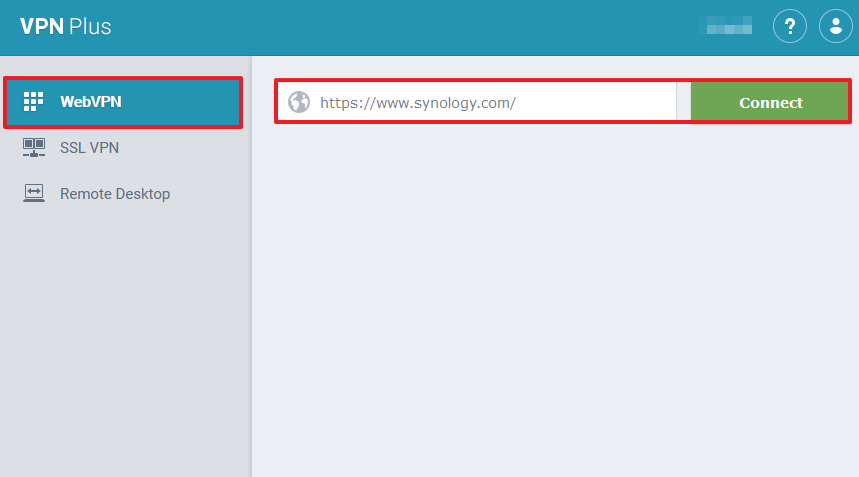
Does Synology NAS have a VPN
With the Synology "VPN Server" package, you can turn your Synology NAS device into a VPN server which you can connect to from a remote network location.
Cached
How do I setup a Synology NAS as a VPN client
Now let's get to setting up a synology nas as a vpn client using private internet. Access the first thing to do is download private internet access's openvpn zip file which i'll link to in the
Which VPN works with Synology
ExpressVPN – fast VPN for Synology NAS with an advanced feature set. ExpressVPN is another Synology-compatible VPN service with an impressive feature set. Top-notch data leak protection and market-leading encryption make it ideal for Synology and other network-attached storage devices.
Cached
Is Synology Openvpn free
Every Synology product that supports VPN Plus comes with a free license. To add more concurrent user accounts at no additional cost, simply sign in to Synology Router Manager (SRM) as administrator to activate additional free licenses.
Should I use a VPN on my NAS
A NAS device is connected to your network, so all users can access files from a central location easily. With a VPN installed on your NAS device all traffic will be sent over the VPN network, ensuring your files remain private and secure.
How do I access my Synology NAS VPN remotely
General ManagementClick Synology VPN on the left panel, and go to Remote Desktop.Tick Enable Remote Desktop.Specify the settings below: Self-owned domain name: Click Edit to configure the Domain Settings.Click Apply to finish the setup. A customized URL for the VPN Plus web portal will appear for use.
Should I use VPN on NAS
A NAS device is connected to your network, so all users can access files from a central location easily. With a VPN installed on your NAS device all traffic will be sent over the VPN network, ensuring your files remain private and secure.
Is Synology OpenVPN free
Every Synology product that supports VPN Plus comes with a free license. To add more concurrent user accounts at no additional cost, simply sign in to Synology Router Manager (SRM) as administrator to activate additional free licenses.
What is the most secure way to access Synology NAS remotely
What methods are available to remotely access my Synology NASCreating a customized ID or address with QuickConnect.Setting up a hostname for the IP address of your NAS using DDNS.Mapping a port on your router to the IP address of your NAS using port forwarding.
Is OpenVPN no longer free
OpenVPN is an open-source VPN protocol allowing secure online access from point-to-point completely free of charge.
How to install OpenVPN on Synology NAS
We're going to start by installing Synology VPN server. So log in to the DSM. You got a package center. And all we have to do is scroll down to VPN server. And it's right here just click install.
Is Synology VPN free
Every Synology product that supports VPN Plus comes with a free license. To add more concurrent user accounts at no additional cost, simply sign in to Synology Router Manager (SRM) as administrator to activate additional free licenses.
When I shouldn’t use VPN
Why shouldn't I use a VPNA VPN might reduce your connection speed even if your internet service provider isn't throttling your speed;Using a VPN on mobile will increase your mobile data usage;Using a VPN is considered an offense in some countries, and you can get fined or even be incarcerated for it.
How do I access my NAS from outside network
After the setup is complete, you can access your Synology NAS over the Internet by entering the DDNS hostname in a web browser, followed by a colon and the port number of DSM. The default port number for DSM is 5000 for HTTP and 5001 for HTTPS.
How does Synology VPN server work
VPN Server is an add-on package that enables your Synology NAS to become a VPN (virtual private network) server, allowing DSM users over the Internet to access resources shared within the Synology product's local area network.
Is it safe to expose Synology NAS to internet
We recommend just not exposing your Synology NAS to the Internet. But if you have to connect remotely, we recommend setting up a virtual private network (VPN). With a VPN server installed, you won't access the NAS unit directly.
What is the difference between OpenVPN and VPN
Modern VPNs use Wireguard, which is the faster protocol, whereas OpenVPN doesn't. Both offer a similar level of security, but OpenVPN's encryption can be set to a lower level – from 256-bit to 128-bit.
Which VPN is better than OpenVPN
Both WireGuard and OpenVPN are secure protocols, but WireGuard is considered more secure due to its use of modern cryptographic protocols and its smaller codebase.
Do I need a VPN on my NAS
A NAS device is connected to your network, so all users can access files from a central location easily. With a VPN installed on your NAS device all traffic will be sent over the VPN network, ensuring your files remain private and secure.
Is OpenVPN free
OpenVPN Access Server is free to install and use for 2 simultaneous VPN connections for testing purposes.
Do I need a VPN for my NAS
A NAS device is connected to your network, so all users can access files from a central location easily. With a VPN installed on your NAS device all traffic will be sent over the VPN network, ensuring your files remain private and secure.
Is there a totally free VPN service
Without data restrictions, Proton VPN is the only service that could be a true, daily driver free VPN. However, the limited server options means that you'll want to be in (or relatively close to) the countries where servers are offered.
Is it OK to leave VPN on all the time
The short answer is: Yes, you should keep your VPN on at all times. By encrypting the traffic that you send and receive, VPNs can prevent your personal data from being intercepted by third parties. This data includes your web browsing history, physical location, IP address, and more.
Can you get in trouble for using a VPN
If you're in the U.S., VPNs are legal, so no, you can't get into trouble for using them. However, if you're in a country that bans VPNs, like China, then yes, you can get into trouble for using them.
How do I access my NAS through VPN
How To Set Up VPN on NAS DevicesSign up for a VPN service. VyprVPN is fast and highly-secure, with no third parties.Follow the instructions for installing VyprVPN on your NAS device.Launch the app and log in with your credentials.Select your VPN protocol and server location, then click Connect.That's it!


0 Comments