
How can I remove Tage sky from my Amazon Fire Stick?
Common Issues with Amazon Fire Stick
How can I remove Tage sky from my Amazon Fire Stick?
To remove Tage sky from your Amazon Fire Stick, follow these steps:
- Go to Settings
- Select Accessibility
- Select VoiceView
- Confirm that you want to turn off VoiceView
How do I turn off SAP on Fire TV?
To turn off SAP on your Fire TV, follow these steps:
- Go to Settings
- Select Audio or Closed Caption
- Find the SAP setting
- Turn it on or off based on your preference
How do I delete an app from my Firestick?
To delete an app from your Firestick, follow these steps:
- Navigate to the app you want to delete
- Press and hold the app icon
- Select “Uninstall” from the options
- Confirm the deletion
How do I get rid of the text banner on my Firestick?
If a rectangular white box appears on your screen, the text banner feature may have been enabled. To turn off the text banner feature, press and hold the Rewind and Fast Forward buttons on your remote for two seconds at the same time.
Why is there a white box on my screen Firestick?
If a white box appears on your screen, try resetting your Firestick by holding down the Home button on the remote control for 10 seconds. This will reset all settings, clear any data cache, and clear any residual data that may have been causing the issue.
How do I get my TV out of SAP mode?
To get your TV out of SAP mode, follow these steps:
- Consult the instruction manual of your TV
- Look for the SAP setting in the Settings menu, usually under Audio or Closed Caption
- Turn off the SAP feature based on the instructions
What is SAP on your remote?
SAP stands for Secondary Audio Programming. It is an audio channel that is often used for an alternative language track or for Descriptive Video Services (DVS). When turned on, DVS provides audio descriptions to narrate content.
How do I turn off banner notifications?
To turn off banner notifications on your device, follow these steps:
- Open your device’s Settings app
- Tap on “Apps & notifications”
- Select “Notifications”
- Under “Lock screen,” choose “Don’t show notifications”
How do I remove icons from Amazon Fire?
To remove icons from your Amazon Fire device, follow these steps:
- Press and hold the icon you want to remove
- Select “Edit home screen” from the pop-up menu
- Drag the icon to the remove area or trash bin
How do I get to the hidden menu on Firestick?
To access the hidden developer tool menu on Firestick, follow these steps:
- Press the center button on your remote
- Navigate to the desired option in the hidden menu
What is the green box around the screen on Firestick?
The green box around the screen on Firestick is called VoiceView Navigation. It highlights your current on-screen selection or location and provides audio descriptions. Pressing the Home button on your remote opens the Fire TV Home screen.
How do I turn off SAP feature?
To turn off the SAP feature, follow these steps:
- Locate the audio controls in your device’s setup menu
- Find the SAP setting
- Turn off the SAP feature
How do I force uninstall SAP?
To force uninstall SAP, follow these steps:
- Close any open files, windows, or command prompts
- Navigate to the installation directory of SAP
- Delete all files and folders related to SAP
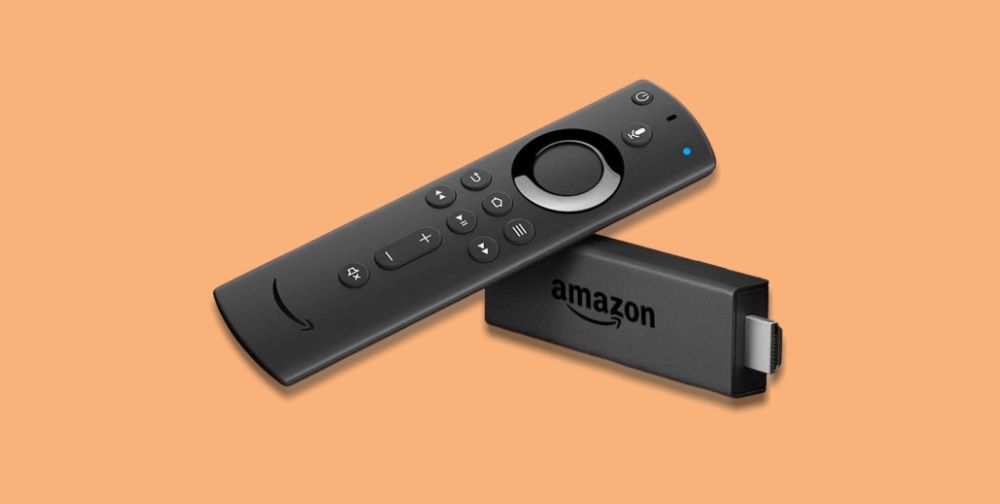
How do I turn off SAP on Fire TV
Make Fire TV Stop Reading the ScreenGo to Settings, and select Accessibility.Select VoiceView.Confirm that you want to turn off VoiceView.
How do I delete an app from my Firestick
And delete unwanted apps from your Fire TV or your Fire TV stick. If you're interested in any Amazon Fire TV products or TV sticks on the link to a couple in the video description for you to check out
How do I get rid of the text banner on my Firestick
If a rectangular white box appears on your screen, the text banner feature may have been enabled. To turn off the text banner feature, you can press and hold the Rewind and Fast Forward buttons on your remote for two seconds at the same time.
Why is there a white box on my screen Firestick
If the white box appears, try resetting your Firestick by holding down the Home button on the remote control for 10 seconds. This will reset all settings, clear any data cache and clear any residual data that may have been causing the issue.
How do I get my TV out of SAP mode
To Turn It On or OffGenerally, the SAP setting is in the Settings menu under Audio or Closed Caption.Consult the instruction manual of the TV for model-specific information about the operation of the SAP feature.
What is SAP on your remote
Secondary Audio Programming (SAP) is an audio channel that's often used for an alternative language track or for Descriptive Video Services (DVS). When turned on, DVS provides audio descriptions to narrate content.
How do I turn off banner notifications
For more info, contact your device manufacturer.Open your phone's Settings app.Tap Apps & notifications. Notifications.Under "Lock screen," tap Notifications on lock screen or On lock screen.Choose Don't show notifications.
How do I remove icons from Amazon Fire
And remove Etc press. And hold like you would normally. For around about a second and then you want to click edit home screen on the little pop-up that comes up and there you can kind of drag.
How do I get to the hidden menu on Firestick
All right guys so how do you access this hidden developer tool menu guys this is a pretty cool little menu. So what you need to do is just hit the center button on your remote. And then hit the
What is the green box around the screen on Firestick
VoiceView Navigation
While you navigate your Fire TV device, a green box highlights your current on-screen selection or location. VoiceView automatically speaks and/or describes what you've selected. Pressing the Home button on your remote opens the Fire TV Home screen.
How do I turn off SAP feature
When it's turned on you can't hear your programs. Normal sound to get regular English. Program simply turn the sap off audio controls are usually located in your devices setup menu.
How do I force uninstall SAP
Manually Uninstalling the AgentClose any open files, windows, or command prompts in the %LINK_DIR% or %DS_COMMON_DIR% folders.From the Services window, stop the SAP Data Services Agent service.Delete the Windows service.Delete the dsod_agent_repo ODBC data source.Uninstall the internal database driver.
How do I turn off SAP mode
Are you hearing extra voices another language or no audio program at all on your favorite Vegas PBS shows your TV's secondary audio program or SAP may be turned on SAP. Is sometimes used to provide
How do I shut off SAP
Generally, the SAP setting is in the Settings menu under Audio or Closed Caption. Consult the instruction manual of the TV for model-specific information about the operation of the SAP feature. Manuals are posted on your model support page.
How do I get rid of display notifications
To enable or disable lock screen notifications in android first open the main settings page and find the lock screen options and tap on that in the lock screen settings look down the list for an
What is the notification banner
Banner alerts are the notifications that appear at the top of your screen while you're using another app on your iPhone or iPad. You see them most often with instant messaging apps, but they can be used for any kind of notification.
How do I remove unwanted icons
Remove Icons from a Home ScreenTap or click the “Home” button on your device.Swipe until you reach the home screen you wish to modify.Tap and hold the icon you wish to delete. A “Remove” icon appears at the bottom of the screen.Drag the shortcut icon to the “Remove” icon.
How do I get rid of excess icons
If you're cleaning up your home screen, there's a way to remove apps you don't use often. Touch and hold the app you want to remove, and then tap Remove from Home.
How do I access hidden menu
If you use an android phone there is a secret menu that can help you testing the health of your. Phone. Open the dialing pad as if you were making a phone call then type star hash 0 star the secret
How do I change settings on Amazon Fire Stick
From the Home screen, select Settings. Note: You can quickly access Settings by pressing and holding the Home button on your remote or on the most recent version of the Fire TV Remote App.
How do I get rid of this green box
Right. So once you open settings you have to look for accessibility just tap once and then double tap. Then here you can see talk back just tap once. And then double tap again.
What is this green box on my screen
If a green frame is displayed when you touch an app icon, you'll need to touch an app icon twice to open the app. Spoken feedback is provided when you touch the app icon.
What does SAP mean on my TV remote
Secondary Audio Programming
Secondary Audio Programming (SAP) is an audio channel that's often used for an alternative language track or for Descriptive Video Services (DVS). When turned on, DVS provides audio descriptions to narrate content. If SAP is available, a message will appear at the beginning of a program.
How do I reset SAP settings
ProcedureIn the portal, navigate to System Administration System Configuration Portal Display Device Group Manager .In the Device Group Manager, choose Restore Default.In the displayed message box, choose Restore. The device groups are restored to their default settings. Note.
How do I disable sap account
Deactivate UsersSign in to the administration console for SAP Cloud Identity Services.Choose the User Management tile.Find the user that you want to deactivate.Select the user that you want to deactivate.Optional: Choose the User Details tab.Save your changes.


0 Comments