
What is the Azure Pricing Calculator?
Summary of the Article
The Azure Pricing Calculator is used to estimate the costs of moving workloads to the Azure cloud. It provides pricing for a wide range of Azure services and helps assess the potential financial impact of deploying Azure. Microsoft offers three main pricing models for Azure: pay as you go, reserved instances, and spot instances. The calculator does not include the cost of the operating system disk, and it is necessary to pay for it separately. The cost calculator is especially useful for estimating variable costs of services or products. Starting with Azure is free, and you only start paying if you decide to move to pay-as-you-go pricing. The TCO (Total Cost of Ownership) calculator helps estimate the cost savings of operating solutions on Azure over time. TCO is calculated by considering purchase price, maintenance costs, and repair costs. Azure offers different types of storage, including Blob, Files, Queue, Table, and Managed Disks. Azure resources are billed on a per-subscription basis, and organizations often create multiple subscriptions for billing and management purposes. The difference between the OS disk and data disk in Azure is their maximum capacity, with the OS disk having a maximum of 4,095 GiB and the data disk having a maximum of 32,767 GiB. Ephemeral OS disks in Azure are free, and no storage cost is incurred for them.
Questions and Detailed Answers
- What is the Azure pricing calculator used for?
- What is the difference between the TCO calculator and pricing calculator?
- What are the three pricing models of Azure?
- Does the Azure pricing calculator include the OS disk?
- What does a cost calculator do?
- Do I have to pay to use Azure?
- What is the main purpose of the TCO calculator?
- What are the three primary cost components in a TCO analysis?
- What are the four types of Azure?
- How is Azure billed?
- What is the difference between the OS disk and data disk in Azure?
- Is the Azure OS disk free?
The Azure Pricing Calculator is used to estimate the costs of moving workloads to the Azure cloud. It provides pricing for a wide range of Azure services once all your data and applications are in Azure.
Both calculators provide pricing for various Azure services. The pricing calculator estimates the cost of Azure products and services, while the TCO calculator helps assess the potential financial impact of deploying Azure.
Azure offers three main pricing models for its services: pay as you go, reserved instances, and spot instances.
No, the cost of the operating system disk is not included in the pricing calculator. It is necessary to pay for it separately.
A cost calculator helps estimate the costs of services or products with variable expenses. It provides multiple options for estimating those costs and is useful for determining project costs.
No, starting with the Azure free account is free. You won’t be charged anything unless you choose to move to pay-as-you-go pricing.
The TCO Calculator helps estimate the cost savings of operating solutions on Azure over time compared to on-premises data centers. It considers all the hidden costs related to operating a technology capability on-premises.
The total cost of ownership (TCO) is calculated by considering three major components: purchase price, maintenance costs, and repair costs.
Azure offers various types of storage, including Blob, Files, Queue, Table, and Managed Disks.
Billing for Azure resources is done on a per-subscription basis. An Azure subscription defines a set of resources that will be invoiced together, and organizations often create multiple subscriptions for billing and management purposes.
The OS disk in Azure has a maximum capacity of 4,095 GiB, while the data disk can have a maximum size of 32,767 GiB. Managed disks are integrated with availability sets to ensure separation of VM disks within an availability set.
Ephemeral OS disks in Azure are free, and no storage cost is incurred for them.
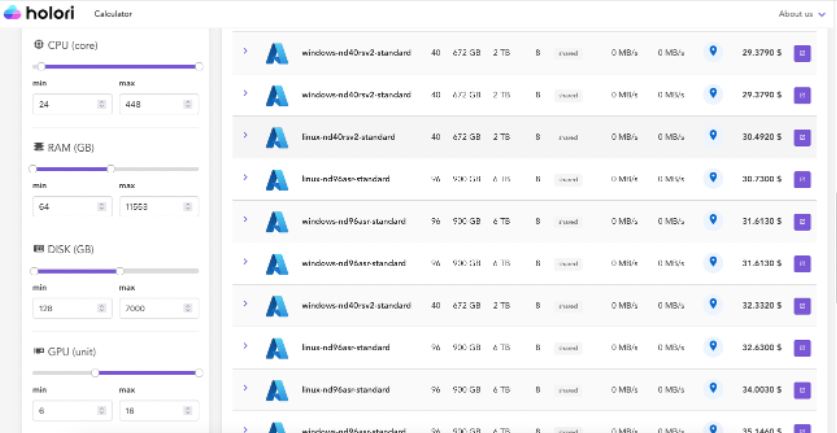
What is the Azure pricing calculator used for
What is the Azure Cost Calculator The Azure Pricing Calculator can help you understand the costs of moving workloads to the Azure cloud. It estimates Azure pricing once all your data and applications are in Azure.
Cached
What is the difference between TCO calculator and pricing calculator
Both calculators provide pricing for a wide range of Azure services, including compute, storage, network, analytics and more. The pricing calculator is a tool that provides an estimate of the cost of Azure products and services. The TCO calculator helps you assess the potential financial impact of deploying Azure.
Cached
What are the 3 pricing models of Azure
Azure Pricing Models
Microsoft offers three main ways to pay for Azure VMs and other cloud resources: pay as you go, reserved instances, and spot instances.
Does Azure pricing Calculator include OS disk
You always have to pay for an operating system disk. It is not included in the cost of the virtual machine.
What does a cost calculator do
Cost Calculator is especially suitable if your services or products have variable costs, and there are many options to estimate those costs. If you need to make a price calculator to determine your project costs, this tool is for you.
Do I have to pay to use Azure
Do I pay anything to start with the Azure free account No. Starting is free. You won't be charged anything unless you decide to move to pay-as-you-go pricing.
What is the main purpose of the TCO calculator
The TCO Calculator helps you estimate the cost savings of operating your solution on Azure over time, instead of in your on-premises datacenter. The term total cost of ownership is commonly used in finance. It can be hard to see all the hidden costs related to operating a technology capability on-premises.
What are the 3 primary cost components in a TCO analysis
TCO is calculated by adding the three major components: purchase price, maintenance costs, and repair costs.
What are the 4 types of Azure
Most organizations will use more than one type of storage.Azure Blob Storage. Blob is one of the most common Azure storage types.Azure Files. Azure Files is Microsoft's managed file storage in the cloud.Azure Queue Storage.Azure Table.Azure Managed Disks.
How is Azure billed
Billing for Azure resources is done on a per-subscription basis. An Azure subscription therefore defines a set of Azure resources that will be invoiced together. Organizations often create multiple Azure subscriptions for billing and management purposes.
What is the difference between OS disk and data disk in Azure
The OS disk has a maximum capacity of 4,095 GiB. The maximum size of the data disk is 32,767 GiB. Managed disks are integrated with the availability sets to ensure that the VM disks are separated from each other in an availability set to prevent a single failure point.
Is Azure OS disk free
Ephemeral OS disks are free, you incur no storage cost for OS disks. Available in all Azure regions.
What is the use and purpose of calculator
A calculator is a machine which allows people to do math operations more easily. For example, most calculators will add, subtract, multiply, and divide. Some also do square roots, and more complex calculators can help with calculus and draw function graphs. Calculators are found everywhere.
What is cost calculation
To calculate the cost per unit, a business needs to use the unit cost formula. The unit cost formula is: Cost per unit = Variable cost + Fixed Cost / Total number of units produced. Variable costs are costs that are directly related to the production of goods and can change depending on the volume of the production.
Why is Microsoft Azure expensive
Common Reasons Why Azure Is Expensive
Additionally, businesses may have to pay for additional services, such as software licenses, applications, and services, which can add to the overall cost. Another major factor that contributes to Azure's cost is the cost of hardware.
How long can you use Azure for free
12 months
Your free services and quantities expire at the end of 12 months. You can find out when your free services expire in the Azure portal. Sign in to the Azure portal.
What are the benefits from measuring the TCO for a purchased item
A TCO analysis helps businesses determine the difference between short-term (purchase price) and long-term (total cost of ownership) costs of a product or system. It helps make an informed purchasing decision when selecting the right vendor from multiple alternatives.
What is the formula for calculating TCO
I + M – R = TCO
The variables chosen are initial cost (I), maintenance costs over 5 years (M), and the remaining value after 5 years of depreciation (R).
What is included in a TCO calculation
Total cost of ownership (TCO) includes the purchase price of a particular asset, plus operating costs, over the asset's life span. Looking at total cost of ownership is a way of assessing the long-term value of a purchase to a company or individual.
What are the 5 pillars of Azure
The five pillars of the Azure Well-Architected Framework are reliability, cost optimization, operational excellence, performance efficiency, and security.
What are the three main components of Azure
Azure offers three core areas of functionality; Virtual Machines, cloud services, and app services.
Does Azure charge monthly or hourly
Windows Virtual Machines in Microsoft Azure are by default running in a Consumption-Based model. This means that each hour a Virtual Machine is “Running” it is billed at an hourly rate. If a VM is Stopped (deallocated), then there is no hourly charge during that time.
Is Azure billed monthly
Azure support plan – An invoice is generated each month for your support plan subscription.
What are the four different types of data disks in Microsoft Azure
We offer four disk storage options — Ultra Disk Storage, Premium SSD, Standard SSD, Standard HDD.
What are the different types of disks in Azure
We offer four disk storage options — Ultra Azure Disk Storage, Premium SSD, Standard SSD, Standard HDD.


0 Comments