
How do you use remind?
“`html
Summary of the Article: What is Remind and How Does it Work?
1. What is Remind and how does it work
Remind is a communication platform that helps educators reach students and parents where they are. Messages are sent in real time to an entire class, a small group, or just a single person. You can also schedule announcements ahead of time and attach photos and other files.
2. Can everyone see your Remind messages
An individual message is a conversation between you and one other participant. You and the participant are the only people who can see the message.
3. How do you set up a Remind text
Text the @code of the class or school you want to join to 81010. You’ll immediately receive a text confirming you’ve joined the school or class. If you don’t already have the Remind app, click the texted link to download it. If you already have the app on your phone, open it to see the school or class you just joined.
4. How does sending messages on Remind work
Log in to your Remind account online. New message on the left navigation menu. Select Message. Type in the name of a teacher, student, parent, administrator, or staff in the Search bar to locate an individual participant at your organization and to initiate a conversation with them.
5. What are the pros and cons of Remind app
Pros: Translation into over 70 languages. Easily share files and links with caregivers. Cons: Adults not confident with tech might struggle, not all resources are readily accessible and message length in free version is limited.
6. How do I use Remind on my phone
So let’s get started I’m just going to click here where it says sign up at this point I could set up an account using my email address or why not just link it to my Google account both of those are
7. Can I use Remind if I’m not a teacher
Our service is built for educators, so all features and wording on the site will be related to teachers, but anyone can sign up to use it.
8. Can people see my phone number on Remind app
Personal cell phone numbers, email addresses, and other personal contact information stay private on Remind. Only verified administrators on a Remind Hub plan can see contact information for members of their organizations.
9. How do you send a message to Remind someone
How To Write A Reminder Text MessageKeep It Brief. The goal is to remind the recipient of what they need to do, not to overwhelm them with information.Be Clear. Use language that the recipient will understand.Be Specific. Include all relevant details such as dates, times, and locations.Be Polite.
10. Are my Remind messages private
Contact information is completely private between students, parents, and teachers. All messages are sent through Remind numbers and emails, not your personal phone number or email address. Messages on Remind can’t be edited or deleted, so there’s a record of every conversation.
11. Does it cost money to use Remind
Access to and use of Remind itself is free, but we do offer additional features that require fees, such as our Remind Tutoring services. Remind reserves the right to charge fees for certain features.
“`
What is Remind and how does it work
Remind is a communication platform that helps educators reach students and parents where they are. Fast: Messages are sent in real time to an entire class, a small group, or just a single person. You can also schedule announcements ahead of time and attach photos and other files.
Can everyone see your Remind messages
An individual message is a conversation between you and one other participant. You and the participant are the only people who can see the message.
How do you set up a Remind text
Text the @code of the class or school you want to join to 81010. You'll immediately receive a text confirming you've joined the school or class. If you don't already have the Remind app, click the texted link to download it. If you already have the app on your phone, open it to see the school or class you just joined.
How does sending messages on Remind work
Send an individual message
Log in to your Remind account online. New message on the left navigation menu. Select Message. Type in the name of a teacher, student, parent, administrator, or staff in the Search bar to locate an individual participant at your organization and to initiate a conversation with them.
What is the cons of Remind app
Pros: Translation into over 70 languages. Easily share files and links with caregivers. Cons: Adults not confident with tech might struggle, not all resources are readily accessible and message length in free version is limited.
How do I use Remind on my phone
So let's get started I'm just going to click here where it says sign up at this point I could set up an account using my email address or why not just link it to my Google account both of those are
Can I use Remind if I’m not a teacher
Our service is built for educators, so all features and wording on the site will be related to teachers, but anyone can sign up to use it.
Can people see my phone number on Remind app
Personal cell phone numbers, email addresses, and other personal contact information stay private on Remind. Only verified administrators on a Remind Hub plan can see contact information for members of their organizations.
How do you send a message to Remind someone
How To Write A Reminder Text MessageKeep It Brief. The goal is to remind the recipient of what they need to do, not to overwhelm them with information.Be Clear. Use language that the recipient will understand.Be Specific. Include all relevant details such as dates, times, and locations.Be Polite.
Are my Remind messages private
Here are the basics: Contact information is completely private between students, parents, and teachers. All messages are sent through Remind numbers and emails, not your personal phone number or email address. Messages on Remind can't be edited or deleted, so there's a record of every conversation.
Does it cost money to use Remind
Access to and use of Remind itself is free, but we do offer additional features that require fees, such as our Remind Tutoring services. Remind reserves the right to charge fees for certain features.
Do I have to be a teacher to use Remind app
Our service is built for educators, so all features and wording on the site will be related to teachers, but anyone can sign up to use it.
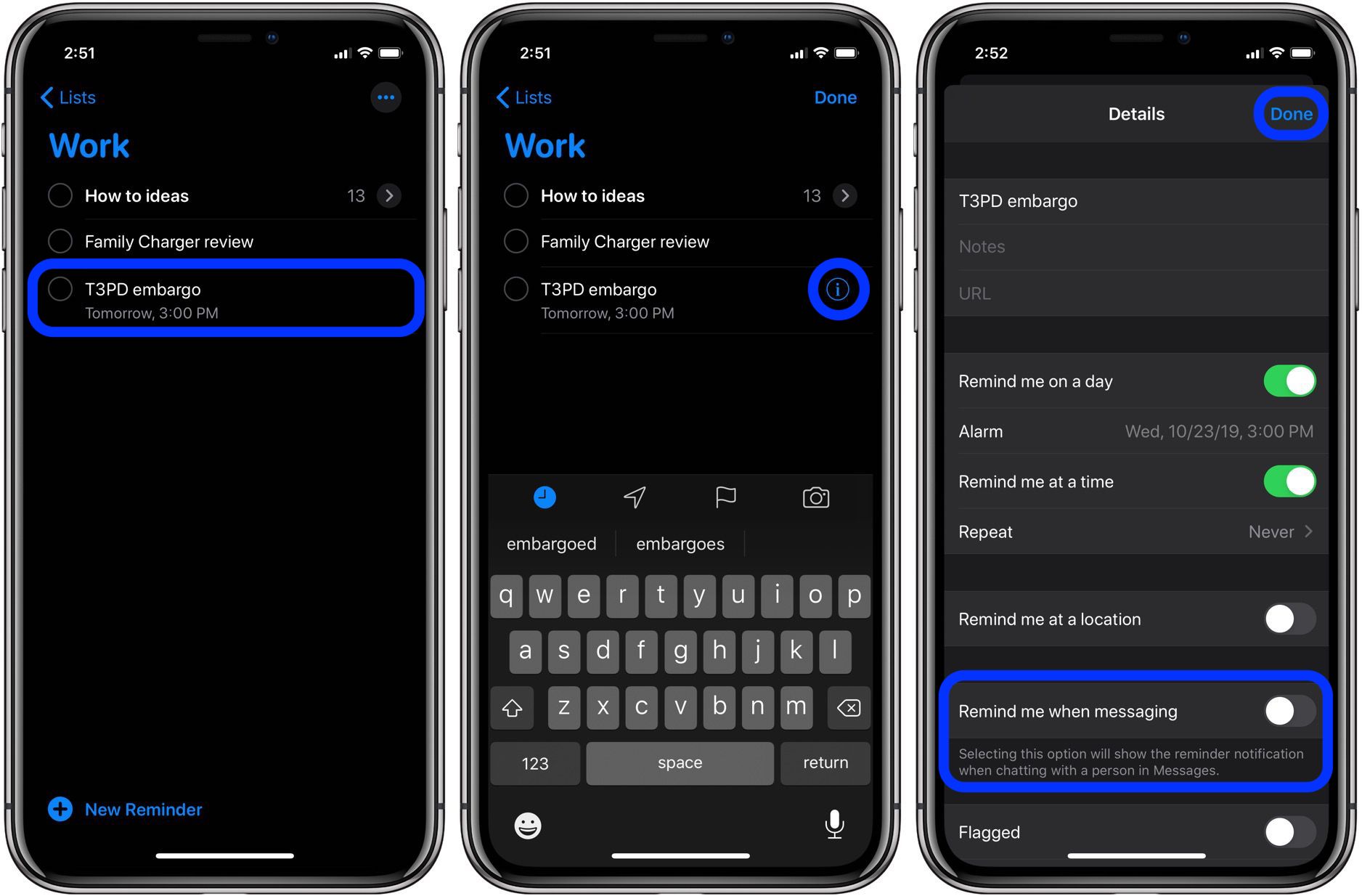
How do you use the Remind app on iPhone
So in this video i'm going to show you what's new in reminders with this new update along with some useful tips and tricks that you're probably not using let's start with the new features introduced
How does Remind me work on iPhone
Open the Settings app, then tap [your name] > iCloud and turn on Reminders. Inside the Reminders app, you'll see all of your reminders on all of your Apple devices that are signed in to the same Apple ID.
How do you add someone to Remind without being a teacher
Click on the Add People button on the top right. Select a role (Students, Parents, Teachers) for the individuals you want to add. Enter the first name and last name (optional), phone or email address, secondary phone or email (optional), and preferred language (optional) of each person you want to add to the class.
Can your school see your Remind messages
Contact information is completely private between students, parents, and teachers. All messages are sent through Remind numbers and emails, not your personal phone number or email address. Messages on Remind can't be edited or deleted, so there's a record of every conversation.
What happens when you put your phone number in the Remind app
Personal cell phone numbers, email addresses, and other personal contact information stay private on Remind. Only verified administrators on a Remind Hub plan can see contact information for members of their organizations.
Do parents have to have the Remind app to receive messages
Students under the age of 13 need to enter a parent or guardian's email address before using Remind. They can only receive messages from their teachers. students and parents on any device, including texting-only phones—no smartphones necessary.
How do you Remind someone about something
10 expressions to Use In Speaking And Writing:Don't forget to do it.Remember to do it.You will remember to do it.You won't forget to do it, will youCan / Could I remind you to…I'd like to remind you aboutYou haven't forgotten about __, have youI hope you haven't forgotten to
How do I send a reminder text example
Hi [Customer Name], [Name] from [Business Name] here. This is a reminder that you have an appointment scheduled with [Attendee Name] for [Day, Date, Time]. We look forward to seeing you. To opt out of text messages, reply STOP.
Can you remove someone from Remind without them knowing
You can easily remove participants that no longer belong in your organization via your Remind dashboard. This will ensure they do not receive announcements. When you remove a participant, we'll send them a message notifying them of their removal.
Can you join Remind without the app
Remind's join site
Go to remind.com/join. Enter the class code, and select Join. Enter you first and last name along with your mobile phone number or email address.
How do you send a Remind text on iPhone
Share and assign reminders on your iPhone or iPadOpen the Reminders app. Tap the list that you want to share.Tap the Share button .In the menu, tap on your contact or an app like Messages or Mail and share the list.
How do you receive messages on Remind
WebLog in to your Remind account on a computer.Click your name in the upper left-hand corner.Choose Account settings.Select the Notification Preferences tab.Set your preferred way to receive notifications under Contact methods.
What happens when you add people to Remind
Remind Hub paid members – when you add people to a class, they'll automatically become members of the class. This article contains the following information: Invite people to join your class (Remind Chat members) Add people directly to your class (Remind Hub members)


0 Comments