
How do I align my ADT sensor?
ADT Sensor Troubleshooting FAQ
1. How do you reset the ADT sensor?
Factory resetting your Blue by ADT Door & Window Sensor:
– Remove the sensor’s cover
– Remove the CR2 battery from the sensor
– Press the tamper switch before inserting the battery
– Insert the battery
– Release the tamper switch while the LED is illuminated (it will be lit for 4 seconds)
2. How do I reset my ADT sensor after replacing the battery?
The security system may need to be reset by entering your code into your system and hitting off twice. Remove the system from Test Mode. Go to MyADT.com and click on Alarm System, select the System Management option, and select Stop Test to remove the system from test mode and restore operations.
3. Why are my ADT sensors not working?
If you have a wireless sensor, the battery may need replacing. Displaying Trouble Condition The wires may have been damaged or pinched. If you have a wireless sensor, check to see that the cover is correctly secured. An incorrectly secured cover may cause the tamper to show the zone faulted.
4. How do you test an ADT sensor?
Test your adt security system to make sure it works properly. The first step is to put your system into test mode via the my adt app or myadt.com. You can do this by selecting system tab system test
5. How do I reset my sensor settings?
Page here we can select reset sensor. And clear sensor. You will let this process complete and the sensor will reconnect once it is done.
6. How do I know if my ADT motion sensor is working?
To test your motion detector:
– Place your system on test
– Arm your system to Away
– Before the exit delay expires, open and close an exit door
– Wait five minutes
– Confirm that the system panel’s LED light turns on or that the keypad displays the zone as faulted
– Remove your system from test
7. How long do ADT sensor batteries last?
The average backup battery lasts 3-5 years. Under normal conditions the backup battery will recharge on its own.
8. How do I reset my alarm after changing the battery?
You can reset your alarm by following these quick steps:
– Disconnect all power sources (if you’re replacing a hardwired alarm’s battery, you’ll want to disconnect if from any wiring)
– Press and hold the test/silence button for 20 seconds
– Reconnect all power sources (reconnect the wiring or plug back into the outlet)
9. How do you troubleshoot an alarm sensor?
Here are the recommended troubleshooting steps to take if a Door/Window Contact Sensor for your Total Security alarm system is no longer working successfully:
– Check For Metal Doors, Windows, Or Frames
– Check The Status Of The Sensor Light
– Check The Alarm Settings
– Check Battery Pull Tab
– Check Placement Of Sensor
10. How do you check if the sensor is working or not?
Read the Ohm or resistance values and compare them to those of the manufacturer. If they don’t match, the sensor is defective. If the resistance is infinite, you have an open circuit within the sensor. If the readings are zero Ohms, the sensor is shorted.
11. How do you calibrate a sensor?
First connect the sensor directly to the controller’s sensor port without any extra cables or y-splitters recalibrate it with two to three hydrometers. Then press the enter button to go to the setting.
12. Question
Detailed answer providing as much information as possible.
13. Question
Detailed answer providing as much information as possible.
14. Question
Detailed answer providing as much information as possible.
15. Question
Detailed answer providing as much information as possible.
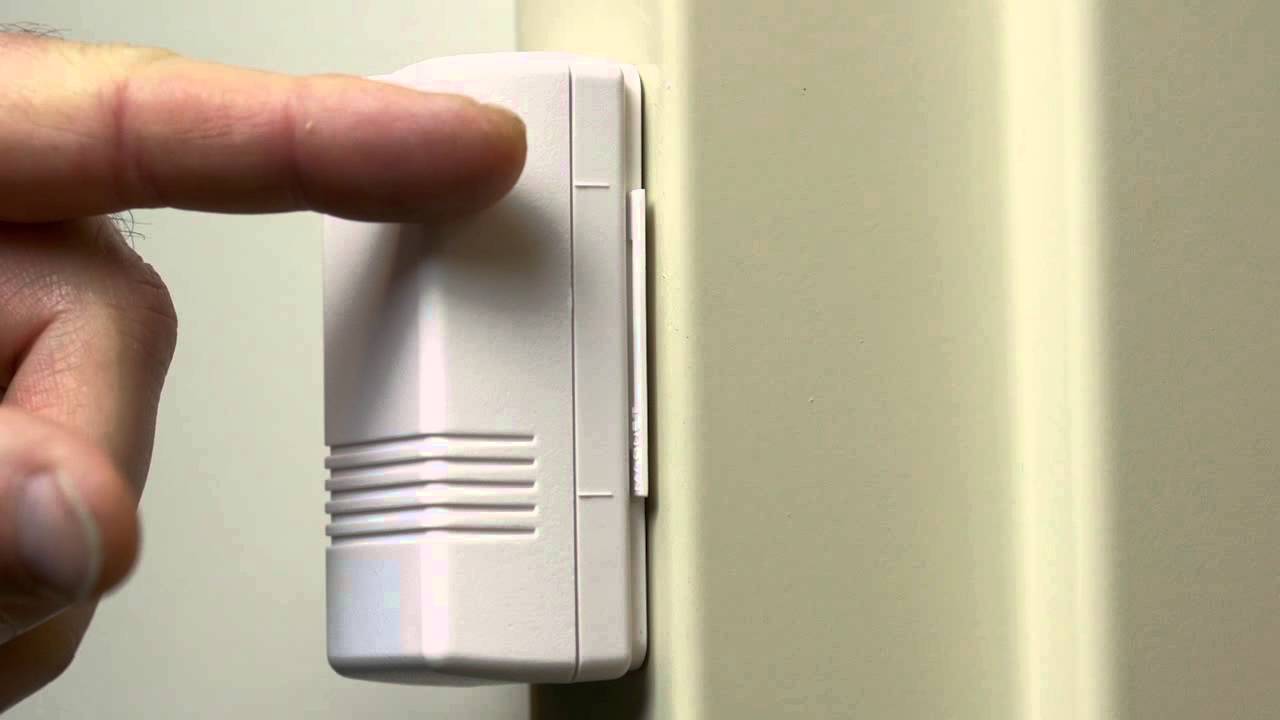
How do you reset the ADT sensor
Factory resetting your Blue by ADT Door & Window SensorRemove the sensor's cover.Remove the CR2 battery from the sensor.Press the tamper switch before inserting the battery.Insert the battery.Release the tamper switch while the LED is illuminated (it will be lit for 4 seconds).
How do I reset my ADT sensor after replacing the battery
The security system may need to be reset by entering your code into your system and hitting off twice. Remove the system from Test Mode. Go to MyADT.com and click on Alarm System, select the System Management option, and select Stop Test to remove the system from test mode and restore operations.
Why are my ADT sensors not working
If you have a wireless sensor, the battery may need replacing. Displaying Trouble Condition The wires may have been damaged or pinched. If you have a wireless sensor, check to see that the cover is correctly secured. An incorrectly secured cover may cause the tamper to show the zone faulted.
How do you test an ADT sensor
Test your adt security system to make sure it works properly. The first step is to put your system into test mode via the my adt app or myadt.com. You can do this by selecting system tab system test
How do I reset my sensor settings
Page here we can select reset sensor. And clear sensor. You will let this process complete and the sensor will reconnect once it is done.
How do I know if my ADT motion sensor is working
To test your motion detector:Place your system on test.Arm your system to Away.Before the exit delay expires, open and close an exit door.Wait five minutes.Confirm that the system panel's LED light turns on or that the keypad displays the zone as faulted.Remove your system from test.
How long do ADT sensor batteries last
The average backup battery lasts 3-5 years. Under normal conditions the backup battery will recharge on its own.
How do I reset my alarm after changing the battery
You can reset your alarm by following these quick steps:Disconnect all power sources (if you're replacing a hardwired alarm's battery, you'll want to to disconnect if from any wiring.Press and hold the test/silence button for 20 seconds.Reconnect all power sources (reconnect the wiring or plug back into the outlet).
How do you troubleshoot an alarm sensor
Here are the recommended troubleshooting steps to take if a Door/Window Contact Sensor for your Total Security alarm system is no longer working successfully.Check For Metal Doors, Windows, Or Frames.Check The Status Of The Sensor Light.Check The Alarm Settings.Check Battery Pull Tab.Check Placement Of Sensor.
How do you check if the sensor is working or not
Read the Ohm or resistance values and compare them to those of the manufacturer. If they don't match, the sensor is defective. If the resistance is infinite, you have an open circuit within the sensor. If the readings are zero Ohms, the sensor is shorted.
How do you calibrate a sensor
First connect the sensor directly to the controller's sensor port without any extra cables or y-splitters recalibrate it with two to three hydrometers. Then press the enter button to go to the setting
What happens if a sensor is not calibrated
Failure to calibrate a sensor when necessary can result in faulty information that will cause ADAS to operate improperly or not at all. Faulty sensor input can cause: A warning light or message on the instrument panel.
How do you test to see if a motion detector is working correctly
First set the on time control to test mode. If your sensor is equipped with dual bright switch it to off. If. It also has the lamp mode feature switch its normal. Second walk across the path of the
Why my motion sensor is not working
Wipe the sensor with a clean, soft cloth—something that doesn't scratch glass and plastic surfaces. Check and/or change the bulb. If the sensor is clean and clear, but the problem persists, you might examine or change the bulbs in your motion light, since they last a while, but will wear out over time.
Can I replace my ADT battery myself
Hey did you know that you could change your battery to your ADT panel if you got a missing or dead battery don't call ADT check this out order yourself a replacement battery by checking the link in
Does ADT replace batteries for free
Depending on your maintenance plan, you may be covered for free batteries and shipping. Even if your maintenance plan does not cover batteries, you can order them from us. To order new batteries either for your wireless device or main backup panel, please call us at 1-855-958-8181.
Where is reset button on ADT alarm
The ADT alarm reset button for the alarm panel is located on the keypad itself.
Does disconnecting the battery disable the alarm
If all else fails, a great way to shut off your car alarm is to starve it of power by disconnecting the battery. One simple way of doing this is to remove the negative (black) battery connector from battery.
How do you know if your sensor is messed up
Signs a Vehicle has a Bad O2 SensorCheck Engine Light Comes On.Noticeable Loss of Fuel Efficiency.Sulfur or 'Rotten Egg' smell from Exhaust.Black smoke from exhaust.Emission levels reach high levels.Your engine hesitates, skips, begins bucking or has power surges.
What are the common faults in sensors
Four common types of sensor faults: (a) bias, (b) drifting, (c) complete failure, and (d) precision degradation.
How do you reset your sensors
Drive at or above 50 mph to reset the sensor for 10 minutes. This causes your sensor to reset the next time you turn on your car. With the vehicle off, turn the key to the “On” position, but do not start the car. Hold the TPMS reset button until the tire pressure light blinks three times, then release it.
How do I fix my sensor not working
Here are some solutions to fix sensor not working on your android phone.Check for Dust or A Crack on the Screen Sensor.Remove Screen Guard and Check.Restart Your Phone.Update Your Phone.Reset Device.Visit a Repair Service Center.
Do sensors need to be calibrated
Sensors and measuring systems, among other measurement tools, are calibrated to check their accuracy and repeatability. Calibrated sensors are necessary for precise, consistent, and repeatable measurement outputs. Calibration is one of the crucial conditions for effective quality assurance.
How do I calibrate a sensor
Take a measurement with your sensor. Compare that measurement with your reference standard. Subtract the sensor reading from the reference reading to get the offet. In your code, add the offset to every sensor reading to obtain the calibrated value.
How much does it cost for ADAS calibration
$300 to $600
The calibration cost of ADAS is based on your vehicle information and estimates generally range from $300 to $600, depending on what must be calibrated and where you have the work completed.


0 Comments